15
Basic
Operation
Turning On the Tablet
Note: Thi
s device has been equipped with Windows 10 system at the factory, so user need not
perform Windows setup again before using for the first time.
Press and hold the Power button to turn on your tablet. The lock screen appears.
Now the tablet is ready for use.
Note: If the login screen is not enabled in Windows 10, you will be taken directly from the
lock screen to the Start screen.
Turning Off the Tablet
You c
an turn off the tablet in two ways:
Using the Power button:
1. Press and hold the Power button for at least 4 seconds.
2. Swipe-down the shutdown confirmation screen to the bottom edge of the display to
turn off the tablet.
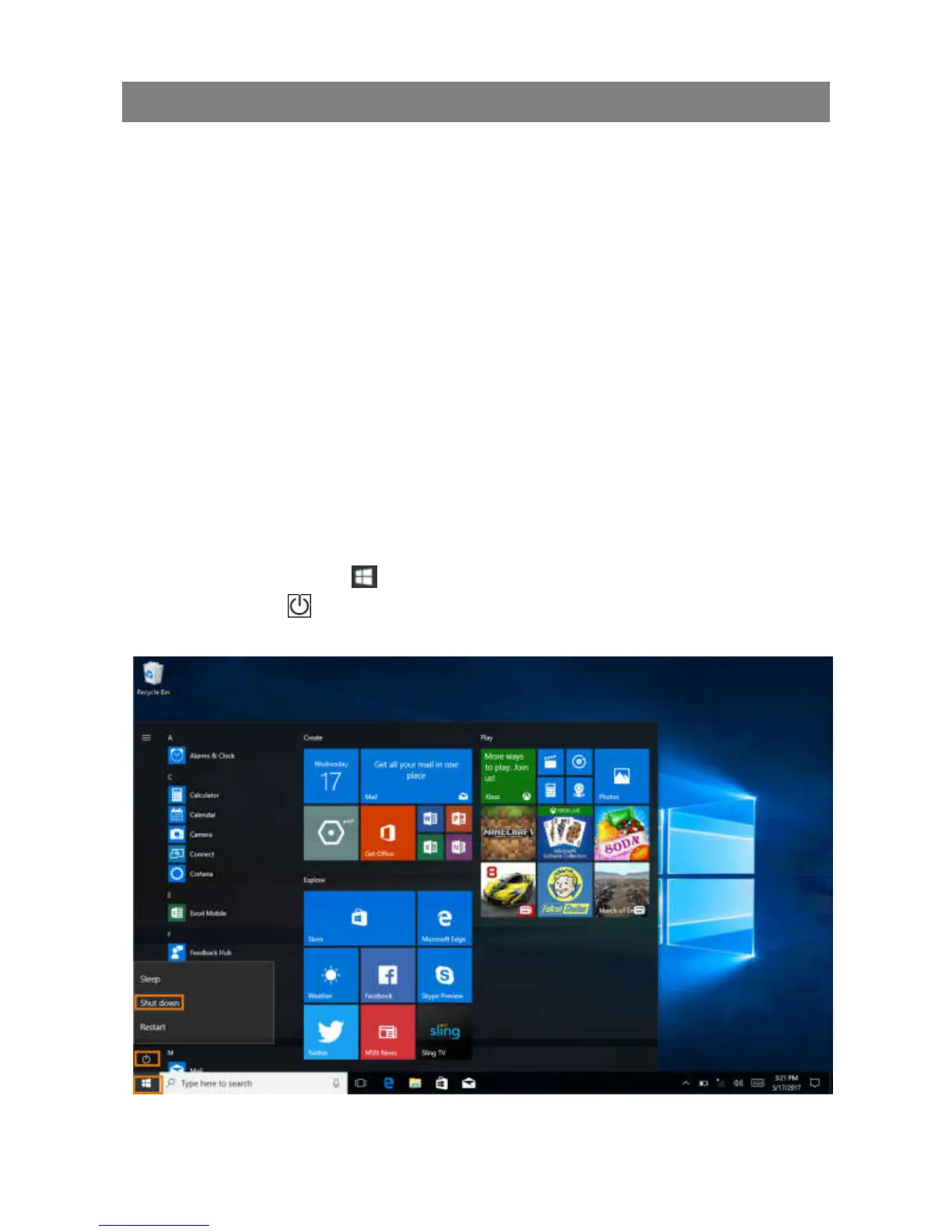
Using Start menu:
1. Touch the Start button
to b
ring up Start menu.
2. Touch Power
→ Shutdown
to turn off the tablet.



 To Next Page