12
Basic Connections
Charging the tablet
Notes:
If using t
he tablet for the first time, or after a long period of idle time, charge the
batt
ery for more than half an hour before turning it on, to ensure system stability.
The tablet has a built-in rechargeable battery. Charge the device when the battery level
is low.
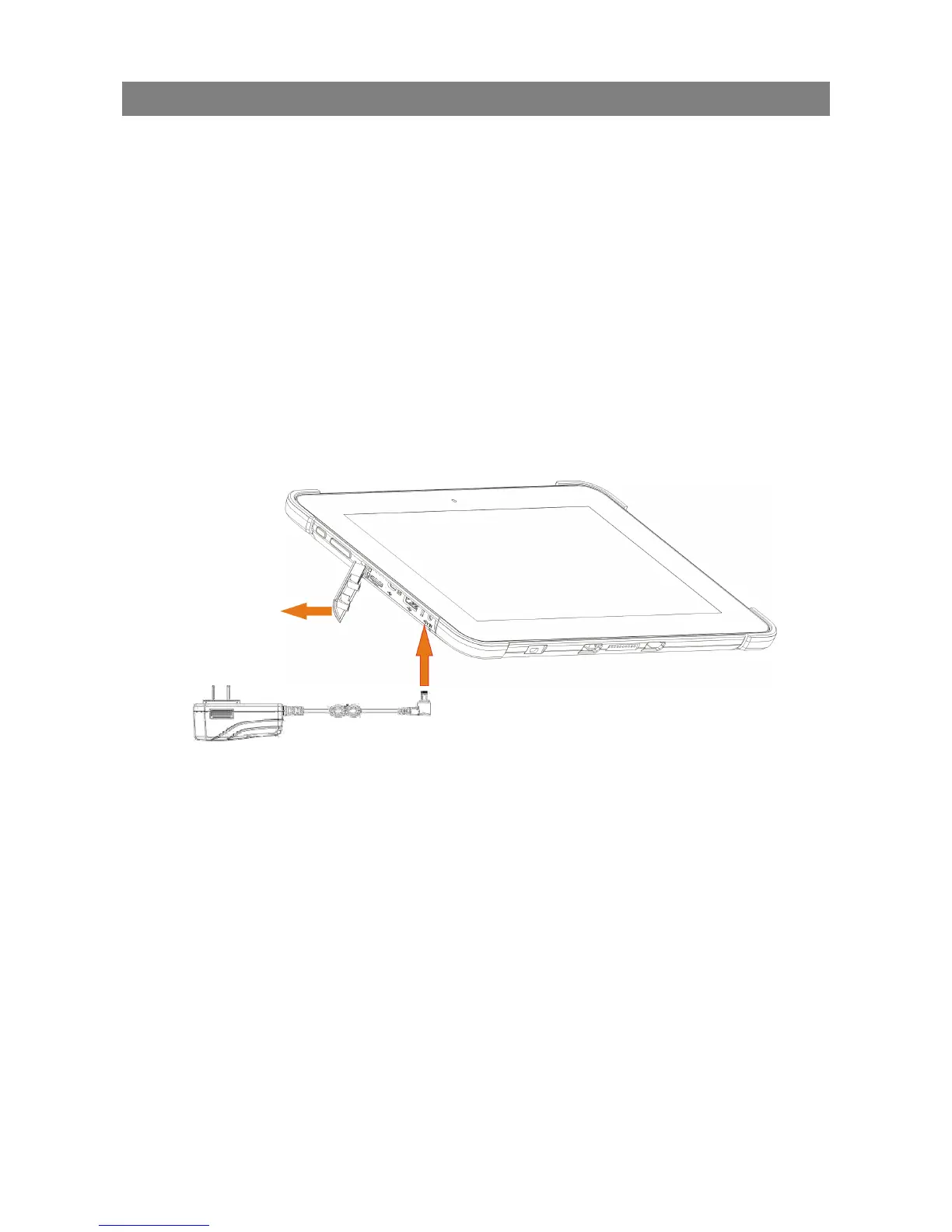
1. Plug the power adapter into the DC-In socket.
2. Open the port cover on the left.
3. Connect the power adapter to an electrical outlet and charge the tablet until the battery
is fully charged.
Caution:
Charg
e the battery in an ambient temperature of 0 °C to 35 °C.
Use only the supplied power adapter to charge your tablet. Using unauthorized
power adapters may severely damage your tablet.



 To Next Page