16
Turning On/Off screen
Usually, user can press once the power button to turn on/ off the screen display
.
Optionally, user can also use the Start menu:
1. Touch the Start button
to bri
ng up Start menu.
2. Touch Power
→ Sleep to turn off t
he screen.
Connecting to a wireless network
Turning On
/Off Wi-Fi
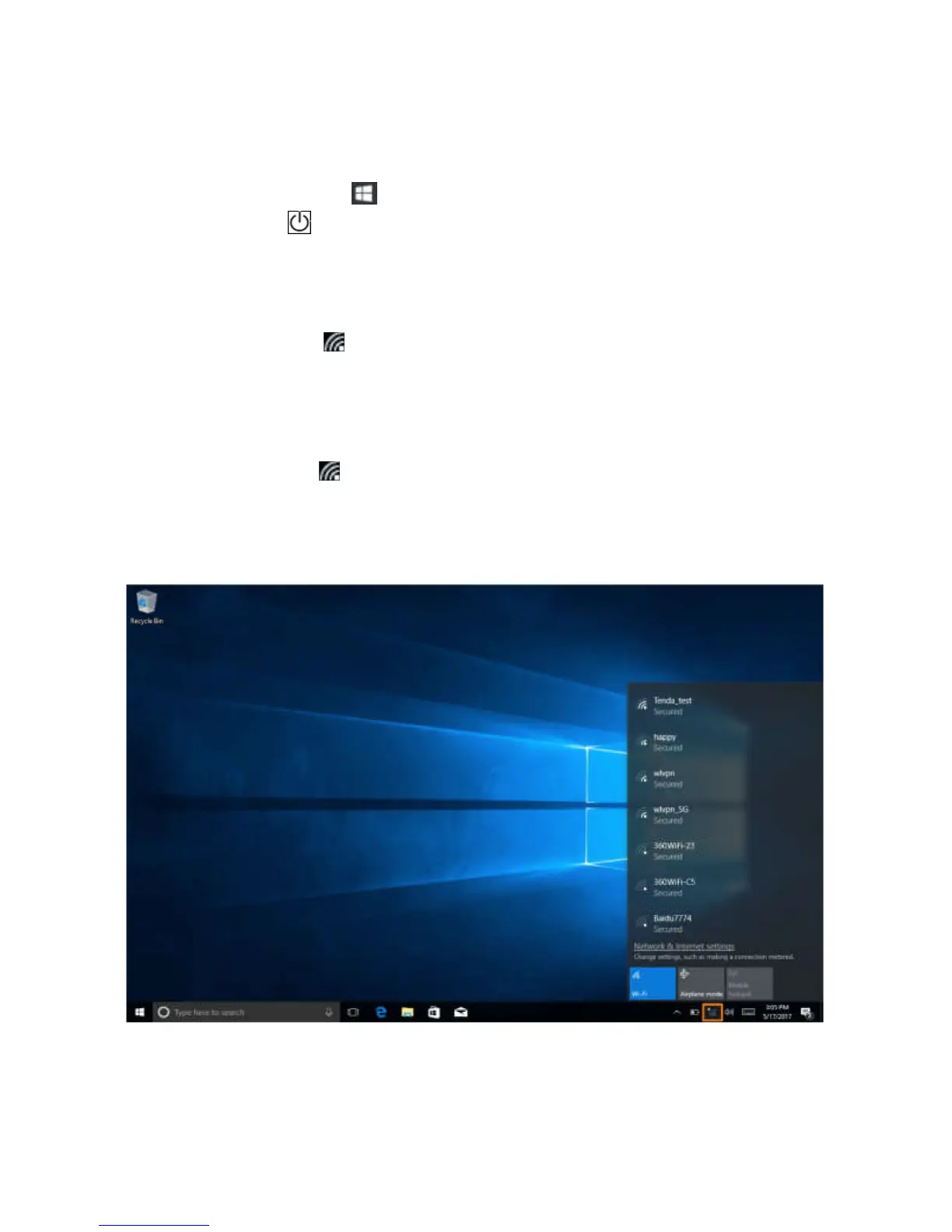
1. Touch Wi-Fi icon
on the lower-
right corner of the taskbar to view the available
wireless networks.
2. Touch Available Wi-Fi icon to turn on/off Wi-Fi connection.
Connecting to a wireless network.
1. Touch WiFi icon
on the lo
wer-right corner of the taskbar to view the available
wireless networks.
2. Select a wireless network ,clik the network name from the list,then touch Connect.
3. Input the password if necessary, then touch Connect to start connecting to the Internet.



 To Next Page