EasyManua.ls Logo

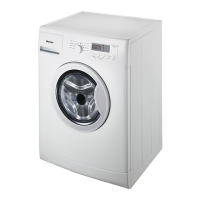
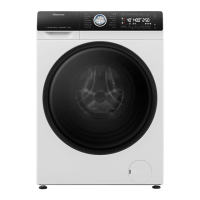
Hisense HWGE9014 - User Manual

Hisense HWGE9014
68 pages
Print Icon
To Next Page IconTo Next Page
Loading...
MODEL: HWGE9014
HWGE8014
English
USER’S OPERATION MANUAL
Before operating this unit, please read this manual
thoroughly, and retain for future reference.

Questions and Answers

  • L
    Lawrence MillerAug 14, 2025
    How to resume washing program on Hisense HWGE9014 Washer?
    • F
      fwallaceAug 14, 2025
      To resume the washing program on your Hisense washer, press the START/PAUSE button. Alternatively, you can manually stop the programme by pressing and holding the ON/OFF/RESET button for more than 3 seconds.
  • K
    Kevin JohnsonAug 17, 2025
    What to do if my Hisense HWGE9014 Washer shows error E7?
    • J
      John ZunigaAug 17, 2025
      If your Hisense washer displays error E7, check if the pump filter is clean, the discharge hose is not clogged, and the drain is clear. Also, make sure the discharge hose is positioned correctly, between the maximum and minimum height. Then, press the START/PAUSE button again. If the error persists, contact a service technician.
  • E
    Erika BrennanAug 21, 2025
    How to fix water drain system alert on Hisense HWGE9014?
    • A
      Adam BushAug 21, 2025
      If your Hisense washer shows a water drain system alert, verify that the pump filter is clean, the discharge hose isn't clogged, and the drain itself is free of obstructions. Additionally, ensure the discharge hose is placed at the correct height, between the maximum and minimum limits.
  • J
    Jessica GuzmanAug 25, 2025
    What to do if Hisense HWGE9014 Washer displays error E2?
    • N
      Natalie RobinsonAug 25, 2025
      If your Hisense washer is displaying error E2, ensure that the washing machine door is properly closed. Unplug the power cord from the outlet, then plug it back in and switch the washing machine on. If the error continues, call a service technician.
  • C
    Connor RichardsAug 27, 2025
    What to do if Hisense HWGE9014 displays error E11?
    • R
      Robyn HermanAug 27, 2025
      If there is too much water in the drum and error E11 is displayed, the washing program will be interrupted, and the water will be pumped out. Restart the program. If the error occurs again, contact a service technician. Also, if the washing machine continues to add water, close the water tap and call a service technician.
  • K
    kcarlsonAug 31, 2025
    How to fix unresponsive display on Hisense HWGE9014?
    • F
      Felicia MccoyAug 31, 2025
      If the display unit and all buttons on your Hisense washer are unresponsive, manually stop the program by pressing and holding the ON/OFF/RESET button for more than 3 seconds. Then, unplug the power cord from the outlet, plug it back in, and turn the washing machine on. If the issue persists, contact a service technician.
  • M
    Matthew FoxSep 3, 2025
    Why does my Hisense Washer show error E1?
    • G
      guerrajoshuaSep 3, 2025
      If your Hisense washer reports error E1, it means the inlet water is too cold. Repeat the washing programme. If the washing machine reports this error again, call a service technician.
  • E
    Earl WardSep 6, 2025
    How to fix unevenly distributed laundry in Hisense HWGE9014?
    • C
      Christopher GreenSep 6, 2025
      If your Hisense washer has unevenly distributed laundry, manually distribute the laundry and run the spinning programme. See additional description under TROUBLESHOOTING TABLE.
  • N
    Nicole RamirezSep 10, 2025
    What does 'cln' mean on my Hisense HWGE9014 display?
    • A
      Alexander HowardSep 10, 2025
      The 'cln' indicator on your Hisense washer suggests that you should run the Drum Clean (Self-cleaning programme).

Summary

INTRODUCTION AND SAFETY

SAFETY PRECAUTIONS

Essential safety guidelines for using the washing machine.

CHILD SAFETY

Information about child safety precautions and usage by children.

DANGER OF HOT SURFACE

Warning about hot surfaces and potential burns.

WATER OVERFLOW PROTECTION (WITH WASHING MACHINE SWITCHED ON)

Explanation of the water overflow protection system.

APPLIANCE OVERVIEW AND SETUP

WASHING MACHINE DESCRIPTION

Overview of the washing machine's components and design.

TECHNICAL SPECIFICATIONS

Detailed technical data and specifications of the washing machine.

CONTROL UNIT

Explanation of the washing machine's control panel and buttons.

INSTALLATION AND CONNECTION

Steps for installing and connecting the washing machine.

REMOVING THE BLOCKING RODS

Instructions for removing transport rods before first use.

ADJUSTING THE WASHING MACHINE FEET

Steps to level the washing machine using adjustable feet.

Washing machine installation clearances

Required clearances around the washing machine for proper operation.

CONNECTING TO WATER SUPPLY

Instructions for connecting the washing machine to the water tap.

CONNECTING AND SECURING THE WATER DISCHARGE HOSE

How to connect and secure the water discharge hose.

CONNECTING THE APPLIANCE TO THE POWER MAINS

Steps for connecting the washing machine to the electrical outlet.

BEFORE USING THE APPLIANCE FOR THE FIRST TIME

Steps to prepare the washing machine before the first wash.

WASHING PROCESS GUIDE

STEP 1: HEED THE LABELS ON THE LAUNDRY

Guidance on interpreting laundry care labels for washing.

STEP 2: PREPARING THE WASHING PROCESS

Steps for sorting and preparing laundry before washing.

SWITCHING ON THE WASHING MACHINE

Instructions on how to switch on the washing machine.

MAINTENANCE AND TROUBLESHOOTING

MISCELLANEOUS AND SUPPORT

Hisense HWGE9014 Specifications

General IconGeneral
BrandHisense
ModelHWGE9014
CategoryWasher
LanguageEnglish

Related product manuals