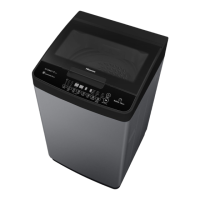
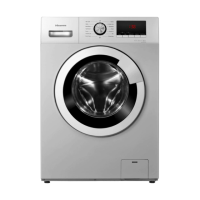
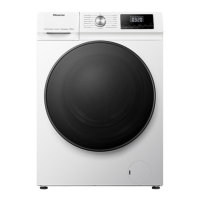
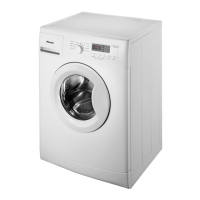
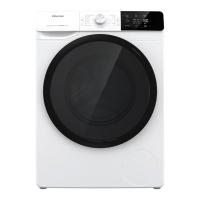
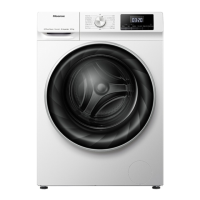
This document serves as a Customer Service Manual for Hisense & Whirlpool washing machines, specifically models XQG70-HR1014 and XQG70-HR1014S. It provides comprehensive information regarding the safe operation, functionality, and maintenance of the appliance.
Function Description
The washing machine is designed to clean laundry using various programs and settings. It features a drum for washing, a motor for agitation and spinning, and a heating element for temperature control. Water is supplied through inlet valves and drained by a pump. The machine incorporates a control panel for user interaction, allowing selection of wash programs, temperature, spin speed, and other options.
Usage Features
The washing machine offers a range of features to customize the washing process:
- Prewash/Soak: This option allows for adding powder detergent or degerming agent to a prewash chamber. It is recommended for heavily soiled laundry or items requiring degerming. Users can choose durations of 28, 38, or 48 minutes. During the initial 18 minutes, the drum turns, followed by a soaking period. At the end, the water is drained.
- Temperature (Temp.): Upon selecting a program, a predefined temperature is displayed. Users can press the "Temp." button to adjust the temperature as needed.
- Extra Rinse: This feature adds an additional rinse cycle with each press of the button, allowing for up to three extra rinses to prolong the rinse cycle. The number of selected rinses is displayed. This option is particularly useful in areas with very soft water, for washing baby linen, or for individuals with allergies.
- Wash Time: The wash time can be adjusted by pressing this button, with a maximum range of -90 to 10 minutes, depending on the selected program.
- Spin Time: This function is specifically for the spin program. Pressing the button allows users to select spin durations such as 5, 8, 10, or 14 minutes.
- Spin Speed: Each program has a predefined spin speed. Users can press the button to set a different spin speed. If "O" is selected, the final spinning is canceled, and only water drainage occurs, though intermediate spin phases during rinsing remain.
- Rinse Hold: When "Rinse hold" is selected, the laundry remains in the last rinse water without proceeding to the final spin cycle. This helps prevent creasing and color changes. To terminate "Rinse Hold" by draining water without spinning, press the "Start/Pause" button. To terminate by spinning, press the "Spin" button to select the desired speed, then "Start/Pause."
- Delay: The delay function allows users to schedule the machine to run at a later time, which can be convenient for taking advantage of cheaper electricity rates, for example, at night. Users select the program, temperature, and options, then press the "Start Delay" button to choose a delay time from 1 to 23 hours. The "start/pause" button initiates the countdown. The delay indication disappears when the program starts. To cancel the delay before pressing "Start/Pause," turn the program selector or press "Reset." After pressing "Start/Pause," press the "Reset" button for at least 3 seconds to clear the delay.
- Programme Start: To start a program, open the tap and press the "start/pause" button. The corresponding indication lamp will light up, and the program sequence indicator will show the current phase (wash, rinse, spin/drain) progressing from left to right. The display will show the remaining program time.
- Programme End: At the end of a program, all lights on the program sequence indicator turn off, and the "Door Open" indication lights up.
- Changing Programs/Options after Start: To change a program or options after it has started, press "Start/Pause" to pause the program. Select the new program (with temperature), any desired options, and a different spin speed if needed. Press "Start/Pause" again to resume the new program from the point where the previous one was interrupted. Do not add detergent for the new program.
- Resetting a Running Program: To cancel a program before it ends, press the "Reset" button for at least 3 seconds. Any existing water will be drained before the door can be opened.
- Foam Clear: Pressing the "Foam Clear" button before the program starts allows the machine to adjust the water level and strength during the last rinse to clear any remaining foam.
- I.Program (Custom Program): Users can save a desired washing process as a custom program. After choosing the desired settings but before pressing "Start/Pause," press the "I.Program" button for 3 seconds. Each washing program has a predefined process, but this feature allows overwriting the original with a new custom process. To recall a favorite process, hold "I.Program" for at least 3 seconds and then press "Start/Pause."
- End Sound Control: The end sound can be turned on or off by pressing "Extra Rinse" and "Delay" simultaneously for at least 3 seconds.
Maintenance Features
The manual emphasizes several safety and maintenance aspects:
- Safety Items: Users are advised to use only company-supplied spare parts for maintenance to ensure safety and proper functioning. The machine must have a safe ground connection, and users should be warned to resolve any grounding issues themselves. Transformers, universal plugs, or power sockets should not be used due to potential damage. If the plug and socket do not match, the customer should change the power socket, but the machine's plug should not be altered.
- Using Attention and Maintenance Safe: Before cleaning or maintenance, the power supply must be cut off. After using or adjusting the machine, the water source should be closed, and the power cord unplugged.
- Basic Safe Rules: When using the machine, avoid touching or operating it with humid hands or bare feet. Do not pull the power cord to unplug it. Ensure the washer is not exposed to direct sunlight or wet conditions. Do not operate the washer when children are unattended. Before washing, clear pockets of items like coins, paper, or pens. Do not open the cover when the washer is spinning. Protect the control panel from sharp objects to prevent water infiltration and potential leakage.
- Transport Bolt Removal: Before using the washer, it is crucial to remove the transport bolts, as failure to do so can damage the appliance. The manual provides step-by-step instructions for unscrewing, moving, and pulling out the bolts, and then sealing the holes with plastic caps. Users are advised to keep the bolts and wrench for future transport.
- Adjustment of the Feet: The appliance must be installed on a solid and level floor. For wooden floors, a 60x60 cm plywood sheet (at least 3 cm thick) should be used to distribute weight. The four leveling feet can be adjusted to compensate for uneven floors; no wood pieces should be inserted under the feet. Instructions are provided for slackening the locknut, lifting the machine, adjusting foot height, and tightening the locknut.
- Connecting the Water Supply Inlet Hose: Instructions are provided for connecting the inlet hose(s). For models with dual inlets, both hot and cold water hoses are connected. For cold-fill-only connections, a Y-piece connector is used. Users are reminded to ensure no kinks in the hose, proper connection to the tap (not an un-pressurized mixing tap), and to check for water-tightness. The inlet hose should be regularly checked for brittleness and cracks.
- Connecting the Drain Hose: The drain hose should be connected to a siphon or hooked over a sink edge using the provided "U" bend. Users must ensure no kinks in the hose, secure placement to prevent falling, and note that hot water will be drained. Small hand basins are not suitable. An extension hose of the same type can be used, with a maximum overall length of 2.50 m.
- Electrical Connection: Only a socket with an earth connection should be used. Extension leads or multi-sockets are not permitted. The electrical supply must be adequate for the machine's 10 A current rating. The power cable must be replaced exclusively by a licensed electrician, and all electrical connections must comply with local regulations.
- Suggest Drum Clean: After every 50 wash cycles, the "Foam Clear" indication light will illuminate, prompting the user to select the "Drum Clear" program to clean the drum.
- Troubleshooting (Failure Codes): The manual includes a section on failure codes, providing explanations and recommended procedures for issues such as "No water detected," "Long Drain," "Aquastop Failure," "Overflow Failure," "Too Long Heat Time," "Water Temperature Sensor Error," "Drive Motor Tachometer Error," "Motor Control Triac Error," "Heater Circuit Error," "EEPROM Error," "Drum Up Circuit Missing," "User Interface Error," "Door Open LED flashing," "Pressoswitch Failure," "Pump Driver Failure," "Reversing relay failure," "Tapped Field Failure," and "Foam detected During the Wash Cycle." These codes help in diagnosing and resolving common problems.
- Red Indication ("Water tap closed"): If the appliance has no or insufficient water supply, this red indication will light up. Users should open the water tap. If the light persists, refer to the "troubleshooting guide."
- Red Indication ("Clean pump"): If waste water is not pumped out, this red indication will light up. Users should check if the drain hose is kinked or if the filter needs cleaning.

 Need help?
 General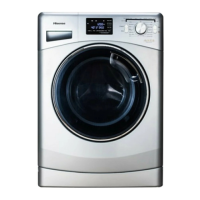

 To Next Page