EasyManua.ls Logo

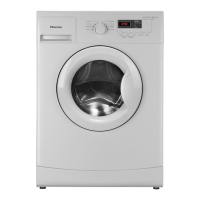
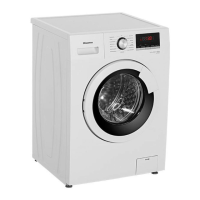
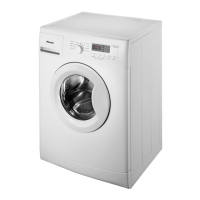
Hisense WFXE6012 - User Manual

Hisense WFXE6012
36 pages
Print Icon
To Next Page IconTo Next Page
Loading...
USER’S OPERATION MANUAL
Before operating this unit, please read this manual thoroughly,
and retain for future reference
WFXE6012/WFXE6012S
WFHXE1260/WFHXE1260S
WFXE7012/WFXE7012S
WFHXE1270/WFHXE1270S

Questions and Answers

  • S
    Sandra DavisAug 16, 2025
    What to do if Hisense Washer shows error code F01?
    • B
      Bryan KingAug 17, 2025
      If the Hisense Washer displays the failure code “F01”, it indicates that the appliance has none or insufficient water supply. To resolve this, check if the water tap is fully open and there is sufficient water supply pressure. Inspect the water hose for any kinks and ensure that the mesh filters of the water supply are not blocked. Also, check if the water hose is frozen. After resolving the issue, restart the program by pressing “Start/Pause”. If the problem continues, unplug the appliance and contact After-Sales Service.
  • S
    Sharon AcostaAug 19, 2025
    What to do if Hisense WFXE6012 shows error code F03?
    • S
      Shannon MooreAug 19, 2025
      If the Hisense Washer displays the failure code “F03”, it means that waste water is not being pumped out. To fix this, check the drain hose for kinks and make sure the pump or the filter isn't blocked. Ensure the water has cooled before draining the appliance. Also, check if the drain hose is frozen. If the fault persists after checking these, unplug the appliance and contact After-Sales Service.
  • A
    Amanda EricksonAug 22, 2025
    How to troubleshoot Hisense WFXE6012 Washer that won't start?
    • K
      Karen GrimesAug 22, 2025
      If your Hisense washer isn't starting, check that the mains plug is properly inserted into the socket and that the wall socket is functioning correctly by testing it with another appliance. Ensure the door is completely closed and that you've pressed the “Start/Pause” button.
  • C
    charles49Aug 25, 2025
    Why does my Hisense WFXE6012 keep stopping mid-cycle?
    • C
      Cory SilvaAug 25, 2025
      If the Hisense Washer stops during the program, it could be due to several reasons. Check if the “Rinse Hold” indicator is lit; if so, press the “Start/Pause” button to terminate this option and start the drain process. Ensure the door is closed and the “Start/Pause” button is pressed again. Also, too much foam inside the machine could trigger a kill-foam routine, and the machine will restart automatically after a period. It’s also possible the washing machine’s safety system has been activated.
  • A
    Amanda RivasAug 28, 2025
    Why are the spin results poor on my Hisense WFXE6012 Washer?
    • X
      xbauerAug 28, 2025
      If the final spin results of your Hisense washer are poor, and the laundry is still too wet, try removing some articles and repeating the spin cycle. Excessive foam can also prevent proper spinning, so ensure you are using the correct amount of detergent. Also, check that the spin speed selector is not set to “0”.
  • R
    Ronald CampbellAug 30, 2025
    Why is there detergent residue in my Hisense Washer drawer after washing?
    • M
      Mike PhillipsAug 30, 2025
      If you find residue from detergent and additives left in the detergent drawer of your Hisense washer after a wash, ensure that the cover grid of the softener chamber and the separator of the main wash chamber are correctly installed in the detergent dispenser and that all parts are clean. Check that sufficient water is entering the machine and that the mesh filters of the water supply are not blocked. Also, verify that the position of the separator in the main wash chamber is correctly adapted for the use of powder or liquid detergent.
  • J
    Jared FoleySep 2, 2025
    What to do if Hisense Washer shows error code UNB?
    • S
      Sarah WernerSep 2, 2025
      If the Hisense Washer displays the failure code “UNB”, it indicates an unbalance alarm. To resolve this, switch off the appliance by pressing the “ On/Off ” button for 2 seconds, rearrange the clothes inside, then select the spin program and start it again. If the fault persists, unplug the appliance and contact After-Sales Service.
  • A
    Amanda NixonSep 5, 2025
    What to do if Hisense Washer displays failure codes F04-F07?
    • D
      dhaydenSep 5, 2025
      If the Hisense Washer displays a failure code between “F04” and “F07”, it indicates that the electronic module has failed. To attempt a fix, switch the appliance off by pressing the “Power” button for 2 seconds and then select the desired program. If the fault continues, unplug the appliance and contact After-Sales Service.
  • W
    william13Sep 7, 2025
    What to do if Hisense Washer shows error code F13?
    • C
      Connie BradshawSep 7, 2025
      If the Hisense Washer displays the failure code “F13”, it indicates an abnormal door lock. Verify that the door is closed properly and then press the “start/pause” button. If the fault persists, unplug the appliance and contact After-Sales Service.
  • D
    David WellsSep 10, 2025
    What to do if Hisense WFXE6012 Washer shows error code F14?
    • S
      sheltonhollySep 10, 2025
      If the Hisense Washer displays the failure code “F14”, which indicates a door open fault, press the “Start/Pause” button. The washing machine will attempt to open the door, and the alarm will be cleared once the door is unlocked. Alternatively, you can press the “On/Off” button to restart the washing machine, which will also remove the alarm.

Summary

CAUTION

INSTALLATION GUIDELINES

Installation Location and Inspection

Advice on choosing an installation site and inspecting the appliance upon arrival.

Installation Steps

Removing Transportation Bolts

Instructions for removing the transportation bolts to prevent damage during use.

Installation Adjustments

Adjusting the Feet

Steps for levelling the washing machine by adjusting its feet for stability.

Water Supply Connection

Drain and Water Connections

Drain Hose and Dual Water Inlets

Instructions for connecting the drain hose and optional hot/cold water supply.

Electrical Connection

BEFORE THE FIRST WASH CYCLE

PREPARATION FOR WASHING

DETERGENTS AND ADDITIVES

PROGRAMME INSTRUCTIONS

Programme Table

A comprehensive table detailing wash programmes, load capacities, and function selections.

PROGRAMME SETTINGS AND OPTIONS

Selecting Programmes and Options

How to select a programme, add detergent, and choose additional wash options.

Programme Operation Features

Programme End and Safety

CLEANING AND MAINTENANCE

Maintenance and Care

TROUBLESHOOTING GUIDE

Troubleshooting Programme Issues

Troubleshooting Common Problems

Troubleshooting Water Fill Faults

Troubleshooting Error Codes

Troubleshooting Advanced Faults

Hisense WFXE6012 Specifications

General IconGeneral
Capacity6 kg
Spin speed1200 rpm
Energy RatingA+++
Loading typeFront loading
Noise Level (Wash/Spin)76 dB

Related product manuals