- 29 -
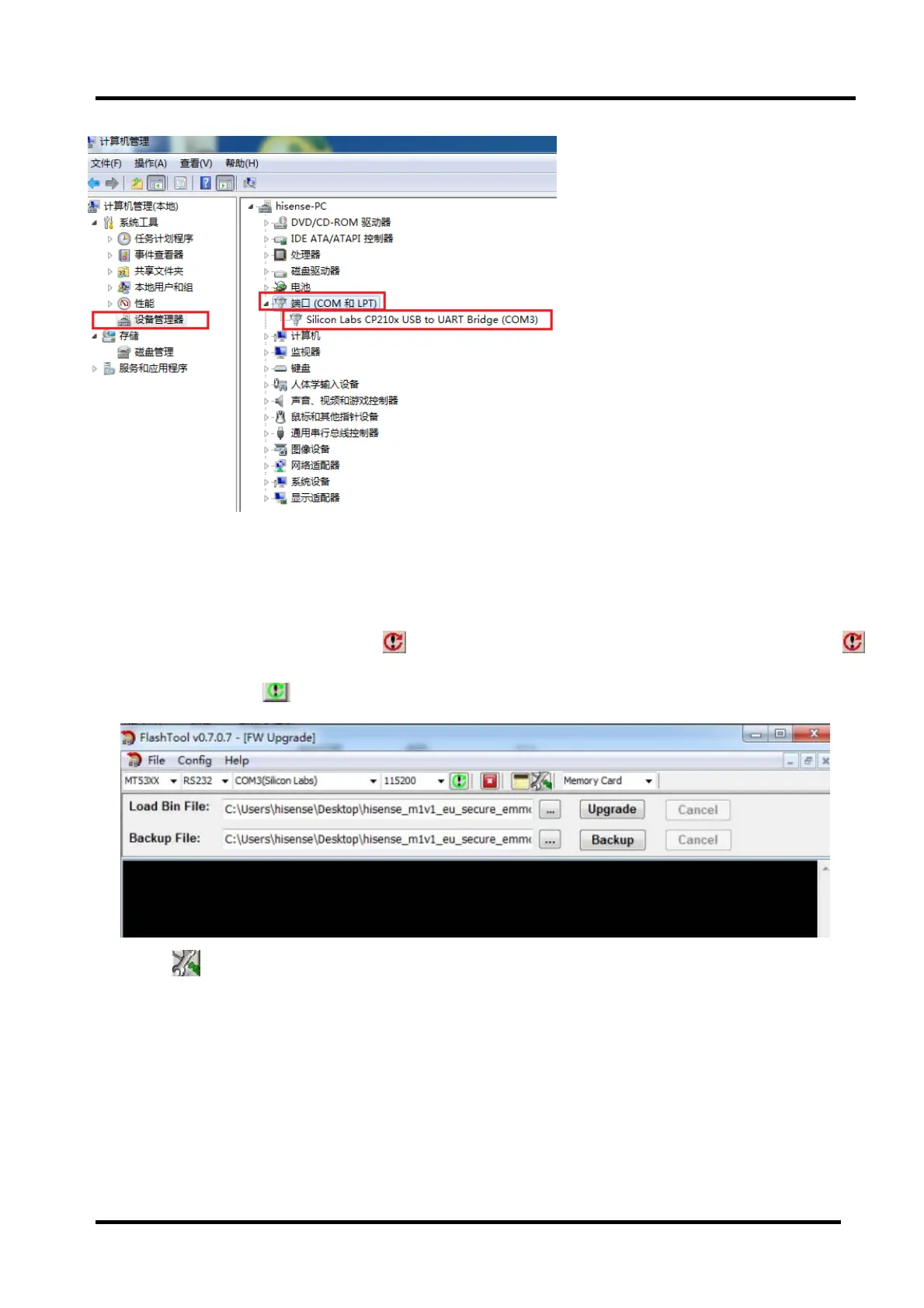
Open “Device Manager” and find which port is connected with the TV. In above picture, COM3 is
connected to the TV, so, select “COM3” and if COM6 is connected to the TV, so select “COM6”. Select
the right baud rate according to chip model. For this unit( chip model choose MT53XX), select 115200.
2、TVpoweron,thenClick toconnect,ifconnectsuccessfullythenbutton
fromredturngreen
.
Click
, bounce the following dialog box. Load Bin File:find the upgrading
programfile,hisense_m1v1_eu_secure_emmcboot.bin.
Press“Upgrade”buttonandstartupgrading.,ifupdatedef eat,tryagain.



 To Next Page