
 Need help?
Do you have a question about the Hisense WDQA8014EVJM and is the answer not in the manual?
Visual representation of washing programs available on the machine's selector dial.
Table detailing wash programs, care labels, material type, functions, and dry levels.
Button used to choose the desired washing program for the machine.
Button to start or temporarily halt the selected washing program.
Shows the current program and function status, including remaining time.
Allows scheduling the program to finish at a later time.
Selects the desired dryness level for the drying cycle.
Button to select additional washing functions or settings.
Button to manually adjust the spin speed and duration.
Button to select the washing temperature for the program.
Steps for loading clothes, adding detergent, and selecting program options.
How to select extra functions like Pre-wash and Extra Rinse.
Details on how to set a delayed start for the wash cycle.
Instructions on activating or deactivating audible beeps and alarms.
Procedure for enabling and disabling the child lock feature.
Steps to initiate the washing cycle after selecting options.
How to stop the current program and choose a new one.
What happens when the cycle finishes and how to turn off the machine.
Instructions on how to pause and add laundry mid-cycle.
Machine automatically adjusts program based on detected load weight.
How to select drying levels, time, and specific dry functions.
Checks to perform if the dry cycle does not initiate or complete.
Causes and solutions for clothes not drying completely.
Reasons why the drying cycle takes longer than expected.
This document provides a comprehensive guide for operating and maintaining a Hisense washing machine, model numbers WDQA8014EVJM, WDQA8014EVJMS, WDQA8014EVJMT, and WDQA8014EVJMB. The machine is equipped with automatic safety functions for early detection and diagnosis of issues.
The washing machine offers a variety of programs tailored to different fabric types and soil levels, including Cotton, Synthetics, Wool, Quick 15', Mix, Eco 40-60, Rinse+Spin, Spin, Cotton Dry, Synthetics Dry, Steam Refresh, Wash and Dry, 20°C, Allergy Care, and Drum Clean. Each program has specific settings for wash temperature, spin speed, and optional functions.
To begin, turn on the power and rotate the program selector to the desired program. The selector must pass through the "off" position if it's not already there. Users can then adjust the washing temperature and spin speed using the "Temp" and "Spin" buttons, respectively. Additional functions can be selected via the "Options" button. Once the program starts, the display window shows the program length (hours: minutes) and selected options.
The machine features a detergent compartment with sections for prewash, main wash, and softener. Users should add detergent to the appropriate compartments based on the selected program and the instructions in the User's Operation Manual.
The machine includes various drying options, accessible via the "Dry Level" button. These include Iron Dry, Cupboard Dry, Extra Dry, and Time Dry. When a drying function is selected, its corresponding icon illuminates, and the remaining time is displayed. The machine can automatically adjust the dry time based on the weight of the clothes. Before drying, users must confirm that the clothes are suitable for drying and that the cold water tap is open. For separate drying, clothes should be removed from the drum, loosened, and then placed back in.
The door locks automatically once a program starts, indicated by a lit Door Lock icon. It unlocks automatically upon program completion. During a pause, if conditions allow, the door may unlock, and its indicator light will turn off. Users are cautioned not to force the door open if the indicator light is flashing, to prevent injury.
This feature allows users to schedule the machine to run at a later time, which can be convenient for off-peak electricity rates. In standby mode, the "Delay End" button can be used to set the reservation time, increasing by 1-hour increments with each press. The delay time must be longer than the wash program length. The reservation can be canceled by rotating the program selector or by turning off the machine.
To mute the machine's buzzing sounds (except alarms), press the "Spin + Options" buttons for 2 seconds. The display will show "bEEp oFF". To reactivate the sounds, repeat the action until "bEEp on" appears.
For enhanced child safety, the machine includes a Child Lock function. To activate, press the "Temp. +Spin" buttons for 2 seconds while a program is running. The Child Lock icon will appear, and all function buttons will be shielded. The lock is released by repeating the same operation or by turning the program selector to "Off". It also unlocks automatically upon program completion.
If clothes need to be added during a wash cycle, press the "Start/Pause" button. If the reload icon lights up, the door can be opened, and the Door Lock icon will flash before turning off. However, if the reload icon does not light up, it means the temperature is over 50°C or the reloading time has passed, preventing additional clothes from being loaded.
Upon startup, the machine displays "----" to indicate it is automatically weighing the clothes. It then adjusts the program length (hours: minutes) based on the load weight.
The manual provides guidance for common drying issues:
Regular cleaning, including optimal frequency and limescale prevention, is crucial for maintaining the machine's performance. The Drum Clean program is specifically designed to remove dirt and bacterial residue that can accumulate inside the drum, especially with frequent low-temperature washes.
Correct use of detergent, softeners, and other additives is essential. Avoid excessive detergent, as it can adversely affect washing results.
The machine provides warnings for water inlet and drainage issues. "F01" indicates an unopened tap or low water pressure, while "F03" signals a squeezed pipe or a drainage failure.
The manual includes a detailed fabric care chart with symbols indicating washing temperature, ironing instructions, drying methods (dry flat, hang dry, tumble dry), and bleaching guidelines. Users are advised to follow these instructions to prevent damage to clothes.
The manual lists various items that should not be washed or dried in the machine, such as leather and fur products, rayon, large thick rubber cushions, hats with hard material, cushions, pillows, and items with cotton wadding, foam, or sponge materials. Drying certain items like woolen clothes, tights, stockings, or clothes with lace and embroidery can cause damage or deformation. Wet clothes that are still dripping are not suitable for drying and may trigger an alarm.
Loading the machine to its capacity contributes to energy and water savings. The product information and energy consumption label, along with registration details, can be obtained by scanning the QR code. The noise and remaining moisture content are influenced by the spinning speed; higher speeds result in more noise but lower moisture content.
 General
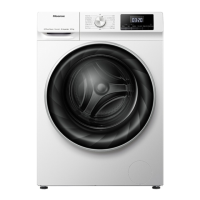
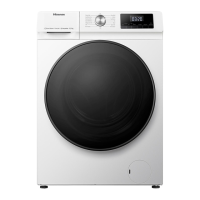
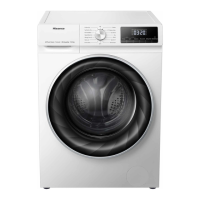
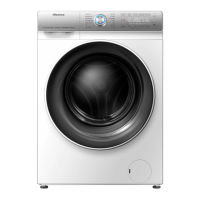
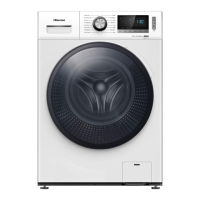
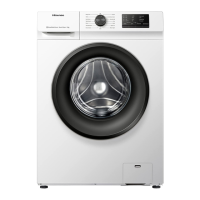
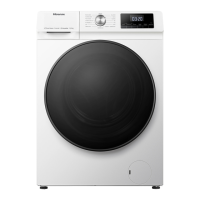
| Door color | Black |
|---|---|
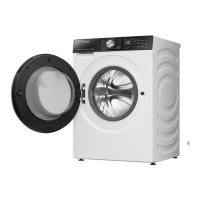
| Door hinge | Left |
| Control type | Rotary, Touch |
| Display type | LED |
| Loading type | Front-load |
| Drum material | Stainless steel |
| Product color | White |
| Built-in display | Yes |
| Appliance placement | Freestanding |
| Drying capacity | 8 kg |
| AquaStop function | No |
| Spin-drying class | B |
| Cycle time washing | 206 min |
| Maximum spin speed | 1400 RPM |
| Noise level (spin) | 74 dB |
| Noise level (wash) | - dB |
| Number of drying programs | 3 |
| Number of washing programs | 12 |
| Cycle time washing & drying | 690 min |
| Cord length | 1.5 m |
| Door opening angle | 135 ° |
| AC input voltage | 220 - 240 V |
| AC input frequency | 50 Hz |
| Energy efficiency scale | A to G |
| Water consumption washing per cycle | 42 L |
| Water consumption washing & drying per cycle | 79 L |
 Weight and Dimensions
| Depth | 540 mm |
|---|---|
| Width | 595 mm |
| Height | 845 mm |
| Weight | 68000 g |
| Package depth | 560 mm |
| Package width | 650 mm |
| Package height | 880 mm |
| Package weight | 71000 g |


 To Next Page