3URJUDPPH
%DQG 6
&KD QQHO
6WDQGDUG %*
3$/
%DFN0HQX ([LW79
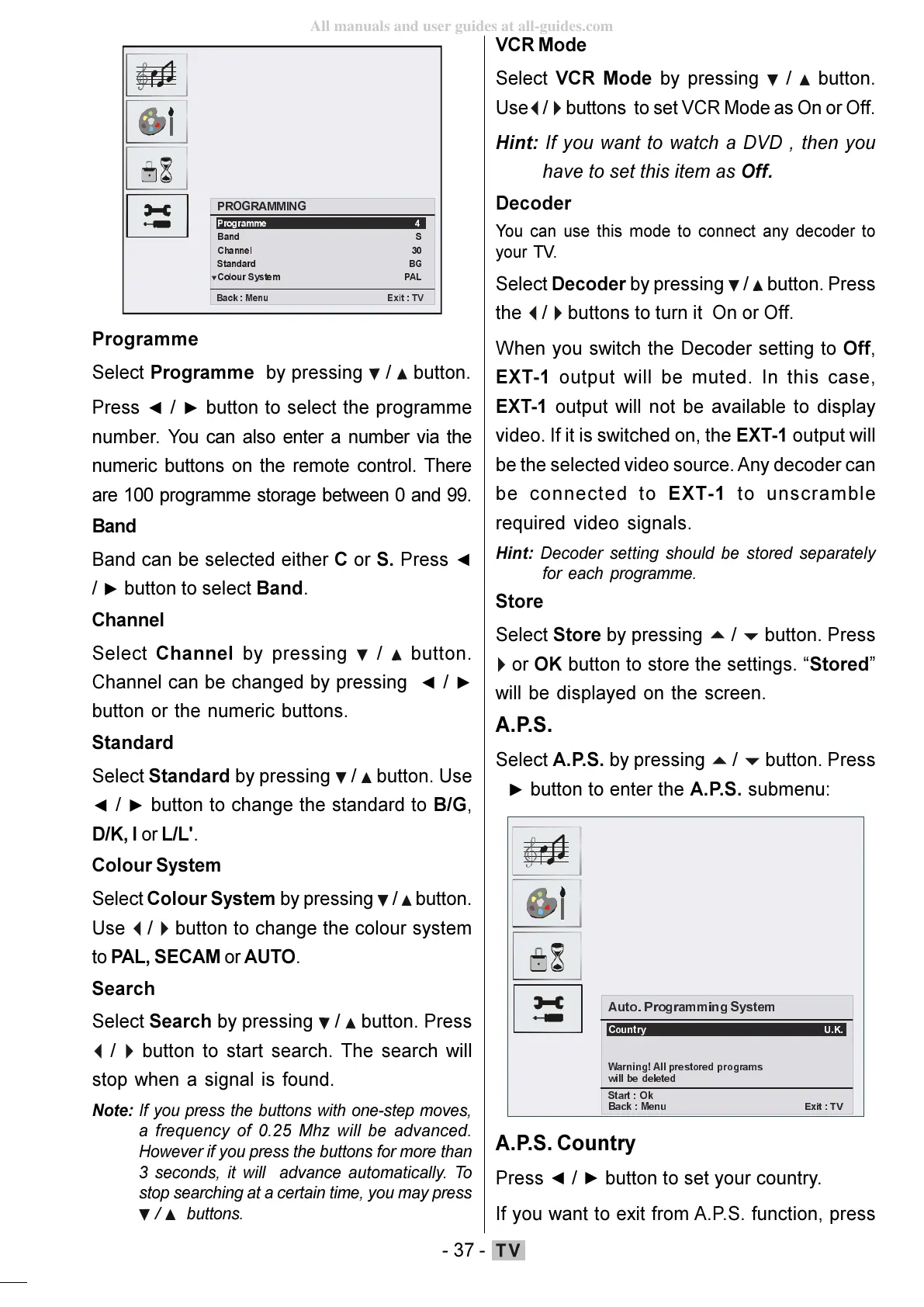
Programme
Select Programme by pressing / button.
Press
/ button to select the programme
number. You can also enter a number via the
numeric buttons on the remote control. There
are 100 programme storage between 0 and 99.
Band
Band can be selected either C or S. Press
/ button to select Band.
Channel
Select Channel by pressing
/ button.
Channel can be changed by pressing
/
button or the numeric buttons.
Standard
Select Standard by pressing
/ button. Use
/ button to change the standard to B/G,
D/K, I or L/L'.
Colour System
Select Colour System by pressing
/ button.
Use
button to change the colour system
to PAL, SECAM or AUTO.
Search
Select Search by pressing
/ button. Press
button to start search. The search will
stop when a signal is found.
Note: If you press the buttons with one-step moves,
a frequency of 0.25 Mhz will be advanced.
However if you press the buttons for more than
3 seconds, it will advance automatically. To
stop searching at a certain time, you may press
/ buttons.
VCR Mode
Select VCR Mode by pressing / button.
Use
buttons to set VCR Mode as On or Off.
Hint: If you want to watch a DVD , then you
have to set this item as Off.
Decoder
You can use this mode to connect any decoder to
your TV.
Select Decoder by pressing / button. Press
the
buttons to turn it On or Off.
When you switch the Decoder setting to Off,
EXT-1 output will be muted. In this case,
EXT-1 output will not be available to display
video. If it is switched on, the EXT-1 output will
be the selected video source. Any decoder can
be connected to EXT-1 to unscramble
required video signals.
Hint: Decoder setting should be stored separately
for each programme.
Store
Select Store by pressing
or OK button to store the settings. Stored
will be displayed on the screen.
A.P.S.
Select A.P.S. by pressing
button. Press
button to enter the A.P.S. submenu:
$XWR3URJUDPPLQJ6\VWHP
&RXQWU\
8.
:DUQLQJ$OOSUHVWRUHGSURJUDPV
ZLOOEHGHOHWHG
6WDUW2N
%DFN0HQX
([LW 79
A.P.S. Country
Press / button to set your country.
If you want to exit from A.P.S. function, press
ENG-01-TV-22784W-1165UK-MB29-PEUIDTV-(1SCRT-AV-YPBPR-HP-SPDIF-STRLOUT-PCIN)-10060401-5013xxxx.p6511.10.2008, 17:3737
All manuals and user guides at all-guides.com








 To Next Page