English - 2 -
Switching on the TV
3
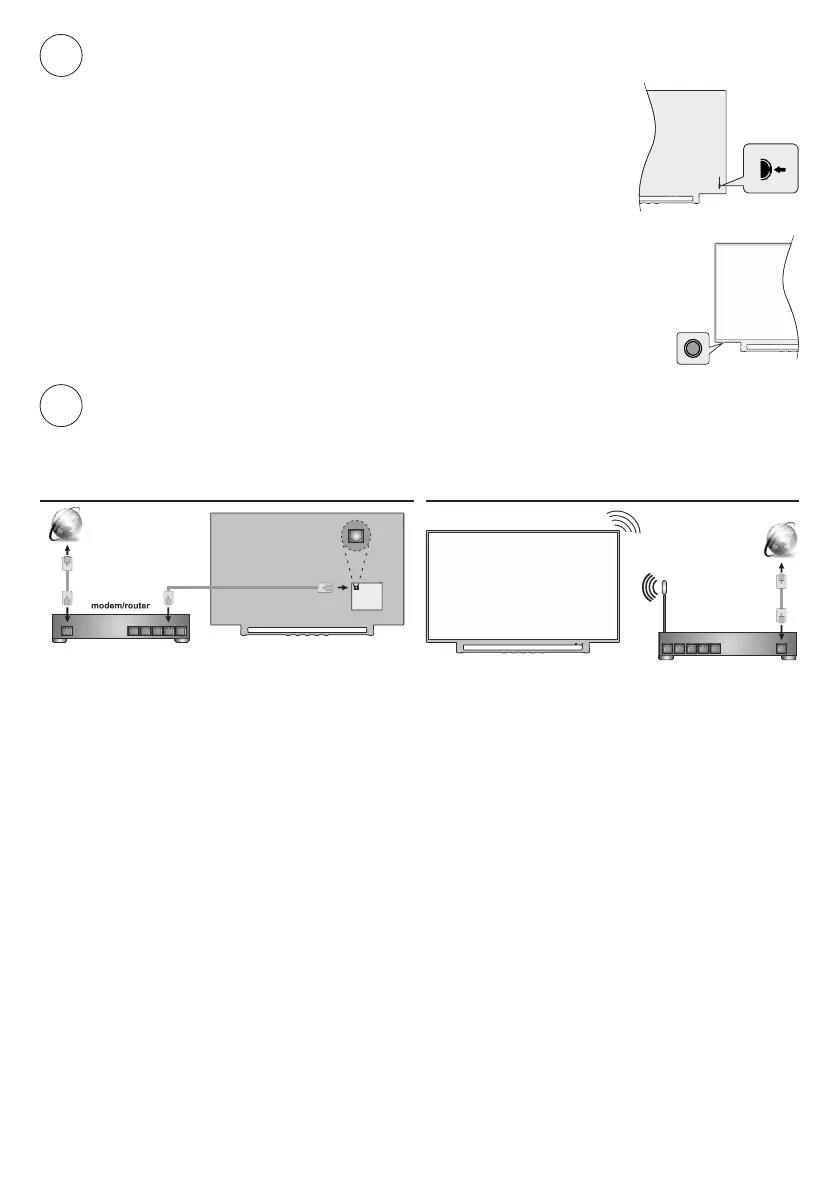
In order to turn the TV on from standby mode:
Press the Standby button on the remote control
Press the centre of the control switch inwards, located at the rear left hand side
of the TV
-or-
In order to turn the TV on from standby mode:
Press the Standby button on the remote control
Press the control button on the TV
Internet connection
4
or wireless connection. Refer to full user manual for detailed instructions.
Wired Wireless
wireless
modem/router
Note: The gures are for representation only


 To Next Page