English - 33 -
Ext Out
Press “
” or “ ” button to select Ext Out. Use “
” or “ ” button to set the Ext Out as On or Off.
Note:
For copying from a DVD or VCR device, you should
choose desired source from source menu and turn
“On” to EXT Out from feature menu.
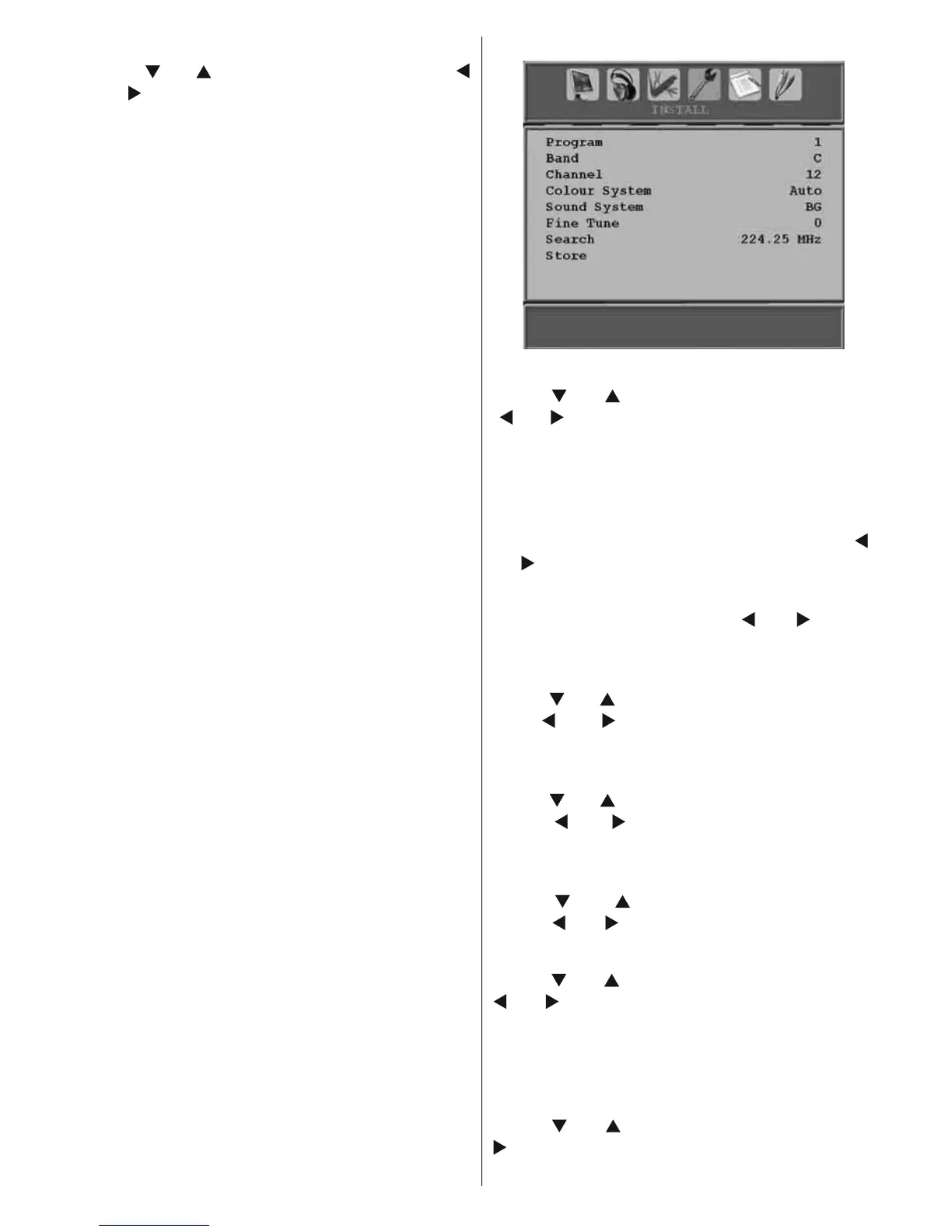
Install Menu
Program
Press “ ” or “ ” button to select Program. Use
“ ” or “ ” button to select the program number.
You can also enter a number using the numeric
buttons on the remote control. There are 200
programme storage between 0 and 199.
Band
Band can be selected either C or S. Press “
”
or “ ” button to set Band.
Channel
Channel can be changed by “
” or “ ” button
or numeric buttons.
Colour System
Press “ ” or “ ” button to select Colour System.
Use “ ” or “ ” button to change the colour
system to PAL, PAL 60, SECAM or AUTO.
Sound System
Press “
” or “ ” button to select Sound System.
Press “ ” or “ ” button to change the sound
system to BG,DK, I, L or L’.
Fine Tune
Press “
” or “ ” button to select Fine Tune.
Press “ ” or “ ” button to adjust the tuning.
Search
Press “ ” or “ ” button to select Search. Use “
” or “ ” button to start programme searching.
You can also enter the desired frequency
using the numeric buttons while Search item
is highlighted.
Store
Press “
” or “ ” button to select Store. Press “
” or OK button to store the settings. “ Stored...”
will be displayed on the screen.



 To Next Page