EasyManua.ls Logo

Hitachi CP-WU9411 - User Manual

Hitachi CP-WU9411
122 pages
Print Icon
To Next Page IconTo Next Page
Loading...
1
0DF
®
LVDUHJLVWHUHGWUDGHPDUNRI$SSOH,QF
:LQGRZV
®
'LUHFW'UDZ
®
DQG'LUHFW'
®
DUHUHJLVWHUHGWUDGHPDUNVRI0LFURVRIW&RUSRUDWLRQ
LQWKH86DQGRURWKHUFRXQWULHV
9(6$DQG''&DUHWUDGHPDUNVRIWKH9LGHR(OHFWURQLFV6WDQGDUG$VVRFLDWLRQ

+'0,
70
WKH+'0,ORJRDQG+LJK'H¿QLWLRQ0XOWLPHGLD,QWHUIDFHDUHWUDGHPDUNVRUUHJLVWHUHG
WUDGHPDUNVRI+'0,/LFHQVLQJ//&LQWKH8QLWHG6WDWHVDQGRWKHUFRXQWULHV

7UDGHPDUN3-/LQNLVDWUDGHPDUNDSSOLHGIRUWUDGHPDUNULJKWVLQ
-DSDQWKH8QLWHG6WDWHVRI$PHULFDDQGRWKHUFRXQWULHVDQGDUHDV
%OXUD\'LVF
70
DQG%OXUD\
70
DUHWUDGHPDUNVRI%OXUD\'LVF$VVRFLDWLRQ
',&20
®
LVWKHUHJLVWHUHGWUDGHPDUNRIWKH1DWLRQDO(OHFWULFDO0DQXIDFWXUHUV$VVRFLDWLRQ
IRULWVVWDQGDUGVSXEOLFDWLRQVUHODWLQJWRGLJLWDOFRPPXQLFDWLRQVRIPHGLFDOLQIRUPDWLRQ
'/3
®
DQGWKH'/3ORJRDUHUHJLVWHUHGWUDGHPDUNVRI7H[DV,QVWUXPHQWV
+'%DVH7DQGWKH+'%DVH7$OOLDQFHORJRDUHWUDGHPDUNVRIWKH+'%DVH7$OOLDQFH
$OORWKHUWUDGHPDUNVDUHWKHSURSHUWLHVRIWKHLUUHVSHFWLYHRZQHUV
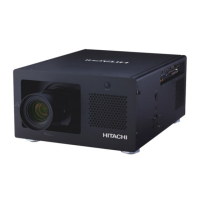
Projector
CP-X9110/CP-WX9210/CP-WU9410
CP-X9111/CP-WX9211/CP-WU9411
User's Manual (detailed)
Operating Guide
Thank you for purchasing this projector.
Ź%HIRUHXVLQJWKLVSURGXFWSOHDVHUHDGDOOPDQXDOVIRUWKLV
SURGXFW%HVXUHWRUHDGSafety Guide¿UVW$IWHUUHDGLQJWKHPVWRUHWKHPLQD
VDIHSODFHIRUIXWXUHUHIHUHQFH
WARNING
NOTE
Trademark acknowledgment
9DULRXVV\PEROVDUHXVHGLQWKLVPDQXDO7KHPHDQLQJVRIWKHVHV\PEROVDUH
GHVFULEHGEHORZ
$ERXWWKLVPDQXDO
WARNING
CAUTION
7KLVV\PEROLQGLFDWHVLQIRUPDWLRQWKDWLILJQRUHGFRXOGSRVVLEO\
UHVXOWLQSHUVRQDOLQMXU\RUHYHQGHDWKGXHWRLQFRUUHFWKDQGOLQJ
7KLVV\PEROLQGLFDWHVLQIRUPDWLRQWKDWLILJQRUHGFRXOGSRVVLEO\
UHVXOWLQSHUVRQDOLQMXU\RUSK\VLFDOGDPDJHGXHWRLQFRUUHFWKDQGOLQJ
3OHDVHUHIHUWRWKHSDJHVZULWWHQIROORZLQJWKLVV\PERO
NOTICE 7KLVHQWU\QRWLFHVRIIHDURIFDXVLQJWURXEOH
7KHLQIRUPDWLRQLQWKLVPDQXDOLVVXEMHFWWRFKDQJHZLWKRXWQRWLFH
7KHLOOXVWUDWLRQVLQWKLVPDQXDODUHIRULOOXVWUDWLYHSXUSRVHV7KH\PD\GLIIHU
VOLJKWO\IURP\RXUSURMHFWRU
7KHPDQXIDFWXUHUDVVXPHVQRUHVSRQVLELOLW\IRUDQ\HUURUVWKDWPD\DSSHDULQ
WKLVPDQXDO
7KHUHSURGXFWLRQWUDQVIHURUFRS\RIDOORUDQ\SDUWRIWKLVGRFXPHQWLVQRW
SHUPLWWHGZLWKRXWH[SUHVVZULWWHQFRQVHQW

Other manuals for Hitachi CP-WU9411

Questions and Answers

  • M
    Ms. Kelsey EricksonAug 12, 2025
    How to fix out of focus or not superimposed images on Hitachi CP-WU9411 Projector?
    • L
      Larry ThomasAug 12, 2025
      If the images on your Hitachi Projector are out of focus or not superimposed well, it's likely that the two images are not correctly aligned. Adjust the images using the FOCUS and SHIFT features to superimpose them properly.
  • L
    Lee LeeAug 20, 2025
    What to do if the images from two Hitachi Projectors are not superimposed even after fine adjustment?
    • S
      Stacy RodriguezAug 20, 2025
      If the images from the two projectors are not superimposed even after performing fine adjustment, it may be due to adjustment differences between the two images. To resolve this, use the automatic adjustment feature in the Operating Guide, specifically the IMA menu, and then follow the instructions for EXECUTE, H or POSITION.
  • R
    Rachel NicholsAug 27, 2025
    Why does my Hitachi Projector not respond to the remote control?
    • K
      kellysanchezAug 27, 2025
      If your Hitachi Projector isn't responding to the remote control, ensure that you are pointing the remote at the Main projector, not the Sub projector.
  • J
    Jessica JensenSep 3, 2025
    How to fix the 67ACK menu when it does not work on Hitachi CP-WU9411?
    • H
      Harold JonesSep 3, 2025
      If the 67ACK menu is not working on your Hitachi Projector, it's probably because the projector's settings are not configured for the Intellectual Stack feature. Check the settings on both the Main and Sub projectors.

Hitachi CP-WU9411 Specifications

General IconGeneral
ResolutionWUXGA (1920 x 1200)
HDBaseTYes
Projection System3LCD
Input PortsHDMI, VGA, USB, HDBaseT
Output PortsHDMI x 1, VGA x 1
Lens ShiftVertical: ±60%, Horizontal: ±15%
Speaker10 W
Lamp TypeUHP
Screen Size30 - 300 inches
Noise Level29dB (Eco Mode)
Brightness9000 ANSI Lumens (Normal Mode)

Related product manuals