EasyManua.ls Logo

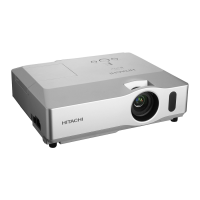
Hitachi CP-X1200 - User Manual

Hitachi CP-X1200
5 pages
Print Icon
To Next Page IconTo Next Page
Loading...
b
m
a
n
1
Projector
CP-X1200/CP-X1250
CP-X1200/CP-X1250
User
User
s Manual – Quick Guide
Thank you for purchasing this projector.
• The information in this manual is subject to change without notice.
• The manufacturer assumes no responsibility for any errors that may appear in this manual.
• The reproduction, transmission or use of this document or contents is not permitted without express
written authority.
NOTE
WARNING Before using, read the "User's Manual - Safety Guide" and
these manuals to ensure correct usage through understanding. After reading,
store them in a safe place for future reference.
Contents Of Package
Contents Of Package
Refer to this table, in case of 4:3 aspect
ratios. The values a and b shown in the
table are calculated for a full size screen.
Arrangement
Arrangement
Lens center
Screen
1 Projector & Lens Cap
2
Power cords (UK, US, Europe)
3 RGB cable
4 Video/Audio cable
5 M1-D cable
6 Remote control
7 Batteries
(for the remote control)
8 User’s Manuals
Safety Guide
Quick Guide
Operating Guide
IN
TE
R
INPUT
M
1
-
D
R
G
B
B
N
G
S-VIDEO
STANDBY
/
ON
T
E
M
P
VIDEO
C
O
M
P
O
NENT
LA
MP
KEYS
T
ON
E
S
E
ARCH
R
E
SE
T
ME
N
U
FOCUS
L
E
N
S SHI
F
T
ZO
O
M
STANDBY/ON
VIDEO
LASER INDICATOR
ESC MENU
POSITION
RESET AUTO
KEYSTONE
1 2 3
ID CHANGE
SEARCH
ON
OFF
FREEZE MUTE
MAGNFY
PinP
VOLUME
RGB
BLANK
PREVIOUS
NEXT
ASPECT
ENTER
LASER
LENS SHIFT
+
–––
++
FOCUS ZOOM
I
N
T
E
R
I
N
P
U
T
M1
-
D
RG
B
BN
G
S
-VIDE
O
S
TANDB
Y
/
O
N
T
E
MP
VI
D
E
O
COMPON
E
N
T
L
AMP
KE
Y
S
T
O
N
E
S
E
A
RCH
R
E
SE
T
M
E
N
U
FOCUS
LE
N
S
SHI
F
T
Z
O
O
M
Side view
7
6
1
23 4
5
8
Screen Size
[inch (m)]
a [inch (m)] b [inch (cm)]
Min. Max.
m:n=1:1 m:n=10:0
40 (1.0) 46(1.2) 71(1.8) 12(30) 24(61)
60 (1.5) 71(1.8) 107(2.7) 18(46) 36(91)
70 (1.8) 83(2.1) 126(3.2) 21(53) 42(107)
80 (2.0) 95(2.4) 144(3.7) 24(61) 48(122)
100 (2.5) 120(3.0) 181(4.6) 30(76) 60(152)
120 (3.0) 144(3.7) 217(5.5) 36(91) 72(183)
150 (3.8) 181(4.6) 272(6.9) 45(114) 90(229)
200 (5.1) 243(6.2) 364(9.2) 60(152) 120(305)
250 (6.4) 304(7.7)
455(11.6)
75(191) 150(381)
300 (7.6) 366(9.3)
547(13.9)
90(229) 180(457)
350 (8.9)
427(10.9) 638(16.2)
105(267) 210(533)
400 (10.2)
489(12.4) 730(18.5)
120(305) 240(610)
500 (12.7)
612(15.5) 913(23.2)
150(381) 300(762)

01CP-X1200-ENG-QG-五校03.12.59:33AMページ1

Other manuals for Hitachi CP-X1200

Questions and Answers

  • D
    Donna MartinezAug 18, 2025
    Why won't my Hitachi CP-X1200 Projector power on?
    • S
      Samantha WardAug 18, 2025
      If your Hitachi Projector isn't powering on, there could be several reasons: * The power cord might not be correctly plugged in; ensure it is properly connected. * The power switch might not be in the on position; set it to the on position. * A power interruption may have occurred; turn the power off, let the unit cool for 20 minutes, then turn it back on. * The lamp or lamp cover might be missing or improperly fixed; turn the power off, let the unit cool for 45 minutes, check the lamp and lamp cover, then turn it back on.
  • W
    William WilsonAug 20, 2025
    Why does my Hitachi CP-X1200 Projector say 'Change the Lamp'?
    • M
      Mr. Bruce SmithAug 20, 2025
      If your Hitachi Projector is telling you to change the lamp and reset the timer, it means the lamp timer is approaching 2000 hours. Preparation of a new lamp, and an early lamp change is recommended. After you have change the lamp, please be sure to reset the lamp timer.
  • S
    Stephanie KingAug 22, 2025
    Why are there no sounds or pictures on my Hitachi CP-X1200?
    • R
      Robert GregoryAug 23, 2025
      If your Hitachi Projector is not displaying pictures or playing sound, check that the signal cables are correctly connected. Also, verify that the input changeover settings are correctly selected.
  • P
    Patrick MurphyAug 26, 2025
    How to fix dark pictures on Hitachi CP-X1200?
    • M
      michelle10Aug 26, 2025
      If the pictures on your Hitachi Projector appear dark, try these solutions: * Adjust the BRIGHT and/or CONTRAST settings to a higher level using the menu function. * If the lamp is old, consider replacing the lamp, as it may be nearing the end of its lifespan.
  • C
    Carlos CamposAug 28, 2025
    What to do if my Hitachi CP-X1200 Projector has sound but no picture?
    • W
      Wesley AllenAug 28, 2025
      If you hear sound but see no picture on your Hitachi Projector, ensure that the lens cap is removed. Also, check that the signal cables are correctly connected. Finally, adjust the BRIGHT setting to a higher level using the menu function.
  • H
    Haley LeeAug 30, 2025
    Why are the pictures blurry on my Hitachi CP-X1200?
    • N
      Nathaniel RiveraAug 30, 2025
      If the pictures on your Hitachi Projector appear blurry: * Adjust the focus using the focus buttons and/or adjust the H PHASE using the menu function. * If the lens is dirty or misty, clean the lens.
  • B
    Brian ChandlerSep 2, 2025
    How to fix no sound on Hitachi CP-X1200 Projector?
    • B
      brodriguezSep 2, 2025
      If your Hitachi Projector displays pictures but has no sound, ensure the signal cables are correctly connected. Also, check that the volume isn't set too low and that the sound isn't muted. Adjust the VOLUME to a higher level or press the MUTE button to restore the sound.
  • D
    Dale SchwartzSep 4, 2025
    What to do if Hitachi CP-X1200 says 'No Input'?
    • T
      taylormarySep 4, 2025
      If your Hitachi Projector displays 'NO INPUT IS DETECTED', confirm the signal input connection and the status of the signal source.
  • S
    Sean SantosSep 7, 2025
    What to do if my Hitachi CP-X1200 Projector says 'Change Lamp' and will turn off after 0 hours?
    • D
      Derrick PierceSep 7, 2025
      If your Hitachi Projector displays a message to change the lamp and the power will turn off after 0 hours, immediately turn the power off. Change the lamp, and be sure to reset the lamp timer after.
  • M
    Mrs. Sara Armstrong DDSSep 9, 2025
    What to do if my Hitachi CP-X1200 says 'Change Lamp' and will turn off after some hours?
    • T
      tpooleSep 9, 2025
      If your Hitachi Projector displays a message to change the lamp and that the power will automatically turn off after a certain number of hours, change the lamp. After you have changed the lamp, please be sure to reset the lamp timer.

Hitachi CP-X1200 Specifications

General IconGeneral
BrandHitachi
ModelCP-X1200
CategoryProjector
LanguageEnglish

Related product manuals