13
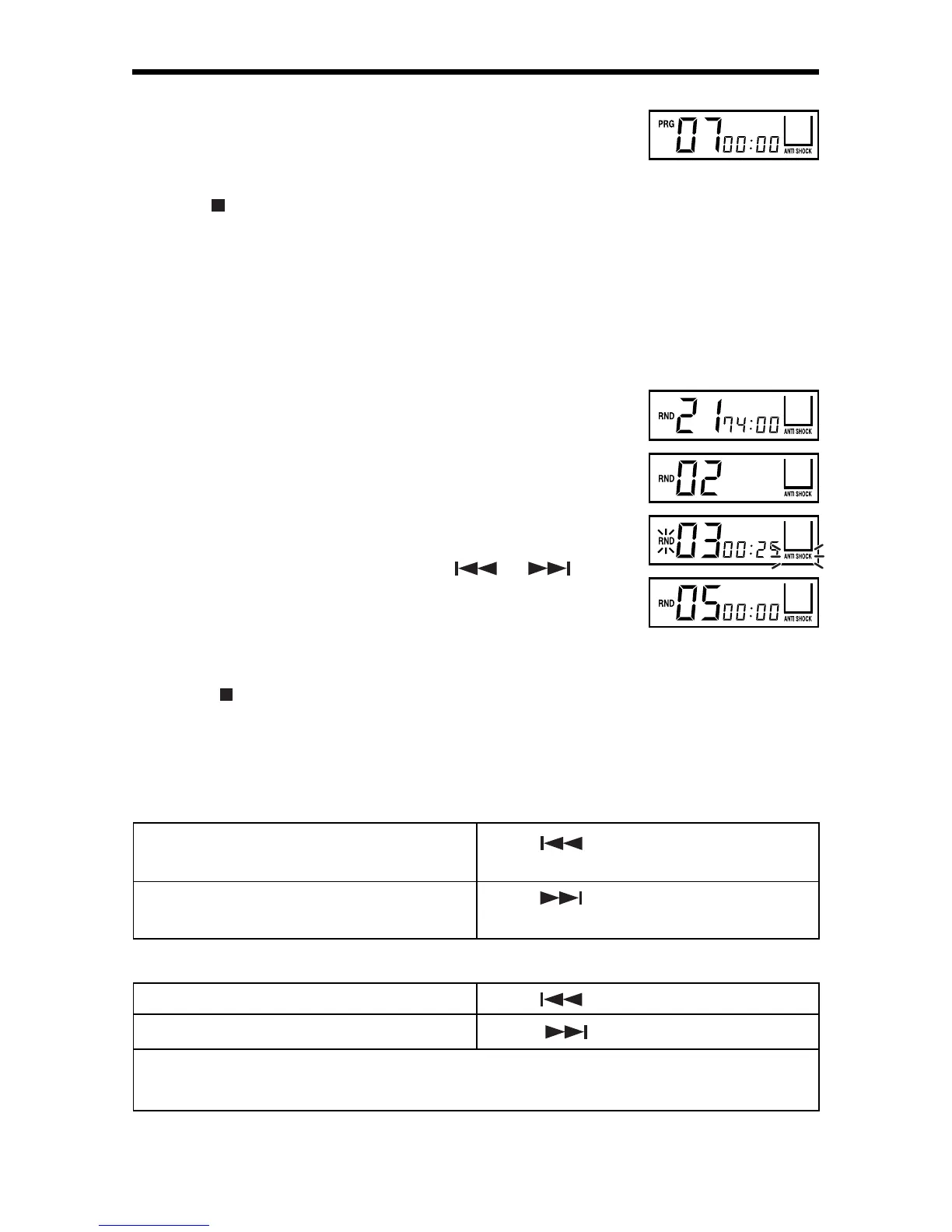
To complete programming and start PROGRAM PLAY
Press PLAY/PAUSE button, then PRG stops flashing and
will start playing.
To stop PROGRAM PLAY and clear programming
• Press
STOP button, or
• Open CD Lid, or
•Turn off unit's power.
RANDOM PLAY
Enables all the tracks on a disc to be played in a Random
order.
1. Press MODE button four times, then RND is displayed.
2a. RANDOM PLAY from stop condition
Press PLAY/PAUSE button, then the track No. is
selected at random and starts playing.
2b. RANDOM PLAY at play condition
Select RANDOM mode during play, RND starts flashing.
• Press PLAY/PAUSE button or
or , RND
stops flashing and RANDOM track starts playing.
• After finish playing the current track, RND stop
flashing and randomly starts picking another track to
play.
3. Press
STOP button to stop Random play.
SKIP AND SEARCH FUNCTION
Locating a Particular track in the stop mode or normal play mode
To back skip to the beginning of the
current or a previous tracks.
To forward skip to the beginning of
following track or other tracks.
Press
once or repeatedly.
Press
once or repeatedly.
To search backwards at high speed.
To search forward at high speed.
Locating a Particular Point in a playing track
Press
and hold.
Press
and hold.
Low level audio will be heard during the search process to assist in locating the
desired point in the track.



 To Next Page