14
MAINTENANCE
Cleaning the Cabinet
Wipe with a soft cloth. If the cabinet is very dirty, dampen the cloth with a weak
solution of neutral detergent and water, and then wipe clean. Never use thinner,
benzene or alcohol, as these will damage the surface finish.
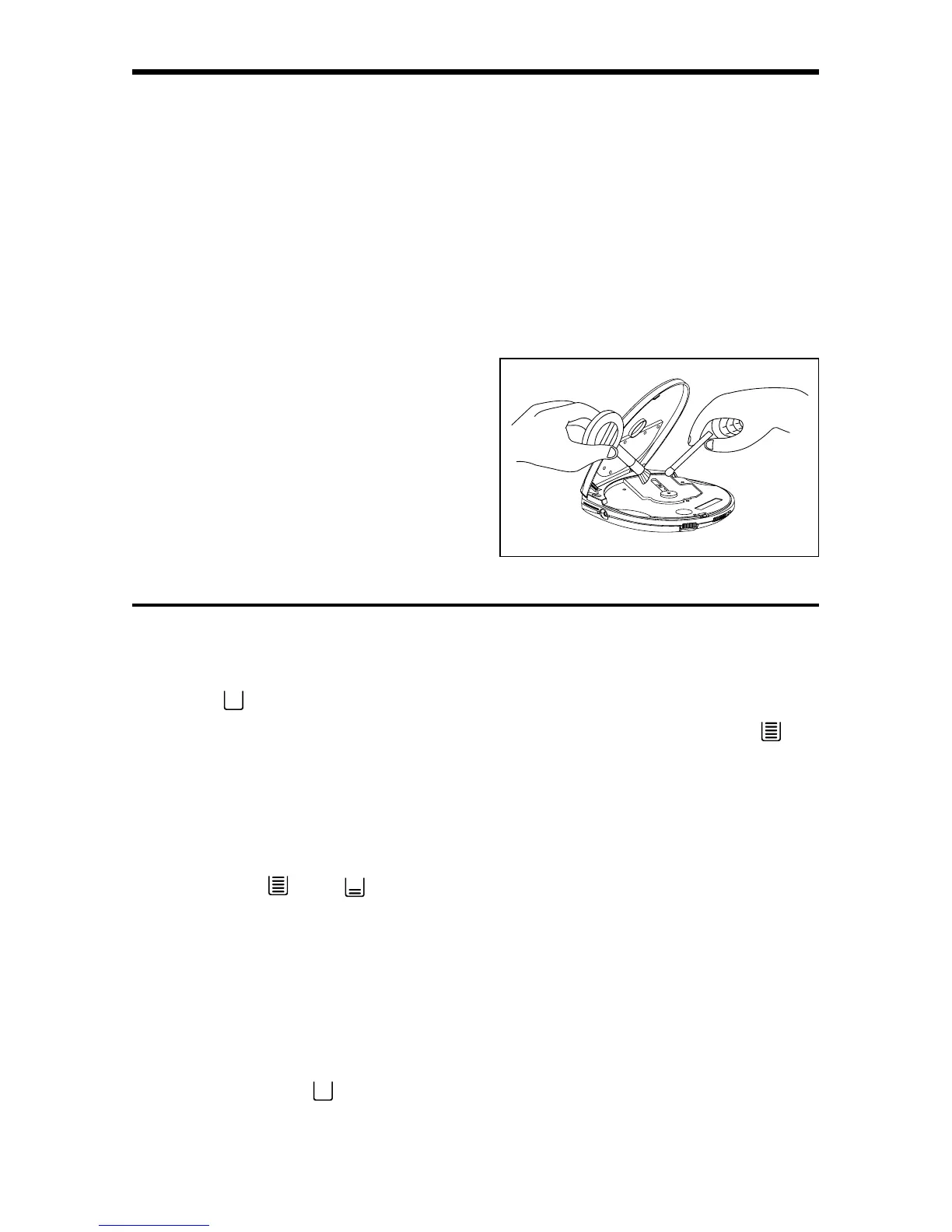
Cleaning the Lens
A dirty lens will cause sound skipping and, if the lens is very dirty, the CD may not
work. Open the CD lid and clean the lens as below.
• Dust or Dry Particles
Using a camera lens brush/blower, blow
on the lens couple times, then wipe it lightly
with the brush to remove dust. Then, blow
on the lens once more.
• Fingerprints
If the lens cannot be cleaned by using a
brush/blower, use a dry cotton swab
starting in the middle and working to the
outside edge.
USING ANTI-SHOCK FEATURE
Note the " " indicator appears on display as being empty when first activated.
As it immediately begins to store sound data in memory bank, it shows " " to
indicate the data buffer is full.
When the laser loses tracking due to mechanical shock, the data stream into the
memory is interrupted but the data output from the memory buffer continues, so
the sound is uninterrupted. As the data is read from the memory, the indicator
changes from "
" to " ".
Once the laser locks again on the CD track, the data stream is fed to the memory
and joined to the previous data (see indicator changes).
REMINDER ...
If the unit is subjected to excessive and continuous repeated shocks, the memory
buffer becomes overloaded beyond its capacity therefore causing the sound to
skip. Also note the "
" indicator will remain empty.



 To Next Page