13
Controls and Connections (Cont.)
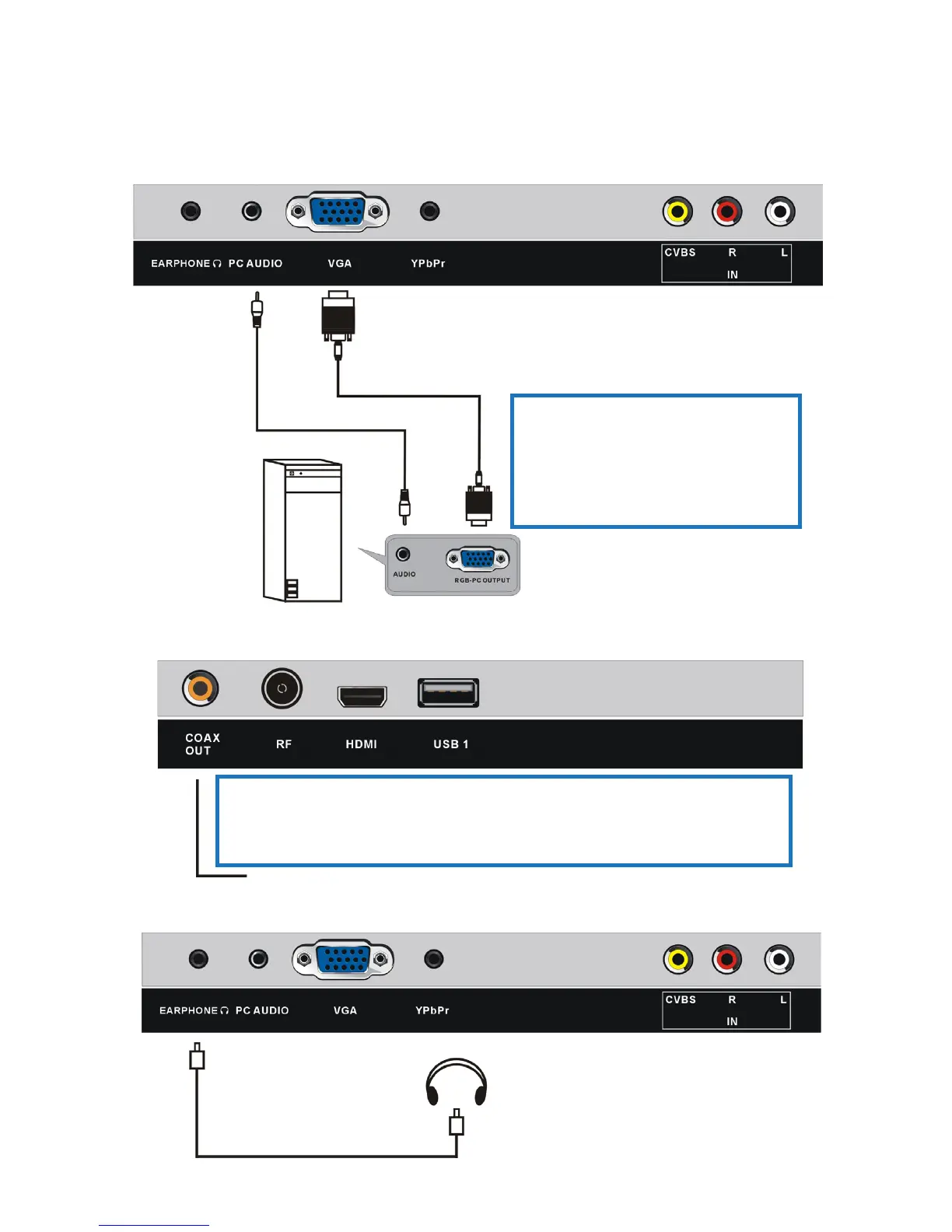
PC/VGA connection
Use a VGA and audio cable
to connect the unit with a
PC and use this product as
a monitor.
VGA cable
(not included)
Audio cable
(not included)
Back of PC
Coaxial connection
Use a coaxial S/PDIF cable to connect the unit with an
amplifier or other audio decoding device for coaxial S/PDIF
audio signal output (cable not included).
Earphone connection
Earphone cable
not included















 To Next Page