18
Electronic Program Guide (EPG)
EPG TV Guide (for DTV mode only)
EPG stands for Electronic Program Guide. It is supplied by the program
providers and offers information about the programs to be broadcast. You can
access it in digital mode by pressing the EPG button on the remote control.
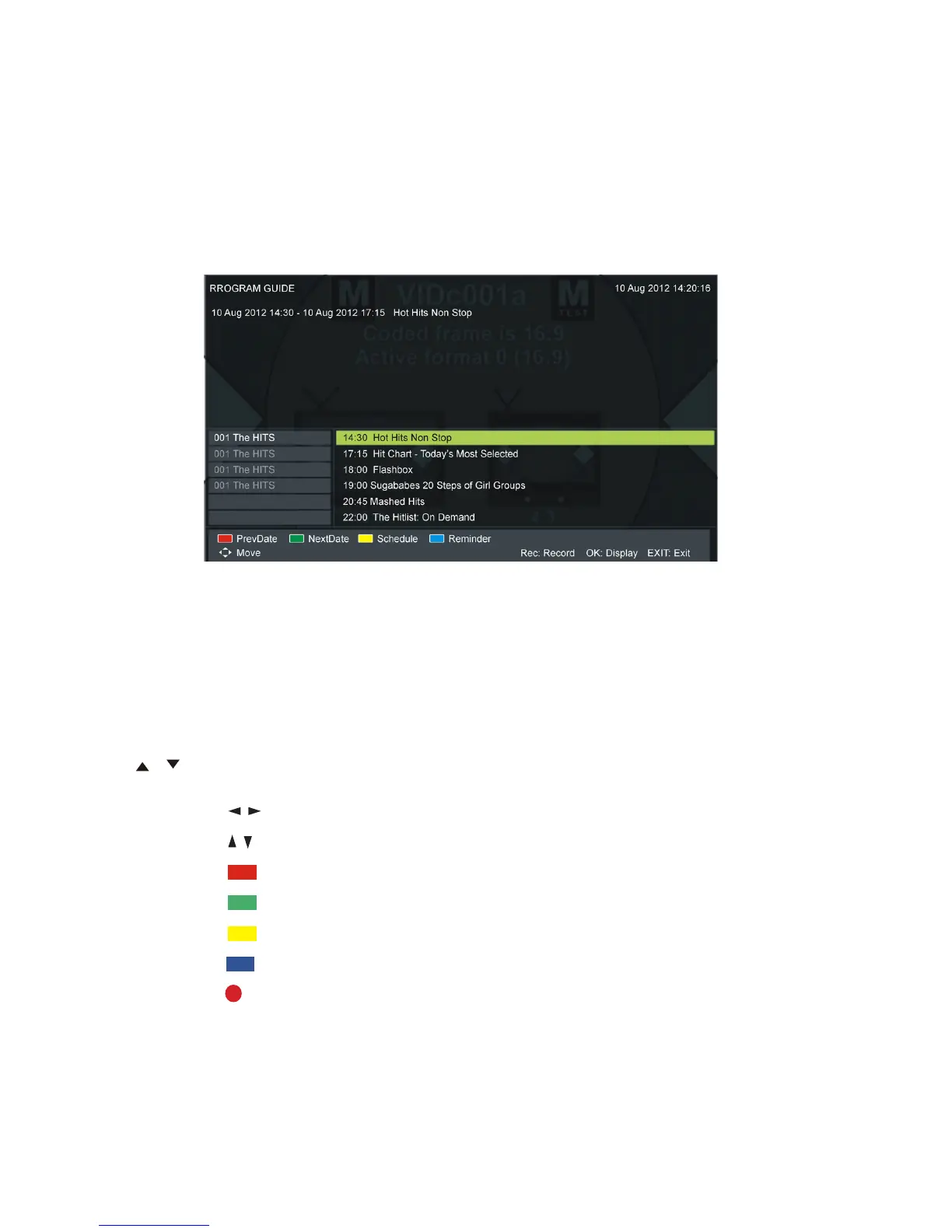
sPress the EPG button to display the EPG interface (above). The area at the
top will display information about the selected program or channel, and the
columns below will display the list of available channels and their programs
at various timeslots.
s Before you can view any EPG information, you have to ‘activate’ every
channel for which you want to view program information. To do this, use the
/ buttons to select a channel in the left column, then press OK to confirm.
sPress the / buttons to switch between columns.
sPress the / buttons to select a different channel/program in the list.
sPress the RED button to display the TV guide of the previous day.
sPress the GREEN button to display the TV guide of the next day.
sPress the YELLOW button to enter the schedule list page.
s Press the BLUE button to schedule a reminder for the selected program.
s Press the RECORD button to schedule a recording for the selected program.
sPress the OK button to display full program information.
sPress EXIT to exit the EPG menu.















 To Next Page