19
Recording
One-touch recording (in DTV mode only)
sFirst, insert your USB memory device into USB 1 port.
When watching a program in DTV mode:
sPress the RECORD button on the remote control to start recording directly.
Press it again to display information about the current recording.
sPress the STOP button to display a dialogue box: select Yes to stop
recording, select No to dismiss the dialogue box.
To watch a recorded program:
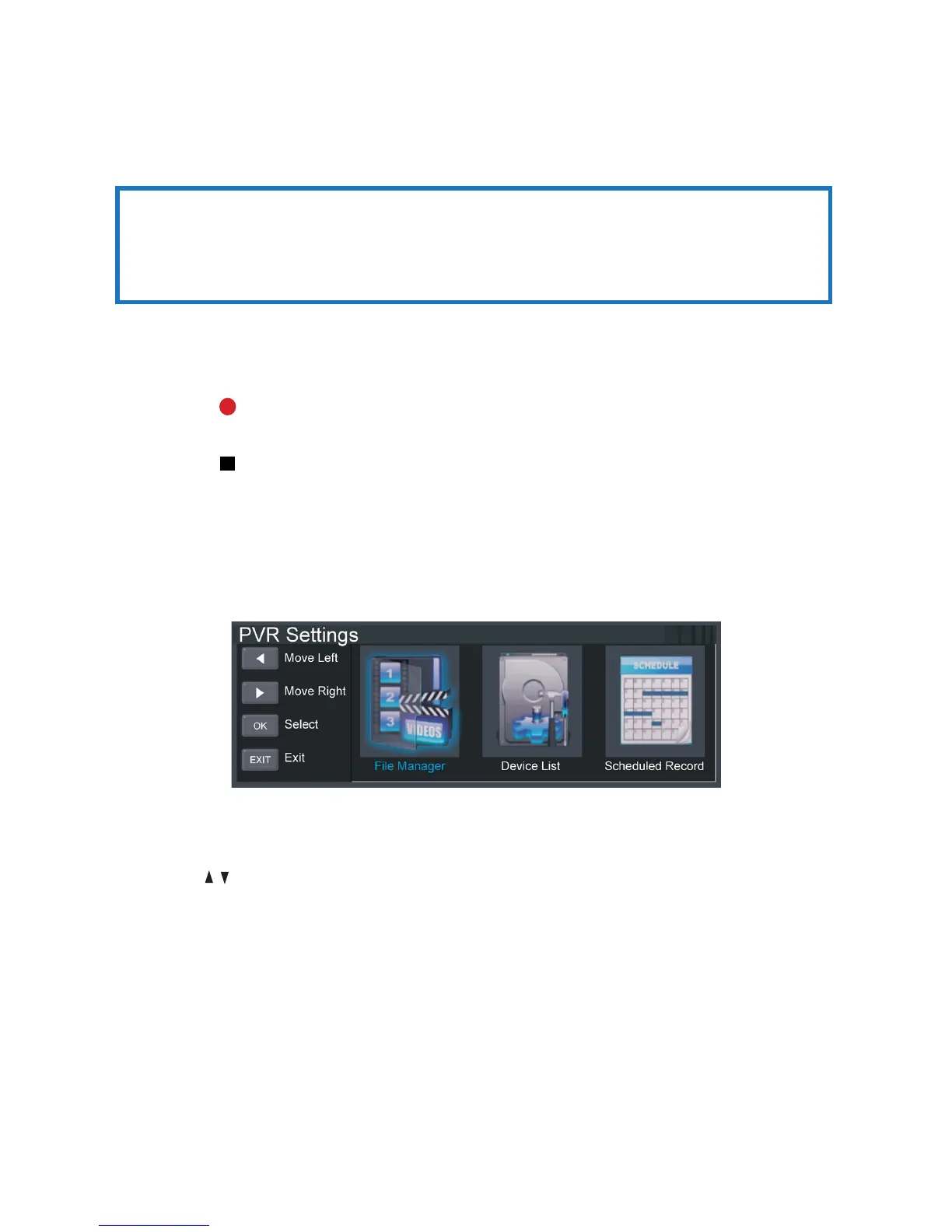
sPress the INDEX button on the remote control to display the PVR Settings
page. (Alternatively, go to the Setup Menu and select PVR Settings.)
sHighlight File Manager and press OK to enter it (see page 33).
sUse the / buttons to select a recorded file and press OK to start playback
in full screen mode.
Scheduled Recording (in DTV mode only)
See instructions under EPG on the previous page or press the INDEX button,
select Schedule Recording and follow the instructions on page 34.
IMPORTANT!
Before you can record with this TV set (including time-shift recording), you
must have inserted a FAT32 formatted USB storage device into USB 1 port.




 To Next Page