31
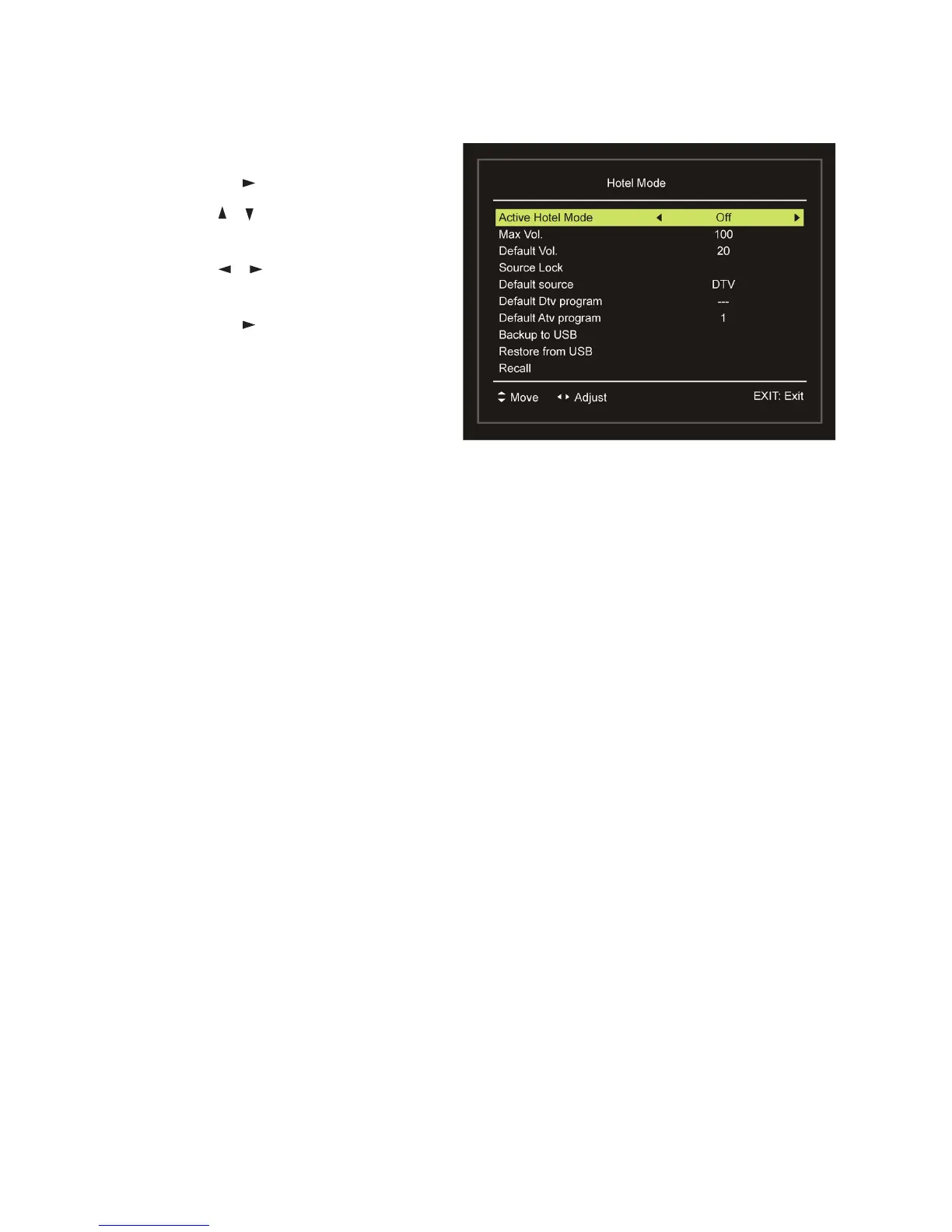
Hotel Mode
sPress OK or to enter.
sPress the
/ button to select the
desired item.
sPress the / button to adjust the
value.
sPress OK or to enter the submenu.
sPress the MENU button to return to
the previous page.
Active Hotel Mode: Turn on/off Hotel Mode.
Max Vol.: Set the maximum volume level.
Default Vol.: Set the default volume level.
Source Lock: Turn on/off the lock of available sources.
Default source: Set the default source.
Default DTV program: Set the default digital program.
Default ATV program: Set the default analog program.
Backup to USB: Backup the data to USB1 memory device.
Restore from USB: Restore data from USB1 memory device and then your
TV will switch to STANDBY mode.
Recall: Recall the default settings of Hotel Mode.
New Password
sInput your new password using the number buttons on the remote control and
confirm it again to set your private password.
Clear Lock
sUse this item to clear your current lock settings.
Menus (Cont.)















 To Next Page