39
DVD Mode (Cont.)
Repeat play
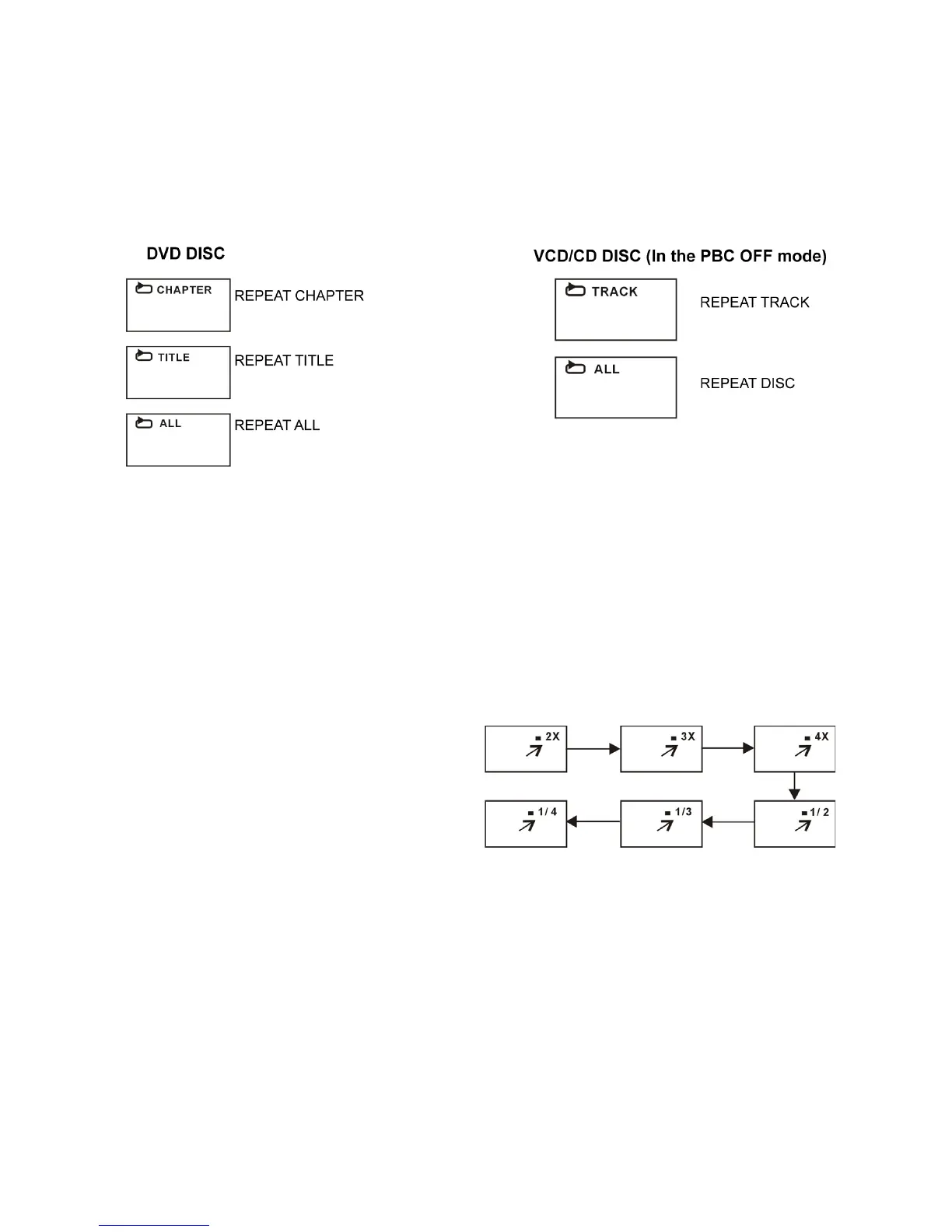
Press the REPEAT button during playback, it will repeat play one chapter or
one title (for DVD disc), or repeat play the track (for VCD/CD).
A-B repeat play
This button lets you repeat sections between two specific points (A-B repeat).
1. Press the A-B button during playback at the point where repeat play is to
be started (A).
2. Press the A-B button at the point where repeat play is to be ended (B).
Repeat play of the selection between points A and B starts.
3. Press the A-B button again to return to normal play.
Zoom play
This function allows you to zoom into
the picture to enlarge it, or zoom out.
sPress the ZOOM button when playing,
the screen shows:
sUse the navigation buttons to scroll
across the enlarged picture.
Changing the audio soundtrack language (on DVD/VCD discs)
It is possible to change the audio soundtrack language to a different language
from the one selected at the initial settings. (This function works only with
discs on which multiple audio soundtrack languages are recorded.)
sWhen playing a disc, press the LANG button to select the desired
soundtrack language, if available.
NOTE: When no soundtrack languages are recorded, pressing this button will
have no effect.















 To Next Page