English
9
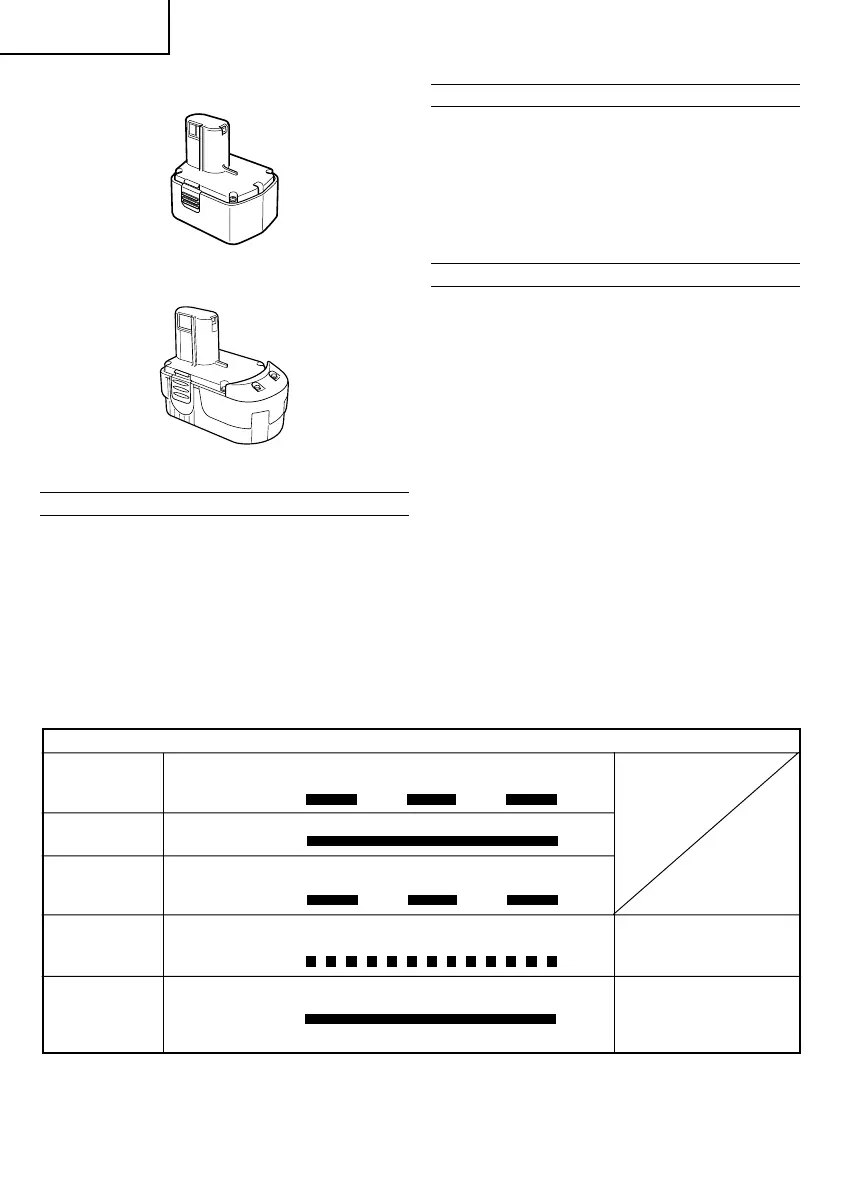
3. Battery (EB1414S, EB14B, EB1424) (For DV14DVC)
4. Battery (EB1814SL, EB1820L, EB1824L) (For
DV18DVC)
Optional accessories are subject to change without notice.
APPLICATIONS
䡬 Drilling of brick and concrete block, etc.
䡬 Driving and removing of machine screws, wood
screws, tapping screws, etc.
䡬 Drilling of various metals
䡬 Drilling of various woods
BATTERY REMOVAL/INSTALLATION
1. Battery removal
Hold the handle tightly and push the battery latch (2
pcs.) to remove the battery (see Figs. 1 and 2).
CAUTION
Never short-circuit the battery.
2. Battery installation
Insert the battery while observing its polarities (see
Fig. 2).
CHARGING
〈
UC18YRL, UC18YFL
〉
Before using the power tool, charge the battery as follows.
1. Connect the charger’s power cord to a receptacle
When the power cord is connected, the charger’s
pilot lamp will blink in red (At 1-second intervals).
2. Insert the battery into the charger
Firmly insert the battery into the charger till it contacts
the bottom of the charger and checking the polarities
as shown in Fig. 3.
CAUTION
䡬 If the battery is inserted in the reverse direction, not
only recharging will become impossible, but it may
also cause problems in the charger such as deformed
recharging terminal.
3. Charging
When inserting a battery in the charger, charging will
commence and the pilot lamp will light up
continuously in red.
When the battery becomes fully recharged, the pilot
lamp will blink in red (At 1-second intervals) (See
Table 1).
(1) Pilot lamp indication
The indications of the pilot lamp will be as shown in
Table 1, according to the condition of the charger or
the rechargeable battery.
Lights for 0.5 seconds. Does not light for
0.5 seconds. (off for 0.5 seconds)
Lights continuously
Lights for 0.5 seconds. Does not light for
0.5 seconds. (off for 0.5 seconds)
Lights for 0.1 seconds. Does not light for
0.1 seconds. (off for 0.1 seconds)
Lights continuously
Before
charging
While
charging
Charging
complete
Charging
impossible
Overheat
standby
Blinks
(RED)
Lights
(RED)
Blinks
(RED)
Flikers
(RED)
Lights
(GREEN)
Malfunction in the battery
or the charger.
Battery overheated. Unable
to charge (Charging will
commence when battery
cools).
Table 1
Indications of the pilot lamps
NOTE: When standby for cooling battery, UC18YRL cools the overheated battery by cooling fan.



 To Next Page