36
Skip Images
While viewing a picture, press / (SKIP) once
to advance to the next file or return to the previous file.
Rotate Images
Use S / T while viewing a picture to flip the picture
clockwise or counterclockwise.
View Slide Shows
1. Select [Slide Show] option on the [Photo List] menu
(Refer to “Photo List menu options” on page 35).
2. Press ENTER.
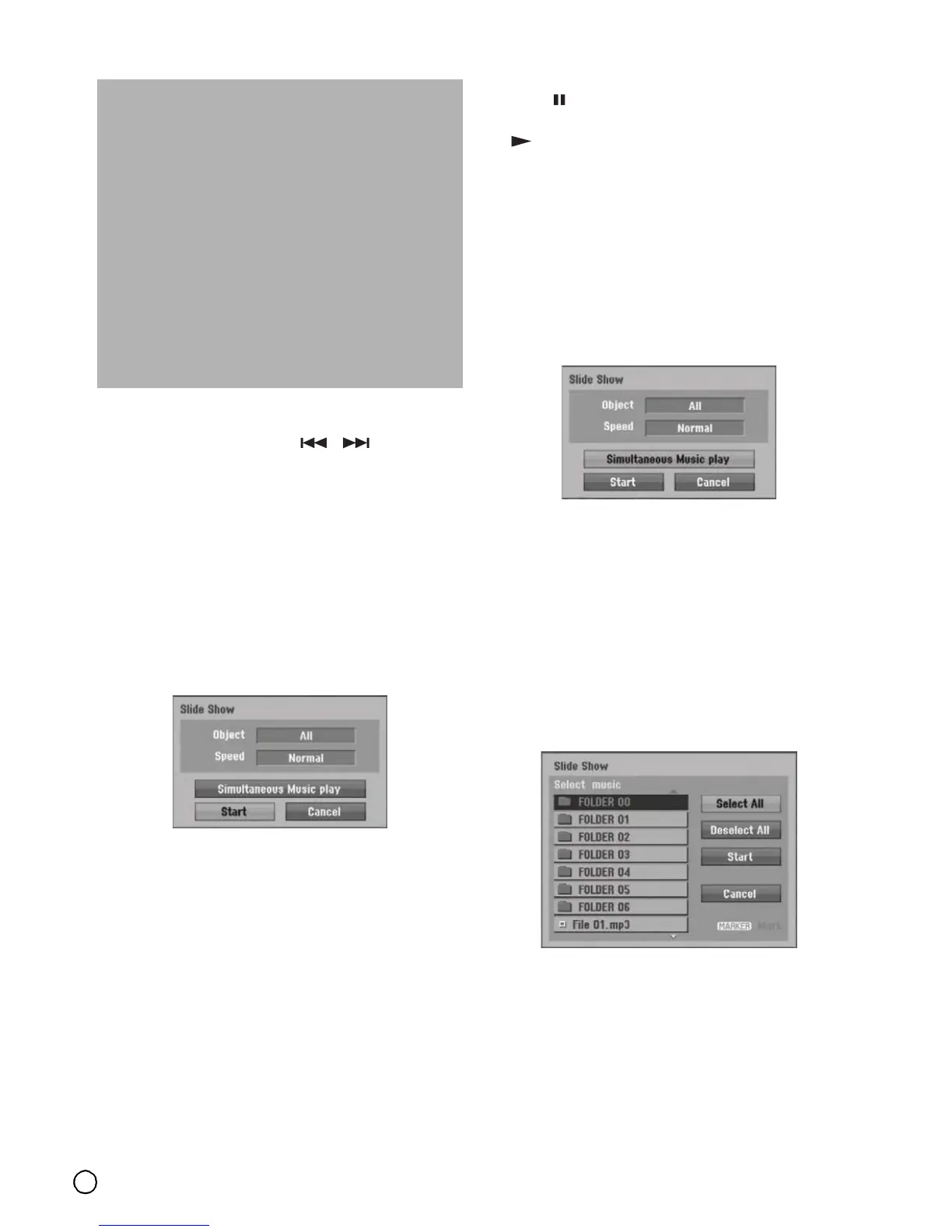
The Slide Show menu appears.
3. Use W / X / S / T to set the options.
[Object] option:
• [Selected] Views slide show only selected files.
Use the MARKER button to select multiple files.
• [All] Views slide show all files.
[Speed] option:
Sets the Slide Show speed to [Slow], [Normal], or
[Fast].
4. Select the [Start] option then press ENTER to start
the Slide Show.
5. Press (STOP) to stop the Slide Show and returns
to the [Photo List] menu.
To Pause the Slide Show
1. Press (PAUSE/STEP) to pause slide show.
2. When you want to continue slide show, press
(PLAY).
To listen to music while slide show simultaneously
You can display photo files while listening to MP3/WMA
music files recorded on HDD.
1. Select [Slide Show] option on the [Photo List] menu
(Refer to “Photo List menu options” on page 35).
2. Press ENTER.
The Slide Show menu appears.
3. Select [Simultaneous Music play] option on the
Slide Show menu.
4. Press ENTER.
Simultaneous Music play menu appears.
5. Press MARKER to select multiple files.
• Select [Select All] option to select all tracks then
press ENTER.
• Select [Deselect All] option to deselect all
selected tracks then press ENTER.
• Select [Cancel] option to exit this menu then
press ENTER.
6. Use W / X / S / T to highlight [Start] option then
press ENTER.
7. Press (STOP) to stop the Slide Show and return
to the [Photo List] menu.
Photo file requirement
File extensions
“.jpg”
Photo size:
Less than 4MB recommended
CD-R Format:
ISO 9660 and JOLIET.
DVD±R/RW Format:
ISO 9660 (UDF Bridge format)
Maximum Files/Disc:
Less than 1999 (total number of files and folders)
Notes on JPEG file
Progressive and lossless compression JPEG image
files are not supported.



 To Next Page