–
28
–
EN
2C15
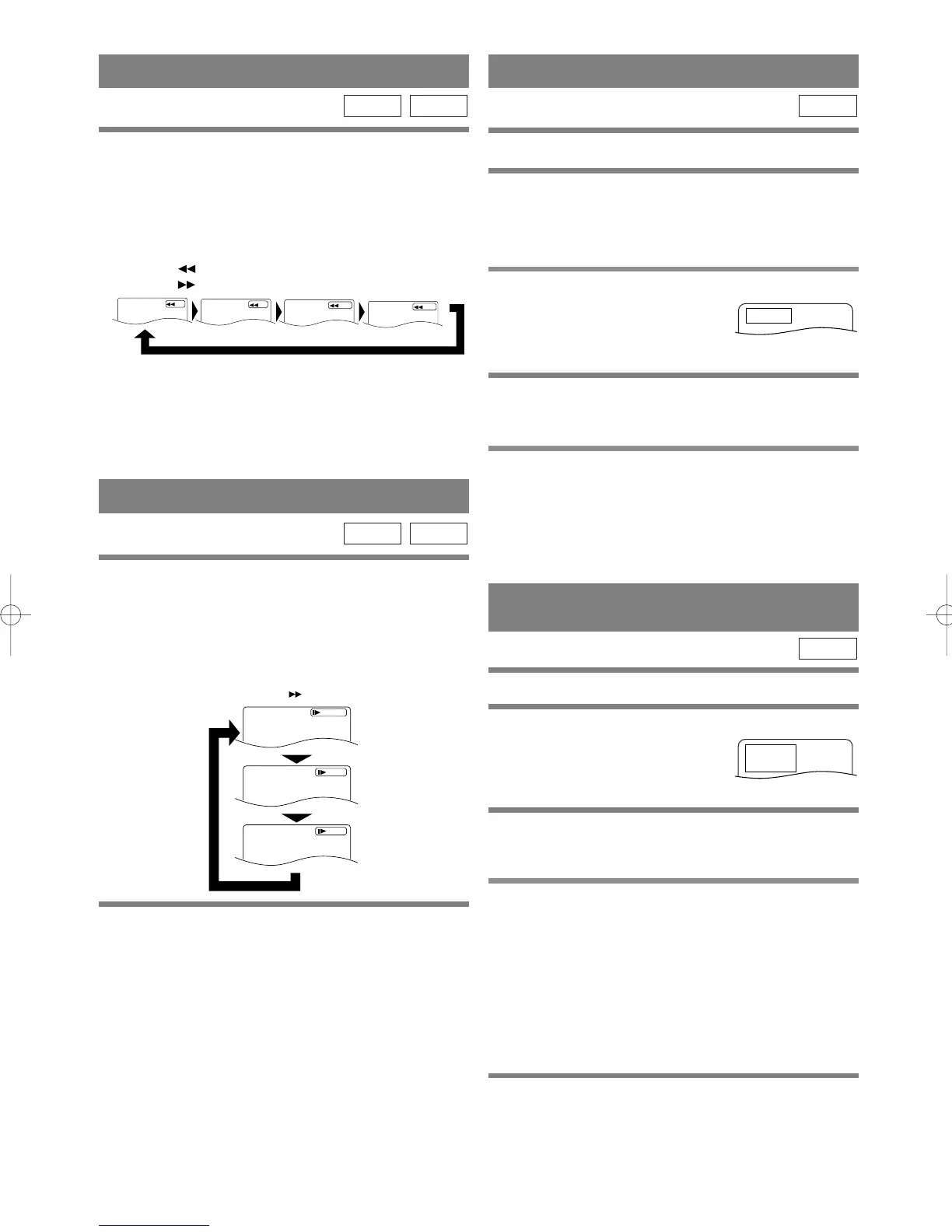
1 Press the FF SEARCH g or FR SEARCH
h Button during playback.
¡For DVDs pressing the FF SEARCH g or FR
SEARCH h Button cycles the playback speed in
four steps. In case of DVDs, the sound will mute.
¡For audio CDs, the playback speed is ×16 fixed.
2 Press the PLAY Button to return to normal
playback speed.
¡FAST FORWARD or REVERSE from a TITLE to
other TITLEs is not possible.
CDDVD
FAST FORWARD/REVERSE
x2
x8
x30
x60
FR SEARCH Button
Button
FF SEARCH
STARTING FROM A DESIRED TRACK
There are 2 ways you can jump to a desired track.
By using only the NUMERIC Buttons.
1 Directly enter the desired track number with
the numeric Buttons when the disc is being
played, stopped, or paused.
By using the ‘SEARCH MODE’ Button.
1 Press ‘SEARCH MODE’
Button.
¡
Track search display will show up.
2 Enter the desired track number with the
numeric Buttons (If you are entering a single
digit number press “0” first).
¡In either way, when you finish entering the number,
the selected track will start automatically.
Notes
¡If you didn’t press “0” before entering the single
digit number, you have to press ‘ENTER’ Button to
go to the desired track.
CD
STARTING FROM A DESIRED
TITLE OR CHAPTER
There are 2 ways you can jump to a desired title or a chapter.
By using the ‘SEARCH MODE’ Button.
1 Press ‘SEARCH MODE’
Button.
¡
Title/Chapter search display will show up.
2 If you wish to perform a title search, select
‘TT’. If you wish to perform a chapter search,
select ‘CH’ with
K/L Buttons.
3 Enter the desired title or chapter number
with the numeric Buttons (If you are entering
a single digit number press “0” first).
¡When you finish entering the number, the selected
title or chapter will start automatically
.
Notes
¡If you didn’t press “0” before entering the single
digit number, you have to press ENTER to go to the
desired title or the chapter.
By using only the NUMERIC Buttons.
TITLE SEARCH:
1
Directly enter the desired title number with the
numeric Buttons when the disc is stopped.
DVD
SLOW MOTION
1 Press the FWD g Button while playback is
paused. (Sound remains muted.)
¡Slow motion mode will be activated.
¡Pressing the FWD g Button cycles the playback
speed in three steps. Select the appropriate speed
while referring to the speed indication on the screen.
2 Press the PLAY Button to return to normal
playback speed.
Notes
¡Slow playback is not available with audio CDs.
¡Reverse slow motion is not available.
¡Slow playback from a TITLE to other TITLE is not
possible.
CDDVD
H9210UD(EN)-2 02.4.15 10:18 AM Page 28


 To Next Page