OPTIONAL SETTING AND INPUT/OUTPUT SETTING OF INDOOR UNIT
5
/
9
ENGLISH
5.
OPTIONAL SETTING AND INPUT/OUTPUT SETTING OF INDOOR UNIT
5.1.
OPTIONAL SETTING MODE
5.2.
SELECTION OF INDOOR UNIT
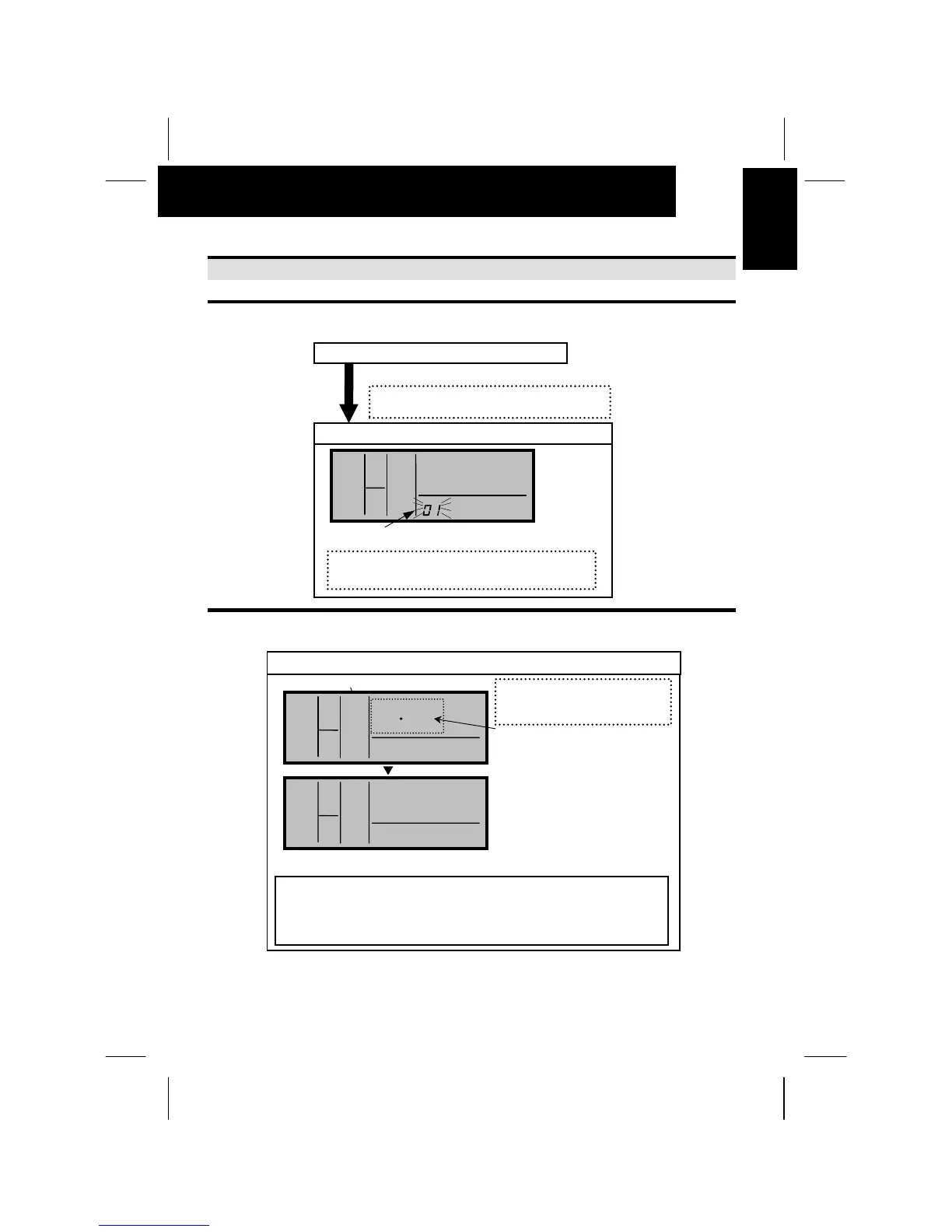
Normal Mode (When unit is not operating)
Press the “CHECK” switch and the ”RESET”
switch simultaneousl
more than 3 seconds.
Change to the optional setting mode.
Press the “” or “” switch and set “01” or “02”.
Then press the “CHECK” switch.
°
°°
°C
HIGH
A/C
SET TEMP
“SERVICE” is indicated and the mode number is flickered.
The address of the indoor unit
(ADDS) to set and the refrigerant
cycle number (RN) are indicated
by 015. (The left figure shows
the No.1 cycle and No.1 indoor
unit.
NOTE:
1. In case that the both indications of the “ADDS.” and “RN” show
“AA”, the same setting is performed to all the indoor units.
2. The address of indoor unit not connected is not indicated.
Selection of Indoor Unit for Optional Setting
“01” or “02” flickers.
Select the indoor unit to set by
pressing the “” or “” switch
and
ress the “CHECK” switch.
<Example>
When selecting No.2 cycle and
No.3 indoor unit
COOL
SERVI CE
HIGH
A/C
ADDS. RN
SERVI CE
COOL
HIGH
A/C
•
#
ADDS. RN
•
#


 To Next Page