4.3.4 ChangingIPaddressofPCforRemoteAccesssoftware
ChangetheIPaddressofthePCforRemoteAccesssoftwareasnecessary.
TheinitialIPaddressofCentralStationEXis“192.168.0.50”.MakesuretheIPaddressesdonotconict
with each other in the same network.
ThesettingstepsdierdependingontheOSused.Followthestepsbelowaccordingly.
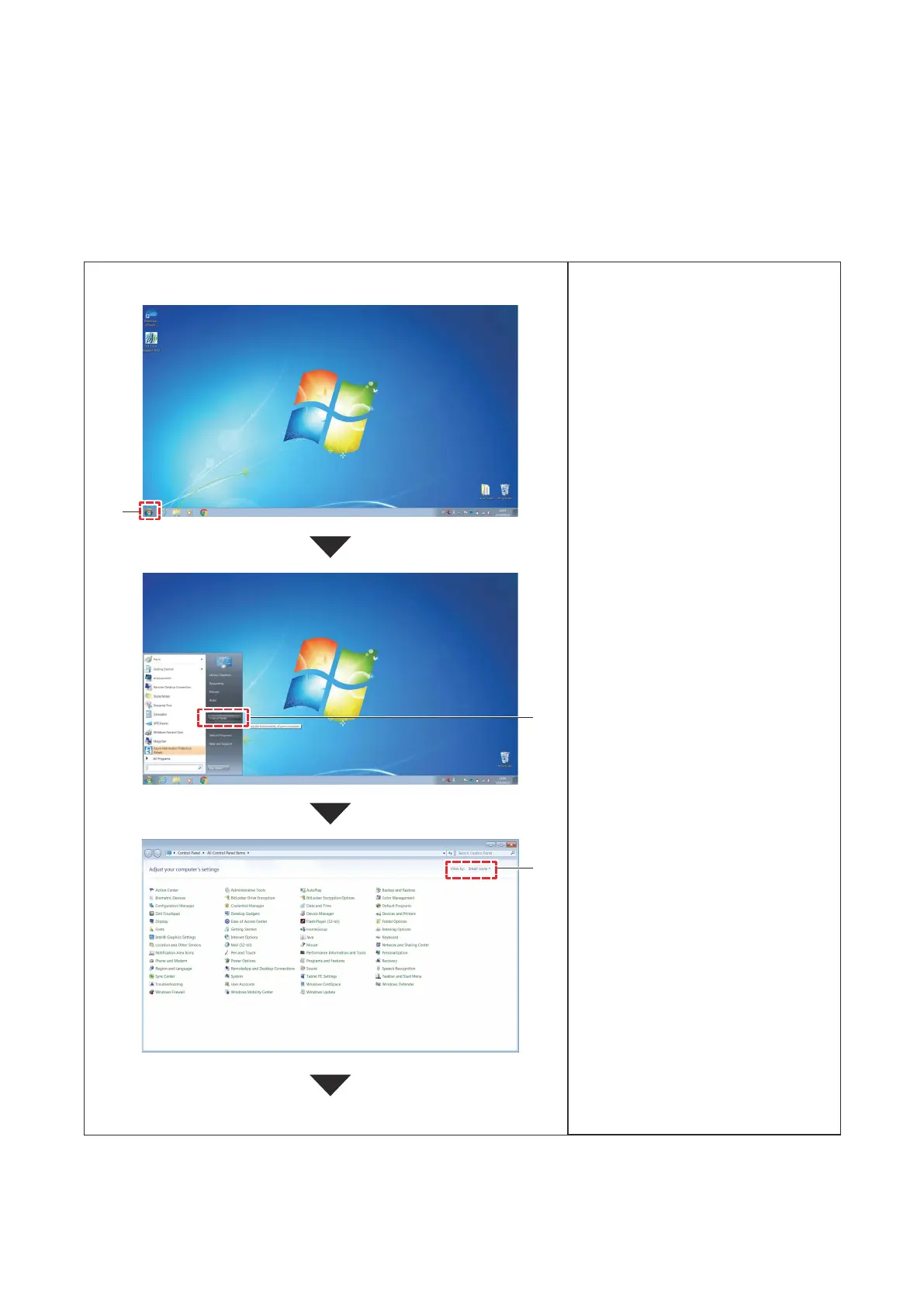
(1) ChangingIPAddressinWindows7
®
1. ClickStart.
2. ClickControlPanel.
3. SelectSmallIconsfromViewby.
1
2
Continuetonextpage.
3
10
P5417304





 To Next Page