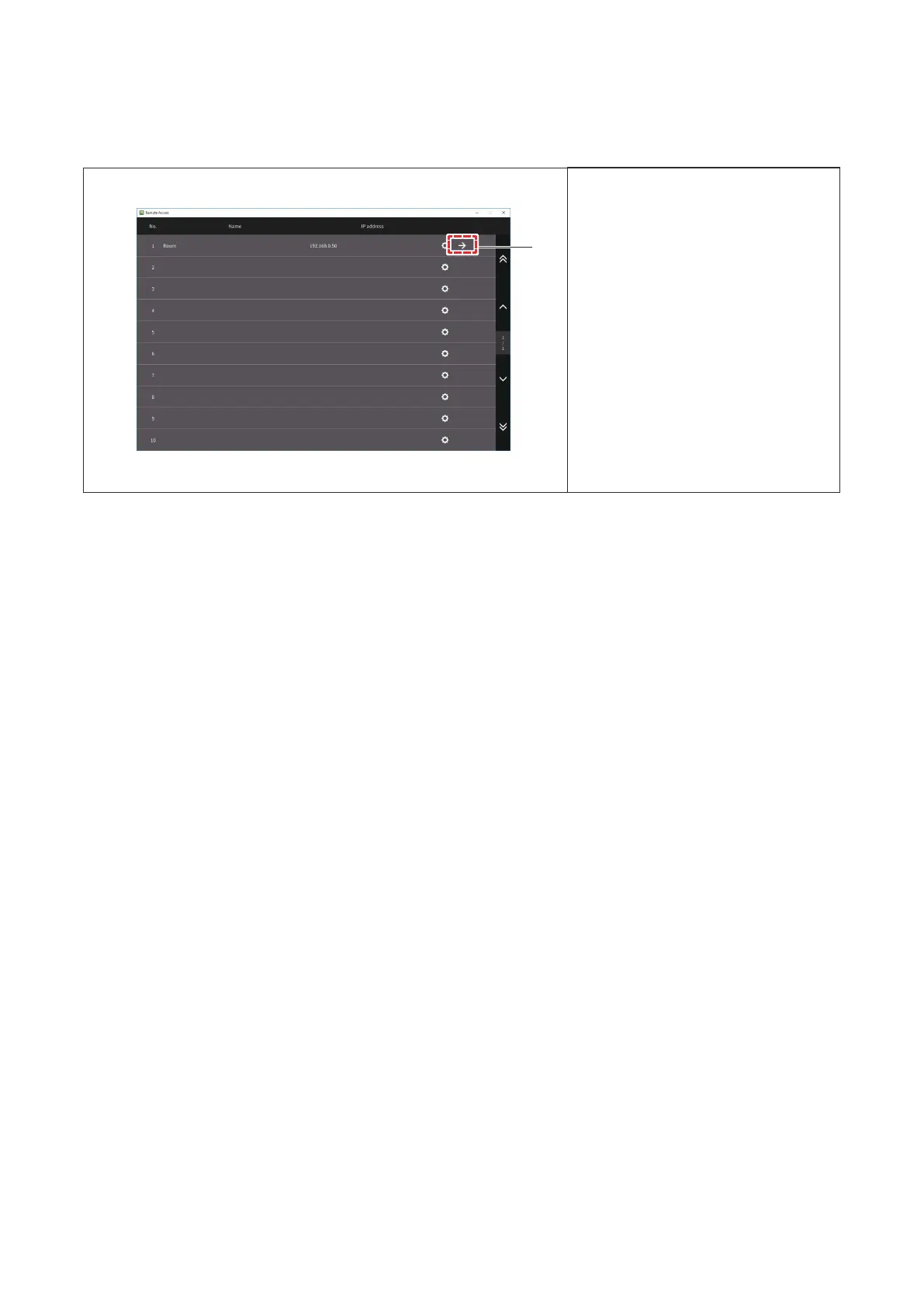
5.2.2 Starting Remote Access
1. Tap→.
RemoteAccesssoftwarewillstart.
1
● RefertotheoperationmanualforCentralStationEXfortheoperationafterstartup.Refertotheoperation
manualforEnergyCalculationSoftwareifinuse.
● ThetimeonCentralStationEXandthePCwithRemoteAccessinstalled,andthesettingofdaylight
savingtimeshouldbethesamewhendaylightsavingtimeisactiveonthePC.
● WhenthetimeonCentralStationEXandthePCwithRemoteAccessinstalledaredierent,setdaylight
savingtimeonthePCinactive.
● Donotselect“2hours”forshiftingtimewhenRemoteAccessisinuse.
P5417304
21





 To Next Page