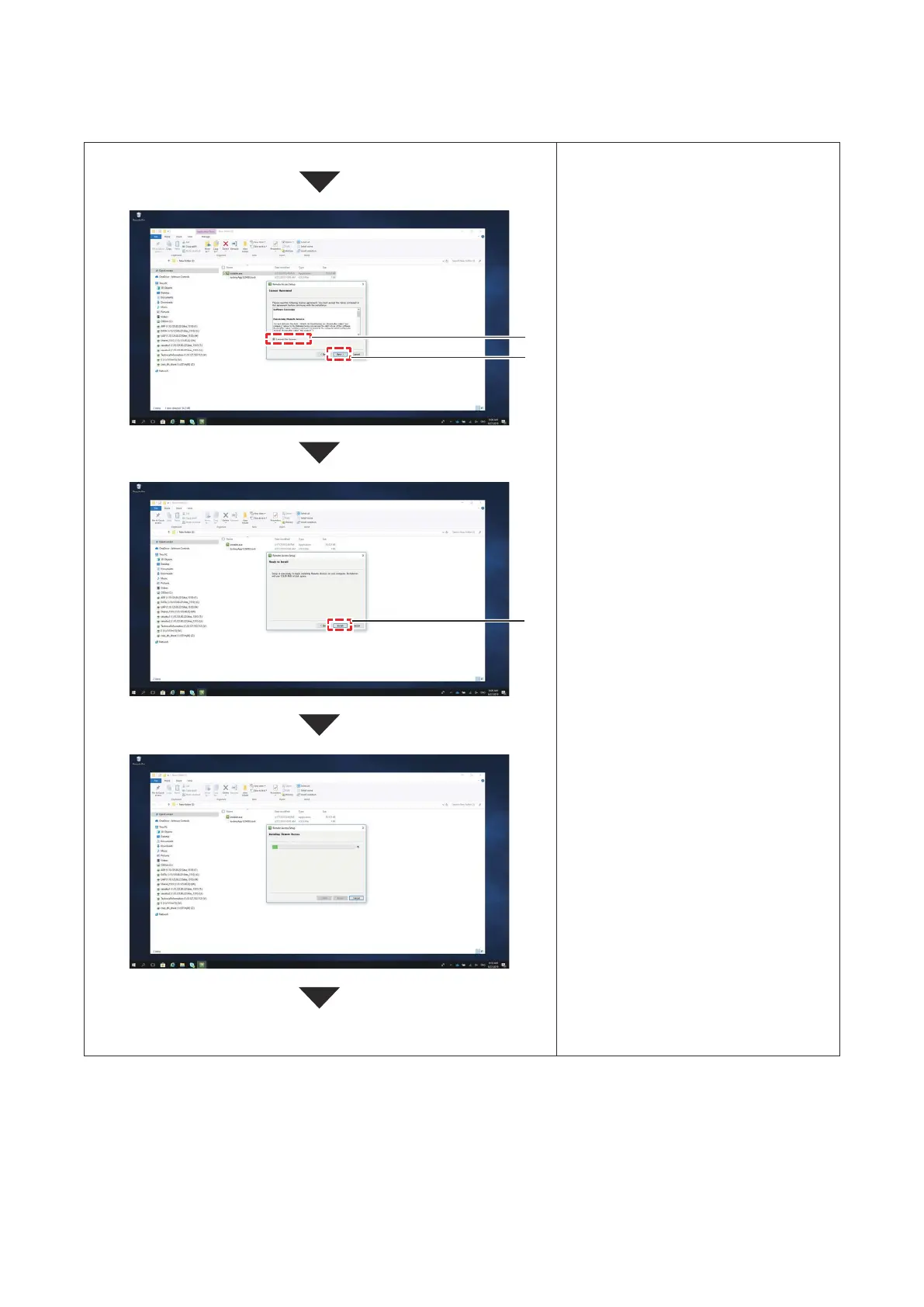
5. Afterconrmingthesoftwarelicense
agreement,click“Iagreetothe
softwarelicenseagreement.”
6. Clickthe[Next]button.
Notethatyoucannotclickthe[Next]
buttonuntilyouagreetothesoftware
licenseagreement.
7. Clickthe[Install]button.
8. Installationbegins.
ThesoftwarewillbeinstalledonC
drive.
Note that you cannot change the
installationdestination.
5
Continuefrompreviouspage.
7
Continuetonextpage.
6
P5417304
17





 To Next Page