English - 7 -
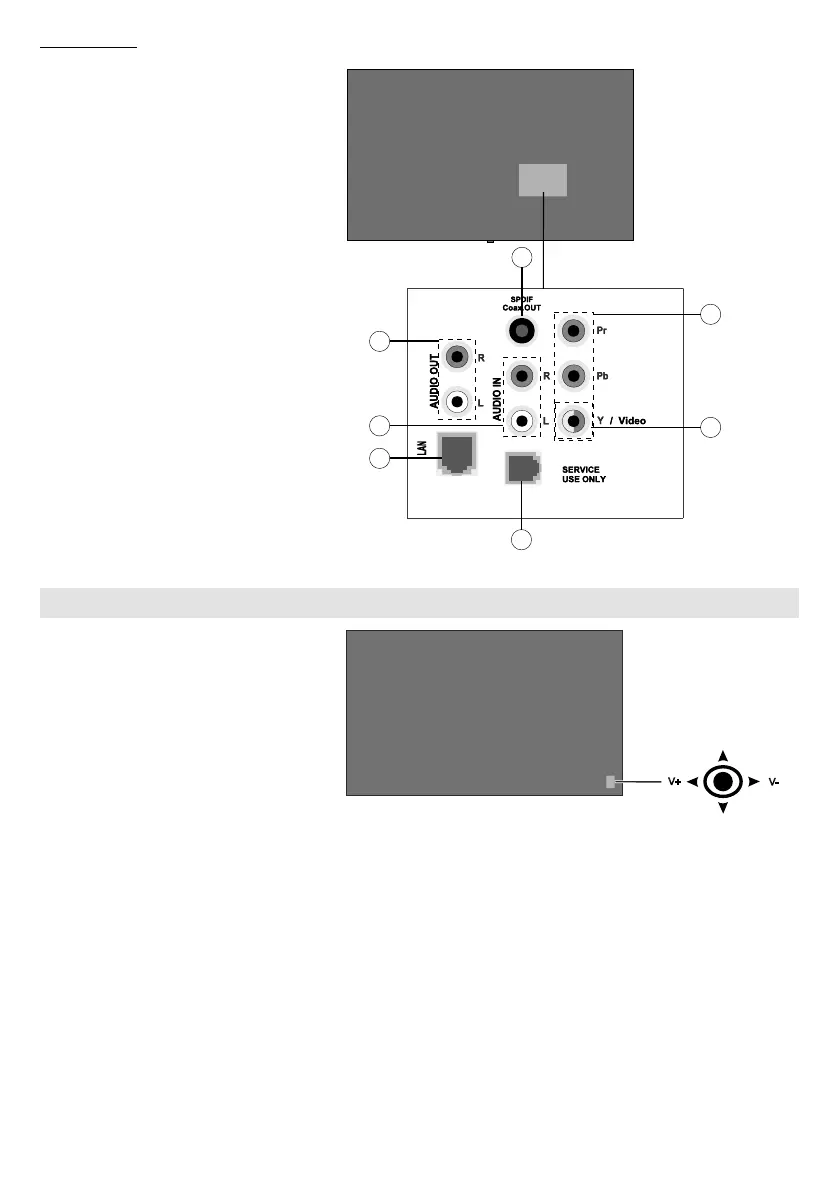
Rear Side (2)
1. Audio Out
2. Audio In
3. Ethernet
4. RJ12 (service use only)
5.
6. YPbPr
7.
1
3
4
7
2
6
5
To turn on the Display: Press the
will turn on and hold for 5 seconds
until RED LED on the IR receiver
goes out.
To turn the Display off: Press the
centre of the joystick in and hold it
will turn into standby mode.
To change source: Press the centre
appear on the screen. Scroll through
the available sources by pushing the
joystick up or down.
To change volume: Increase the
volume by pushing the joystick right.
Decrease the volume by pushing the
joystick left.
Note: Main menu OSD cannot be
displayed via joystick.






 To Next Page