4. Operating Method
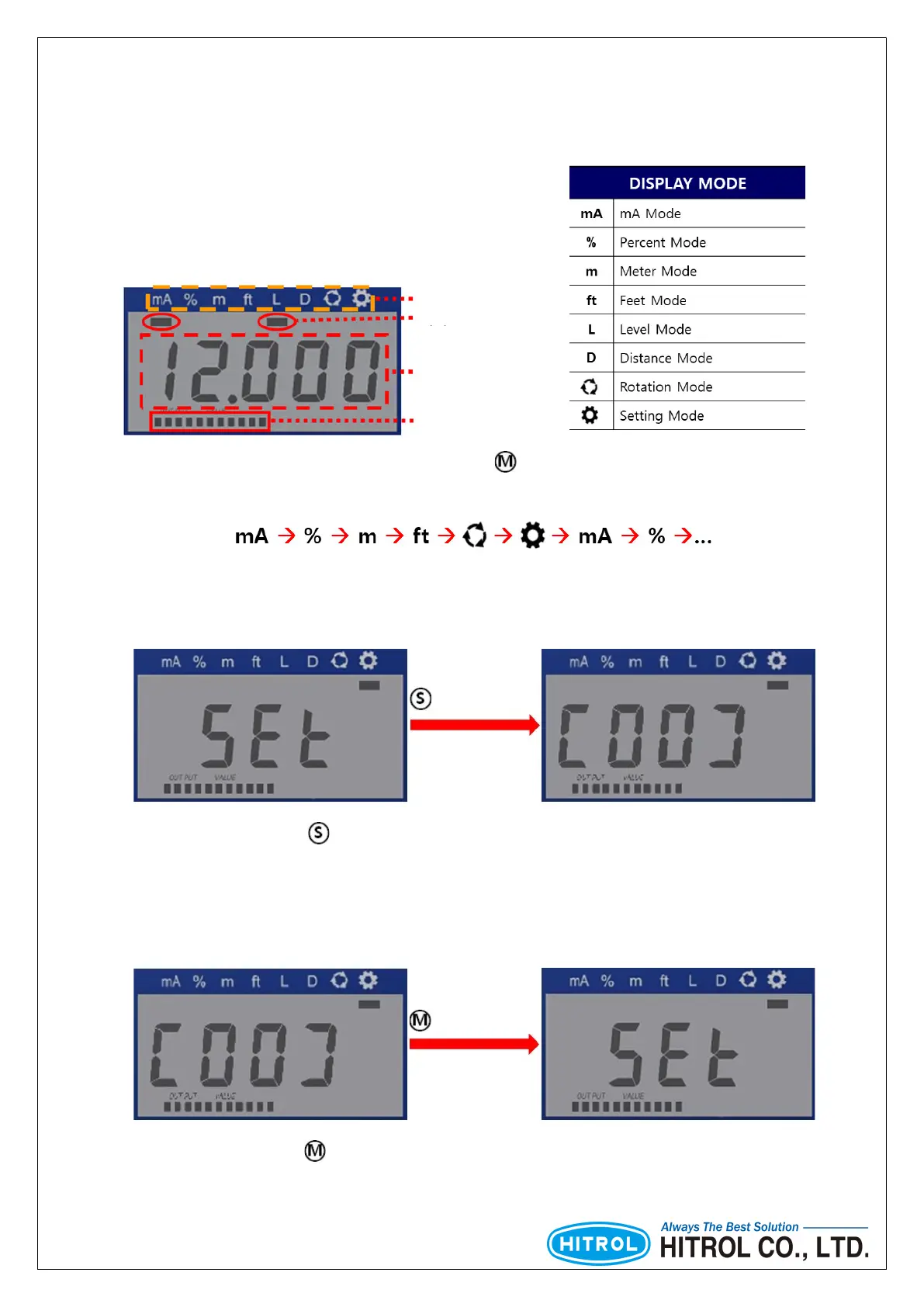
■ LCD Composition
■ Into the Setting Menu
■ Return to the Setting Mode
Cursor
Segment
Display Mode
Bar graph
The cursor moves sequentially whenever the button is pressed.
The order of movement is as follows.
(User setting)
(User setting)
About 1sec.
About 1sec.
In the Setting Mode, press button for 1 second then the green LED will be flickering and you can go
into the Setting Menu.
In the Setting Mode, press button for 1 second then the green LED will be flickering and you can go
into the Setting Menu.



 To Next Page