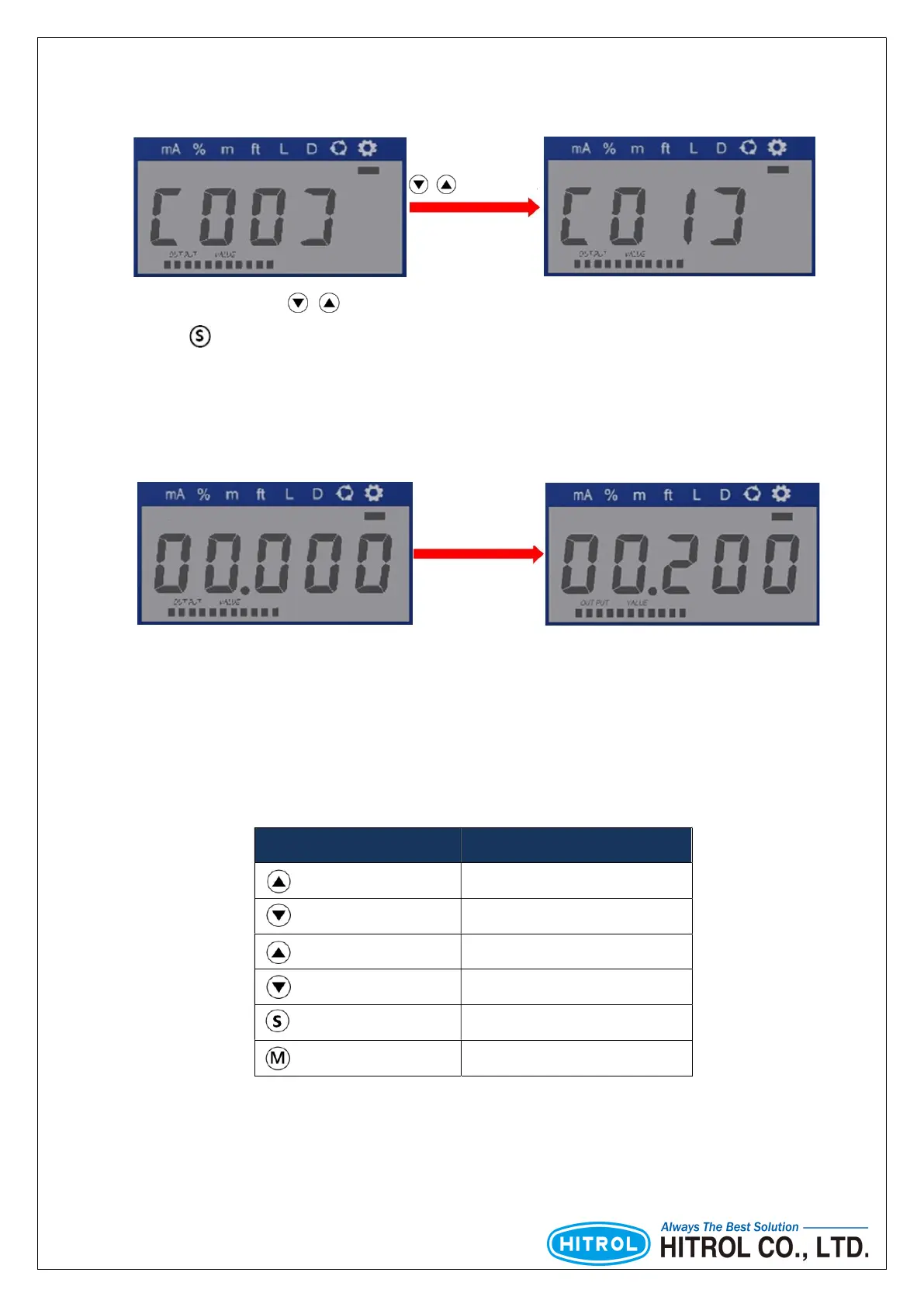
■ Select Setting Menu
■ Change the User Setting
[Table 3] Key Button Guidance
Key Button Function
Press more than 1 sec. Increasing of digits(Left)
Press more than 1 sec. Decreasing of digits(Right)
Press shortly Increasing of the numerical value
Press shortly Decreasing of the numerical value
Press more than 1 sec. Save and Leave
Press more than 1 sec. Leave without Save
/ About 1sec.
In the Setting Menu, use / buttons to select the user setting function.
Pressing button for 1 second will enter the function.
Change of digits
And value
If just 1 digit is flickering, it can be moved between the digits.
If full digits are flickering, it can only be set up to the specified number.



 To Next Page