8
tekstMounting
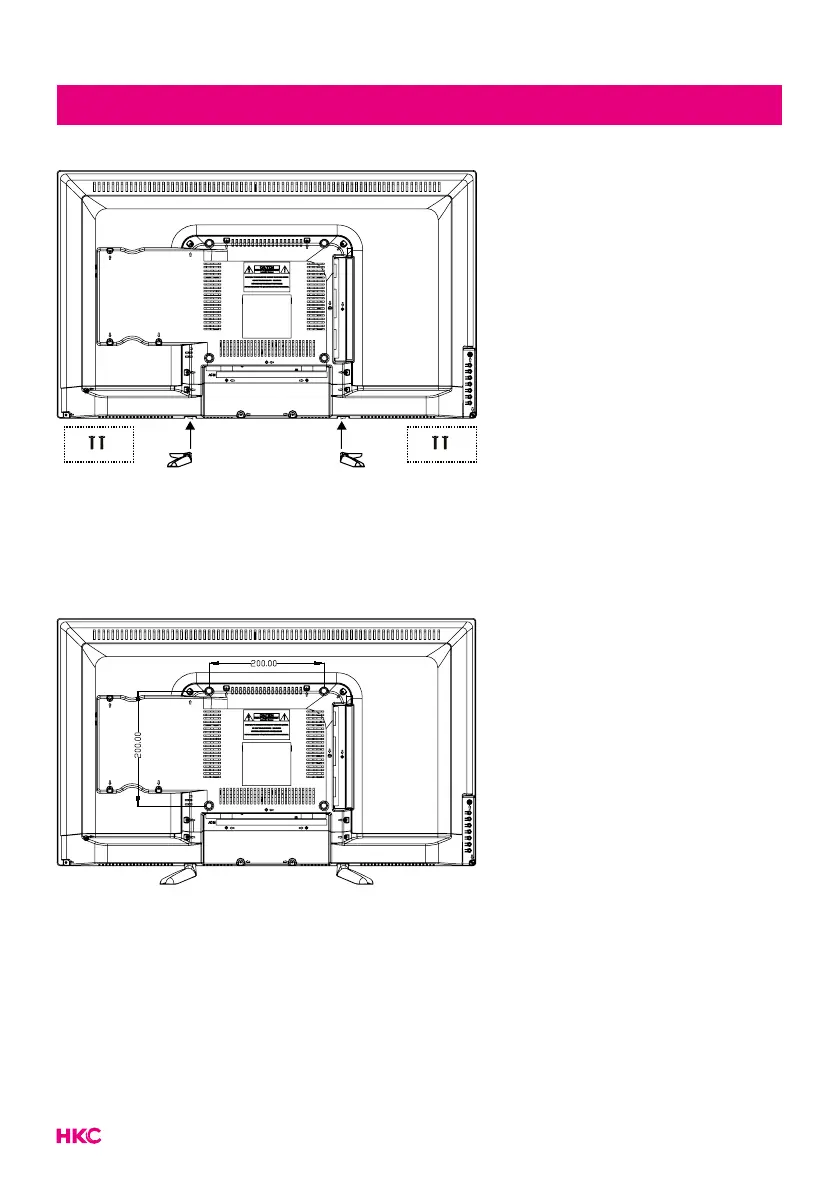
The TV on a surface
Attach the feet to the device as
described in the illustration and
screw them down with the sup-
plied mounting screws.
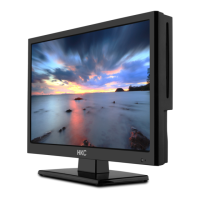
Hang the TV on the wall
Attach your wall bracket to the
appropriate threads on the back
and pay attention to the distance
between the holes.


 To Next Page