−14−
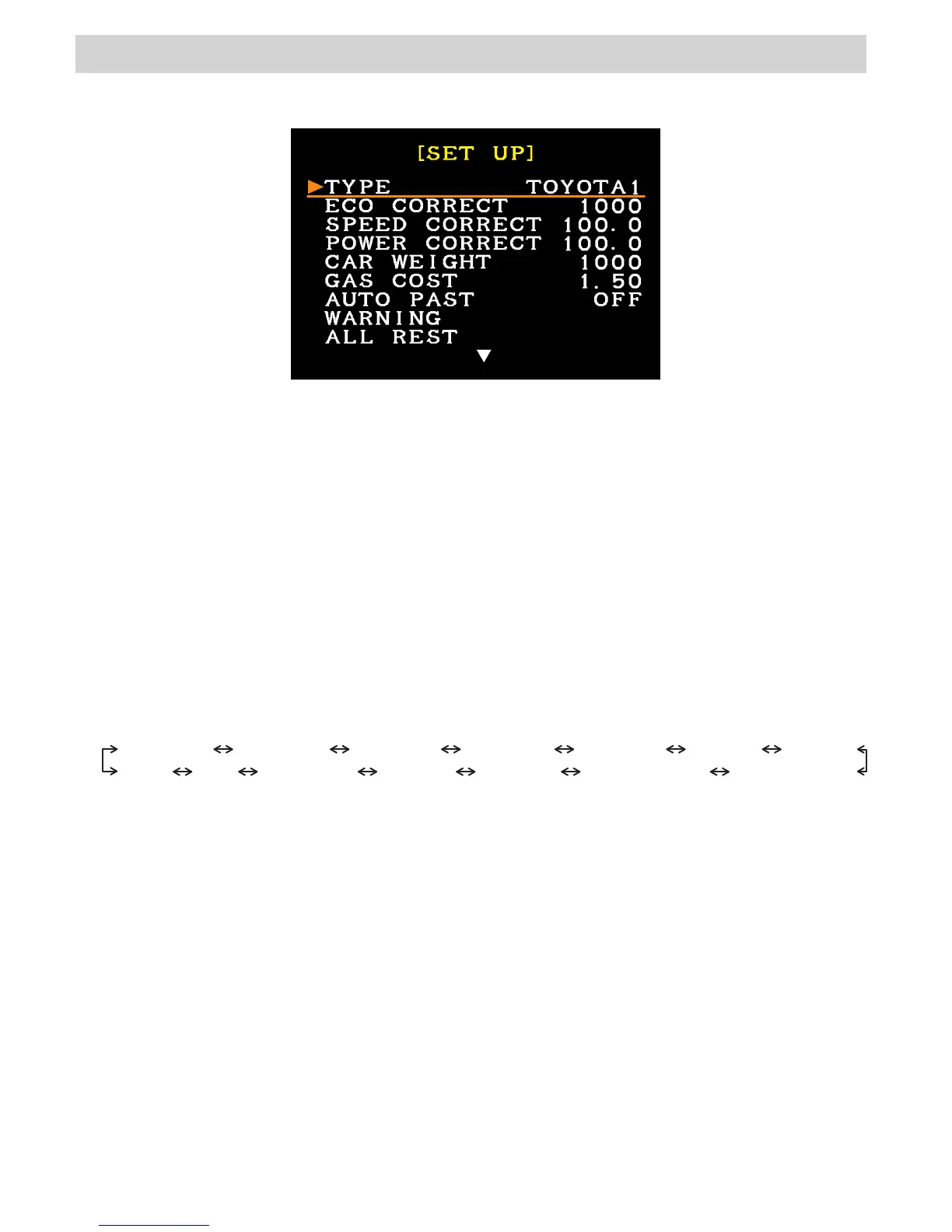
2.SET UP MODE
・SET UP MODE to configuring CAMP2 to work with your vehicle.
・Use this mode when using CAMP2 for the first time or after a reset.
<Setting Items>
●TYPE(Vehicle Setting)
Select the type of vehicle.
Refer to the application list for setting.
TOYOTA1 TOYOTA2 NISSAN1 NISSAN2 NISSAN3 MAZDA HONDA
BMW CAN DAIHATSU SUZUKI SUBARU MITSUBISHI2 MITSUBISHI1
●ECO CORRECT(Fuel efficiency correction value)
This item is to correct the fuel efficiency. The set value range is from 0 to 5000, in increments
of 10. The default value is 1000.
・ Setting & Calculating ECO CORRECT
・Setting based on the application list
Input the fuel efficiency correction value from the application list.
・ Calculating the set value from actual gas volume.
①Temporarily use the default ECO CORRECT value of "1000".
②Fill up the fuel tank on level ground.
③Set PAST mode to CLEAR & START.
④Drive until the fuel tank becomes nearly empty, and fill up the tank at the same
location in ②.
⑤Calculate the actual ECO CORRECT value from the fuel volume and the FUEL
value in PAST mode.
Actual ECO CORRECT Set Value = Fuel Volume ÷ FUEL value × 1000
<Setting>
・In the menu, use the direction button in the controller to select "SET UP", and press the
ENTER. SET UP menu is separated to 2 screens.
・Move the left cursor to the item for setting using the direction button in the controller, and
press the ENTER button. When the white character or the white number is turned to orange,
edit it using the direction button in the controller.
・After editing the setting, press the ENTER. When the edit is made, the orange character
or the orange number is turned to white.
・If more edit is needed, repeat the procedure above.
※When the following setting is necessary, change "UNIT" in the second screen of the SET
UP menu from "SI" to "USA" (See "UNIT" in page 17) before starting editing.



 To Next Page