−29−
SYMPTOM CAUSE MEASURE
Unit does not power on.
Nothing appears on the
screen.
Meters do not move.
Meters do not indicate
correct values.
The remote controller
does not function correctly.
TROUBLESHOOTING
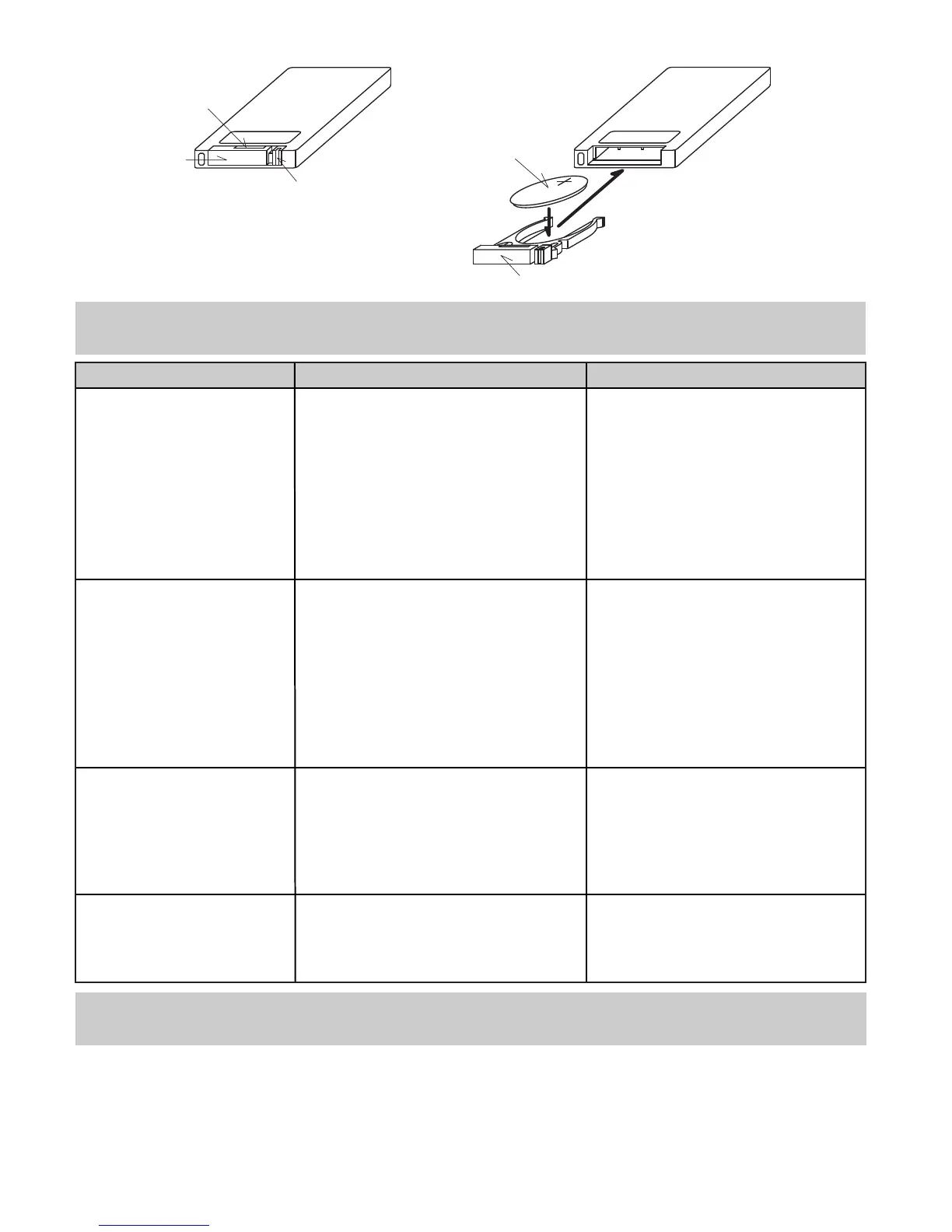
(Replacing the battery for the remote controller)
CR2025
Lock
Notch
Battery Holder
Back of
the Controller
Back of
the Controller
Battery Holder
① ②
Battery
・Turn the controller to the back.
・While pressing the lock to the left, hold the notch,
and pull the battery holder out.
・Remove the used battery from the holder.
・Insert the new battery to the
holder.(Battery Type: CR2025)
Make sure the positive side is
facing up.
・Press the holder back into the
controller until it clicks.
・AV cable is not connected.
・Engine is not started.
・The monitor or the car navigation
is off or inoperable.
・Blown fuse.
・Connectors not connected properly.
・Improper wire splicing.
・The vehicle setting TYPE not set
properly under SET UP MODE.
・Incorrect slide switch position.
・Connectors not connected properly.
・Improper wire splicing.
・Incorrect setting value under SET
UP MODE.
・Connectors not connected properly.
・Improper wire splicing.
・Dead battery or not set properly.
・The receiver is not connected
properly or not in a position to
receive signals from the controller.
・Connect the AV cable.
・Start the engine.
・Turn on the monitor or the car
navigation.
・Replace the fuse.
・Make sure connectors are
connected properly.
・Make sure splices are done
correctly.
・Make sure the vehicle setting
TYPE is set properly under
SET UP MODE.
・Set the slide switch position
correctly.
・Make sure connectors are
connected properly.
・Make sure splices are done
correctly.
・Enter a correct set value for
the SET UP mode.
・Make sure connectors are
connected properly.
・Make sure splices are done
correctly.
・Replace or correctly place the
battery.
・Make sure to connect and
position the receiver properly.
PRODUCT SPECFICATIONS
CAMP2 Main Unit
・Operating Voltage…DC10 - 16V ・Maximum Electrical Power Consumption…2.0W
Remote Controller
・Battery Type…CR2025
Tube Fuse for Power Socket Harness & Power Supply Harness
・1A Fuse



 To Next Page