㧙㧙
Simple Setting
Read the operational instructions from Section 1 "Modes & Display Descriptions" before carrying out
the following simple boost settings.
1. Enter the boost value slightly higher than the actual target boost setting.
Even if the boost increases excessively, the Warning Function activates to decrease
the boost to the set Drop Value (Ref. P.22) to avoid damage to the engine or turbo.
Change this value in small increments.
If the value is changed drastically, the boost may increase excessively causing
damage to the engine or turbo.
If a higher Response Value is entered and the actual boost is lower than 100kPa,
the boost tends to increase. If a higher Response Value is entered and the actual
boost is higher than 100kPa, the boost tends to decrease. When editing the
Response Value, the Off Set Value must be adjusted accordingly.
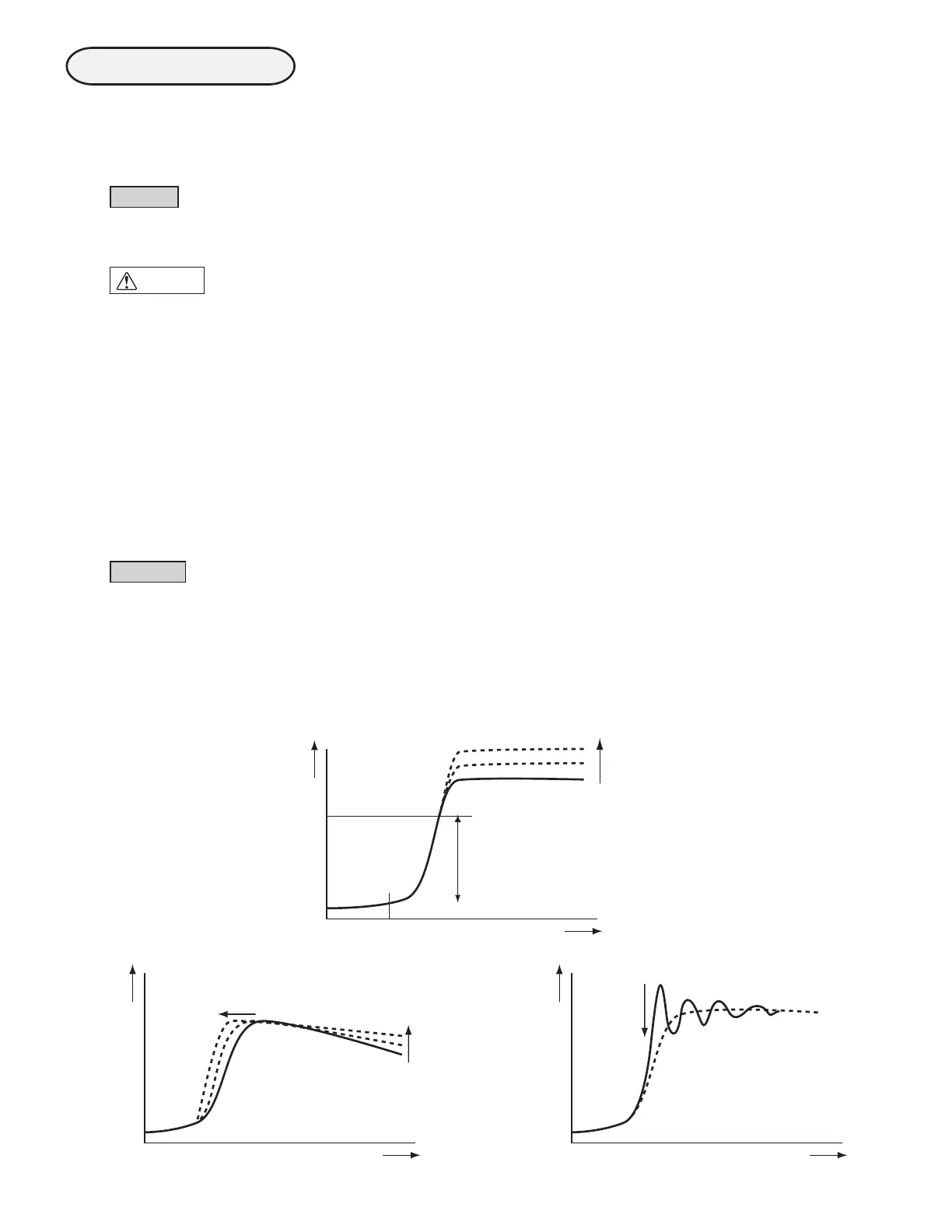
2. Enter the target boost value as the Off Set Value.
3. Edit the Over Boost Value until the boost does not overshoot, or
stays within the Off Set Value to increase the boost smoothly.
4. Increase the Response Value for better response and to prevent the
boost
from dropping at high engine RPM.
Make sure the appropriate value is entered as the Response Value.
If the Response Value is too high, it may cause unstable boost.
NOTE
CAUTION
Increase the Off Set Value.
Boost
Time
Over Boost Value
Acceleration
Increase the
Response Value.
Boost
Time
Increase the Response Value.
Boost
Time
Decrease the Response Value.
Refer to the graphs below for setting:
The boost changes as the dotted line shows when the settings are changed as described
in the graphs.)
The boost increases to the maximum turbine
performance in this range.
NOTE


 To Next Page