㧙㧙
3. Boost Control Mode
3-1. Boost Control
The boost pressure value is displayed under the Boost Control Mode.
The display can be switched to the Peak Hold value by pressing the upper side of the switch.
To reset the Peak Hold value, press the upper side of the switch longer than a second while the
Peak Hold value is displayed.
When pressing the lower side of the switch while the Peak Hold value is displayed, the current
boost pressure value is displayed.
If the After Image display function is set under the Function Setting Mode, the maximum boost
pressure value will blink for 3 seconds when the boost pressure changes from positive pressure
to negative pressure.
If an incorrect boost value is displayed, stop the engine and reset all data so the sensor’s values
can be recalibrated.
To reset all data, refer to "All Data Reset" in Section 6-4.
Record all current settings before resetting all data
3-2. Boost Display
#
M2C
#
M2C
#
M2C
#
M2C
#
M2C
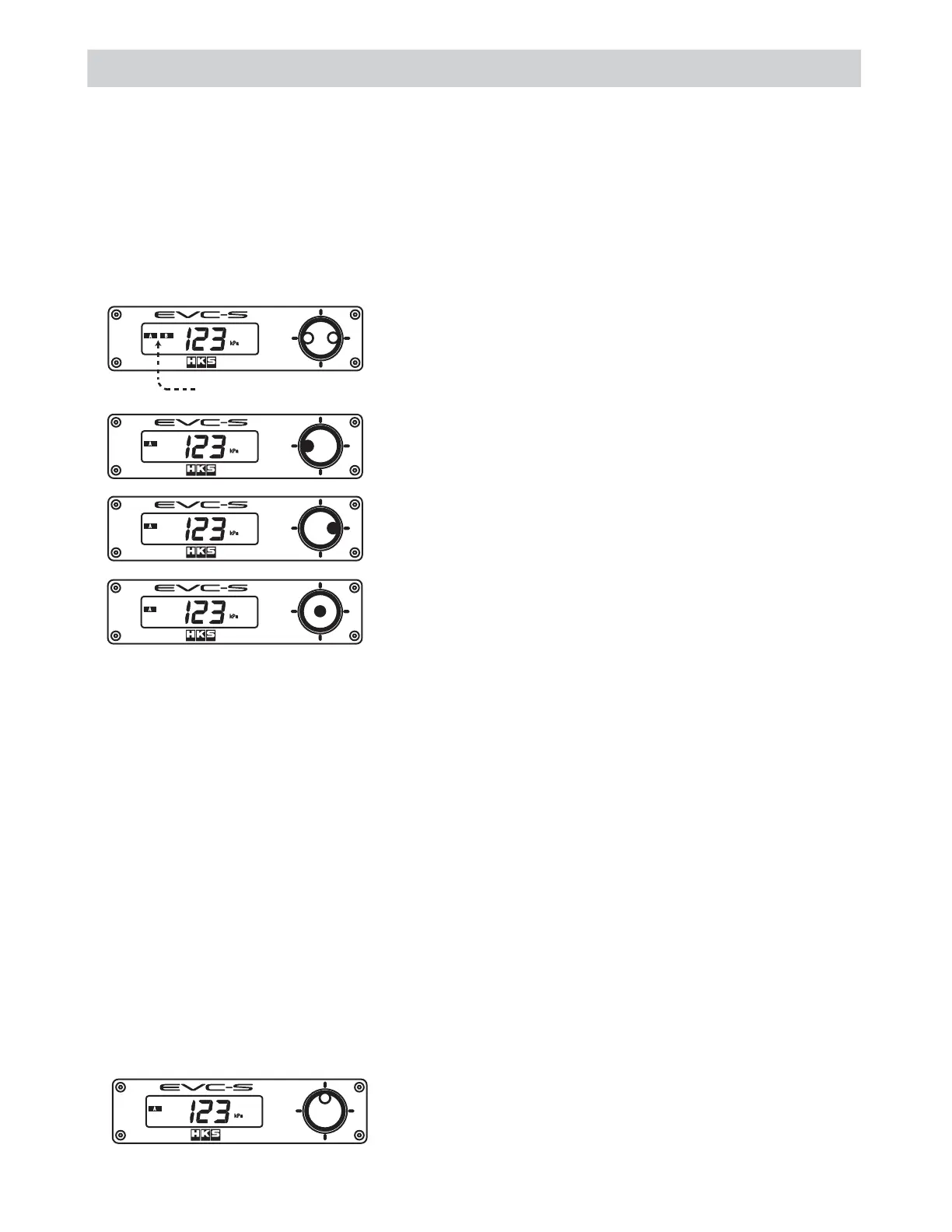
Press the left or right side of the switch to select A or B Mode.˴
Press the left side of the switch longer than a second to go to the
Boost Setting Mode.
Press the right side of the switch longer than a second to go to the
Function Setting Mode.
Press the center of the switch longer than a second to activate
the Control Off Mode.
˴
3-2.1 Monitor Display
The monitor shows the boost pressure value that is being measured through the Boost Sensor in real
time.
To switch the display to show the Peak Hold value, press the upper side of the switch.˴
Monitor Display:
Press the upper side of the switch to see the Peak Hold value.˴
Selected mode "A" or "B" is shown.
$
The boost pressure is controlled by the set value of either A Mode or B Mode.
Select "A" to control the boost pressure values set in A Mode. Select "B" to control the boost
pressure values set in B Mode.
To switch between A Mode and B Mode, press the left or right side of the switch.
To move to the Boost Setting Mode, press the left side of the switch longer than a second.
To move to the Function Setting Mode, press the right side of the switch longer than a second.
To move to the Control Off Mode, press the center of the switch longer than a second.


 To Next Page