Configuration 17
Doc.Id. HMSI-216-117
CM CANopen Module for SIMATIC S7-1200
Doc.Rev. 1.00
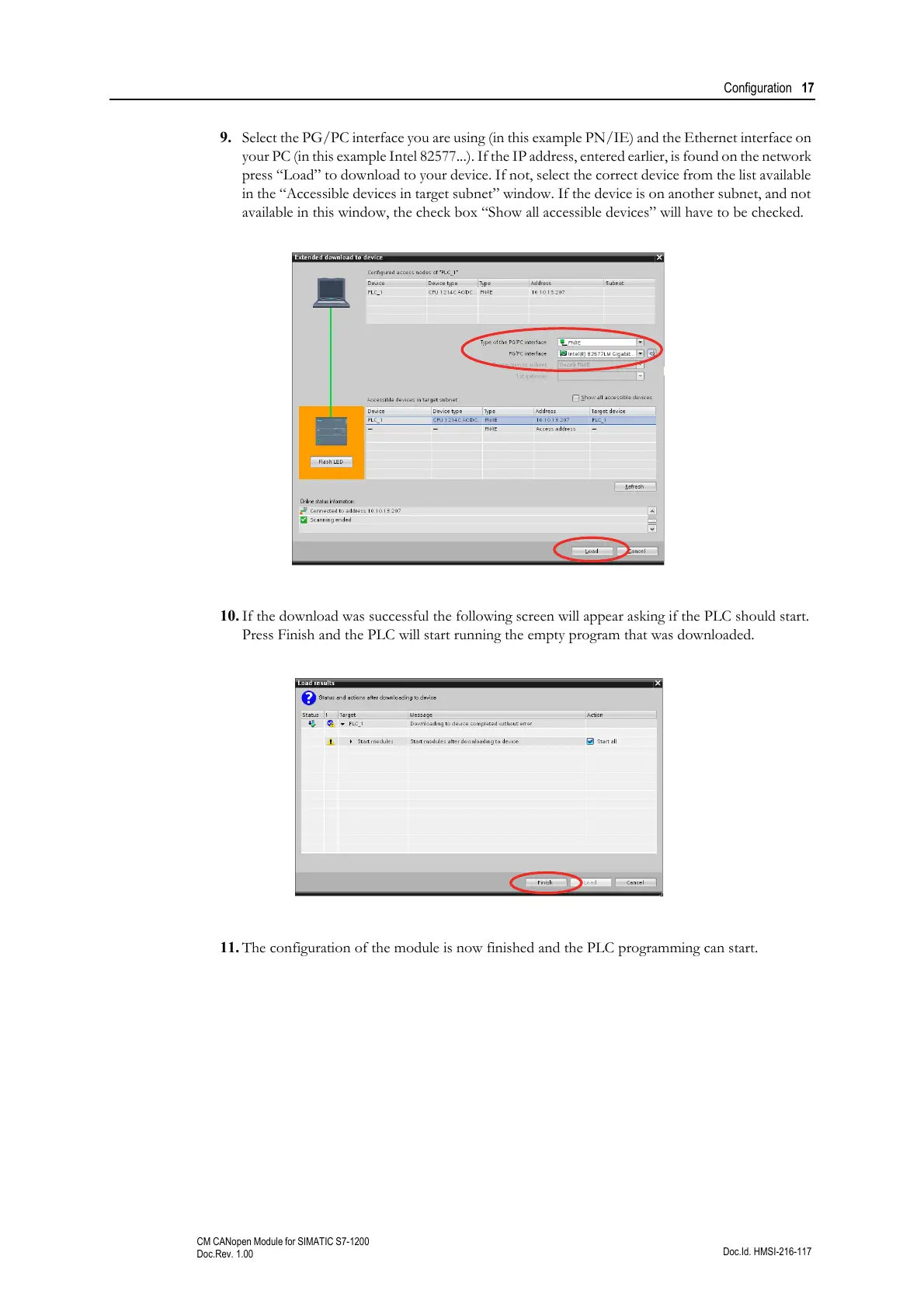
9. Select the PG/PC interface you are using (in this example PN/IE) and the Ethernet interface on
your PC (in this example Intel 82577...). If the IP address, entered earlier, is found on the network
press “Load” to download to your device. If not, select the correct device from the list available
in the “Accessible devices in target subnet” window. If the device is on another subnet, and not
available in this window, the check box “Show all accessible devices” will have to be checked.
10. If the download was successful the following screen will appear asking if the PLC should start.
Press Finish and the PLC will start running the empty program that was downloaded.
11. The configuration of the module is now finished and the PLC programming can start.



 To Next Page