EasyManua.ls Logo

HOBBYEAGLE A3 SUPER 4 - User Manual

HOBBYEAGLE A3 SUPER 4
16 pages
Print Icon
To Next Page IconTo Next Page
Loading...
WWW.HOBBYEAGLE.COM 1 / 16
4
User Manual
V1.0 Mar, 2022 Revision
Question and Answer IconNeed help?

Do you have a question about the HOBBYEAGLE A3 SUPER 4 and is the answer not in the manual?

Summary

Installation and Setup Notes

Initial Setup and Safety

Crucial initial steps including calibration, stick centering, and gyro direction checks.

Installation

Mounting Orientation

Proper placement and alignment of the gyro for optimal performance.

Receiver Connection

Standard PWM Receiver Connection

Connecting the gyro to a standard PWM receiver and channel assignments.

Single-Line Receiver Protocols

Support for PPM and digital serial receivers with channel assignments.

Flight Modes

Gain Adjustment

Basic Gain Adjustment

Adjusting basic gain for aileron, elevator, and rudder reaction strength.

Gyro Direction Check

Verifying correct gyro reaction direction for control surfaces.

Calibration Procedures

Level and Hover Calibration Procedure

Step-by-step guide for calibrating gyro for ANGLE, LEVEL, and HOVER modes.

Accelerometer Calibration Procedure

Steps to recalibrate the accelerometer using the configurator software.

Advanced Settings

Programming and Specifications

Software and Driver Installation

Instructions for downloading and installing the configurator software and USB driver.

Overview

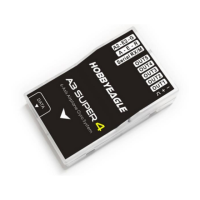
The A3 Super 4 is a high-performance and functional 6-axis gyro and stabilizer designed for R/C airplanes, aiming to enhance flight stability and precision. It supports both standard PWM and single-line receivers, offering versatile connectivity options for various radio control systems.

Function Description

The core function of the A3 Super 4 is to stabilize R/C airplanes across six axes, providing a smoother and more controlled flight experience. It achieves this through its advanced 6-axis gyro system, which constantly monitors and corrects rotational movements of the aircraft. The device offers several distinct flight modes, each tailored for different flying styles and pilot skill levels:

  • GYRO OFF Mode: In this mode, the gyro is completely deactivated, allowing the airplane to be controlled solely by the transmitter. This is primarily used for testing purposes or when the pilot prefers full manual control without any stabilization assistance.
  • NORMAL Mode (Rate Mode): This is the most basic stabilization mode. The gyro corrects currently occurring rotational movements, applying momentary reactions to the servos. Once the airplane stops rotating, the servos return to their neutral position. This mode effectively improves stability and precision, and can help reduce the stall point of the aircraft. It is suitable for nearly any size and type of airplane.
  • LOCK Mode (Attitude Lock Mode / 3D Mode / AVCS Mode): Unlike Normal mode, Lock mode provides permanent correction for rotational movements. When the control sticks are released, the airplane will stop and hold its current position immediately. This mode is ideal for practicing 3D maneuvers like hovering or knife edge, as it helps to lock the airplane's attitude, and can also be beneficial for landing.
  • ANGLE Mode (Trainer Mode / Attitude Mode): This mode limits the maximum angle of the airplane on both roll and pitch axes, preventing extreme rolls or loops. The airplane is stabilized continuously, regardless of stick input, and will automatically return to a horizontal position when the sticks are released. This mode serves as an emergency rescue function, a training aid for beginners, or for FPV flying, by preventing the airplane from entering dangerous attitudes. The maximum allowed angle in this mode is configurable.
  • LEVEL Mode (Auto-Level Mode / Auto-Balance Mode / Horizon Mode): Similar to Angle mode, Level mode automatically brings the airplane back to a horizontal position when the sticks are released. However, it does not impose a maximum angle limitation. Stabilization occurs only when there is no specific control input from the aileron and elevator sticks. This mode is useful if the pilot becomes disoriented and needs to quickly recover the airplane to a stable, level flight.
  • HOVER Mode (Auto-Hover Mode): This mode shares functionality with Level mode, but with a key difference: when the sticks are released, the airplane is brought to a vertical (nose up) position and maintains a hover. It's designed to assist pilots in learning hovering maneuvers and reducing the risk of crashes associated with them.

The A3 Super 4 also includes a Servo Reverse function, which is particularly useful when dealing with reverse servos in multi-servo setups (e.g., two aileron servos, two elevator servos, delta wing, or V-tail). This function allows for easy reversal of individual servo directions directly through the gyro, eliminating the need for complex mixing in the transmitter.

Usage Features

The A3 Super 4 is designed for ease of use and flexibility in various R/C airplane configurations.

Installation and Mounting: The gyro should be firmly attached to the airplane using one piece of double-sided tape, as excessive softness or thickness can affect performance. It's crucial to mount the gyro as close to the center of gravity (C.G.) as possible, with its housing edges aligned parallel to all three rotation axes of the airplane. The device can be mounted flat, upright, or even upside down, but the arrow on the sticker must always point towards the heading direction for proper operation in ANGLE, LEVEL, and HOVER modes. Adequate space around the gyro should be maintained, keeping it away from other electronic devices or wires, as it is a sensing device.

Receiver Connection:

  • Standard PWM Receiver: The A3S4 has 7 input channels. At least the Aileron (A), Elevator (E), and Rudder (R) channels must be connected to the receiver to prevent the gyro from entering receiver timeout mode (indicated by red slow flashing). The ESC or throttle servo should be connected directly to the receiver, bypassing the gyro. Input pins are for signal only and should never be used as a power supply. Correct polarity of plugs is essential, with the orange signal line on top and brown on the bottom.
  • Single-Line Receiver (PPM and Digital Serial): This allows connecting the receiver to the gyro with a single wire via the [Serial RX/M] slot. Two auxiliary pass-through channels (AUX1 and AUX2) are available, with AUX1 defaulting to Throttle output on OUT5. The gyro supports various serial protocols like Futaba S.Bus, FrSky SBUS, Spektrum DSM2/X, SRXL, JR XBUS, Graupner SUMD, and FlySky iBUS. When changing receiver types, current channel settings are reset to default.
  • Spektrum DSM2/X Satellite Receiver: A special DSM Adapter is required to connect a Spektrum satellite receiver directly to the gyro.
  • Spektrum SRXL2 Receiver: The A3S4 supports SRXL2 serial receivers using an SRXL2 Adapter. The gyro's receiver type must be set to SBUS mode when using this adapter.

Output Functions: The A3S4 provides 5 customized PWM output channels (OUT1 to OUT5), whose functions can be specified by the user. These outputs can be assigned to Aileron, Elevator, Rudder, Aileron 2, Elevator 2, AUX1 Channel, or AUX2 Channel, or disabled.

Wing Type and Servo Connection: The gyro supports Standard Fixed-wing, Flying-wing (Delta-wing), and V-Tail configurations. It's critical to disable any delta-wing or V-tail mixing functions in the transmitter, as the gyro provides these mixing features internally. The Servo Monitor of the transmitter should be checked to ensure each stick controls only one channel. For single aileron input with two servos, output functions can be set to "AIL+AIL" or "AIL+AIL2." For dual aileron input, "AIL+AIL2" is used. Similar principles apply to elevator servos and V-tail setups.

Flight Mode Switching: The gyro supports 6 flight modes, switchable during flight using a 3-position or 6-position switch on the transmitter. The default 3-position setting is OFF - NORMAL – LEVEL. For 6-position switching, a mixing function of one 2-position and one 3-position switch is required on the transmitter, with specific PWM input ranges for each position. The LED color on the gyro indicates the current flight mode.

Gain Adjustment:

  • Basic Gain: Separate basic gain adjustments are available for aileron, elevator, and rudder. This determines the gyro's reaction strength. Higher gain increases stability and precision but can lead to oscillation; lower gain results in weaker control and overshooting. It's recommended to start with a lower basic gain (e.g., 30%) in NORMAL mode and fine-tune it based on flight performance.
  • Mode Gain: Gains for each axis can be further adjusted separately for specific flight modes (Lock Gain, Angle Gain, Level Gain, Hover Gain), allowing for fine-tuning after the basic gain is set.
  • Remote Master Gain: This feature allows for real-time adjustment of the basic gain for aileron, elevator, and rudder simultaneously during flight, using a slide lever or a 3-position switch on the transmitter. If this channel is not connected, the master gain defaults to 100%.

Gyro Direction Check: After installation, it is crucial to verify the gyro's reaction direction for Aileron, Elevator, and Rudder. The airplane should be quickly rotated around each axis, and the control surfaces must react in the correct directions as illustrated in the manual. An incorrect reaction can lead to loss of control or a crash.

Level and Hover Calibration: For optimal performance in ANGLE and LEVEL modes, a level calibration is recommended. The airplane should be placed on a horizontal surface, with wings parallel to the ground and slightly nose-up (to account for typical level flight elevation). The calibration is initiated via the configurator's Sensor tab. Similarly, a hover calibration is recommended for HOVER mode, requiring the airplane to be lifted vertically.

Maintenance Features

The A3 Super 4 incorporates features and recommendations to ensure its longevity and reliable performance.

Accelerometer Calibration: While each gyro is factory-calibrated, re-calibration of the accelerometer is suggested in specific situations, such as significant temperature changes that might affect sensor characteristics, or if a new sensor is installed. This calibration should be performed on a horizontal desktop, with the gyro removed from the airplane. The process involves following 6 steps via the configurator's Sensor -> Accelerometer Calibration tab, ensuring the gyro remains stationary during each step.

Advanced Settings:

  • Stick Deadband: This setting defines a range around the center of the sticks where the gyro will not react. It helps to compensate for transmitters that may not return sticks precisely to the center after input, preventing unintended deviations. The adjustable range is 0% to 20%, with 5% being the default for most radios.
  • Servo Frequency: The working frequency for servos can be set. Analog servos are limited to 50Hz, and exceeding this can cause damage. While higher frequencies generally improve gyro performance, they can also increase power consumption and servo heating. Users should check servo specifications and avoid frequencies above 50Hz if unsure. This setting affects all output channels, including AUX1 and AUX2.
  • Gain Level: This allows changing the overall level of the basic gain. "Medium" is the default setting, suitable for most airplanes.
  • Control Behavior: To counteract the increased stability and reduced responsiveness caused by gyro correction, this function allows dynamic reduction of gyro correction strength when stick input is present. Users can choose different gain attenuation curves to customize the control behavior.
  • Gyro Digital Filter: This function sets the cut-off frequency of the hardware low-pass filter. Reducing the frequency significantly reduces interference from fuselage vibrations. DLPF_20Hz is the default for most electric airplanes. For strong vibrations, especially in nitro or gasoline airplanes, DLPF_5Hz is recommended. A high cut-off frequency setting may increase power consumption and servo heating.

Programming and Updates: The A3 Super 4 is configured using the HobbyEagle A3 Configurator software, which supports Windows XP, 7, 8, and 10. Users need to download and install the configurator and the USB driver (CP210X_VCP). It's crucial to use the special USB adapter and data cable provided with the gyro for connection to a PC or programming card, as common mobile phone USB cables will not work. Regular firmware updates are recommended, ideally using the new Program Card X for A3 Super 4, to ensure the latest features and performance improvements.

Failsafe: The gyro supports both receiver-level and gyro-level failsafe functions. Receiver failsafe relies on the transmitter's native failsafe/hold settings in case of signal loss. Gyro failsafe activates when connection from the receiver fails, indicated by a slow red flashing LED. In this state, all servos move to their initial startup positions (including AUX1 and AUX2 channels), the gyro automatically switches to Normal mode, and remote master gain is disabled. Ensuring proper failsafe settings in the transmitter is vital for safety.

HOBBYEAGLE A3 SUPER 4 Specifications

General IconGeneral
BrandHobbyEagle
ModelA3 Super 4
CategoryDrone & Quadcopter Accessories
TypeFlight Controller
Operating Voltage4.8V - 8.4V
Weight11g
CompatibilityFixed-wing aircraft
Accelerometer3-axis
OutputPWM
Dimensions43 x 27 x 14 mm

Related product manuals