Operation 31
HIT-4U HP-327
5. OPERATION
5.1 Front Panel
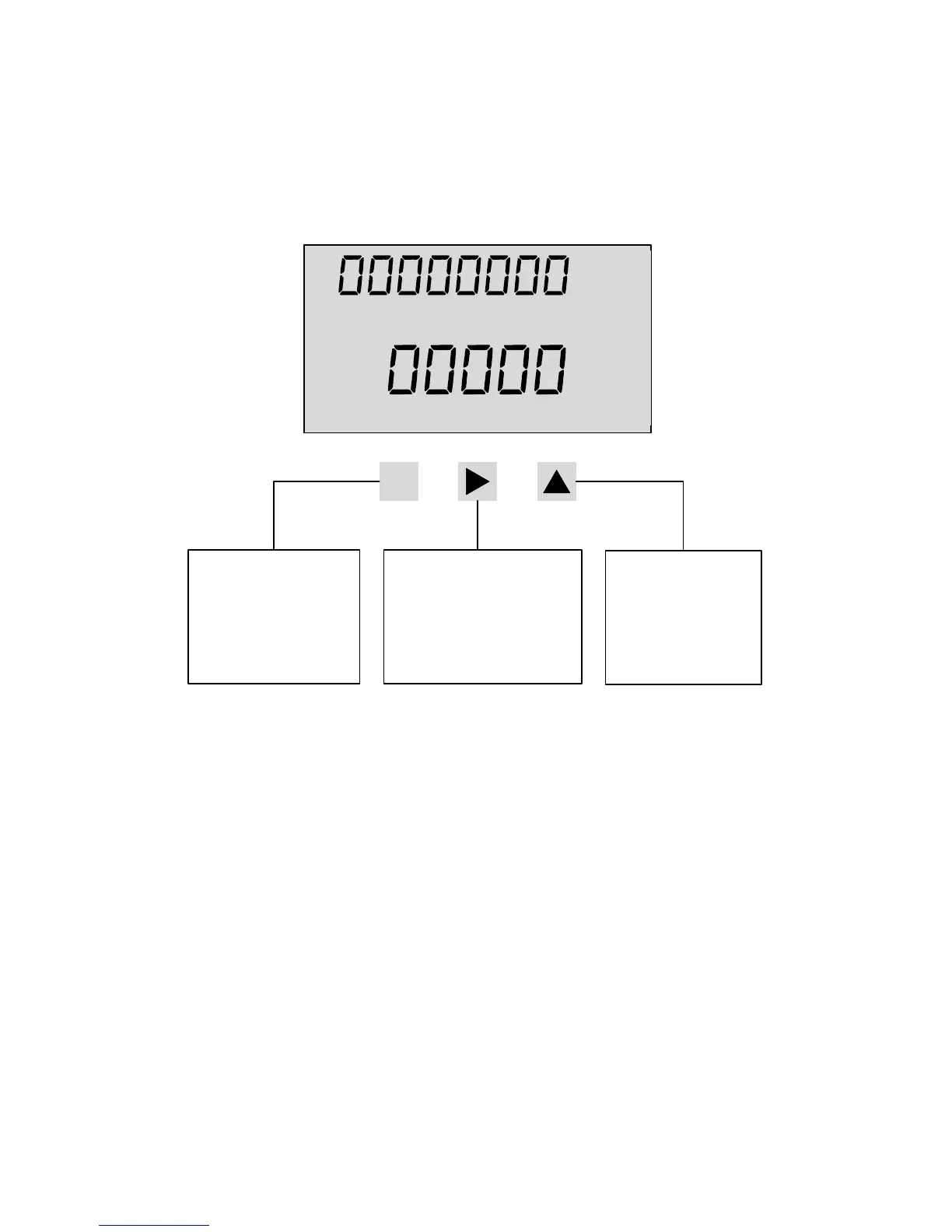
The HIT-4U displays flow total and flow rate on a two-line liquid
crystal display (LCD). The display is updated once per second. The
8-digit non-resettable Grand Total can be viewed on the top line
by pressing ▲ key. The Grand Total is displayed for approximately 7
seconds before returning to the Total display.
5.2 Saving Total
Total and Grand Total can be saved at any time by pressing ► button.
When changing the battery (see section 5.6 Battery Replacement), it is
recommended to stop the flow and save Total prior to removing power
from the unit.
M
LOW BAT x1000
UNCOMPENSATED
GAL L
LB KG
ACF M3
SCF NM3
BBL
/MIN
/HR
/DAY
Total
Rate
Operate Mode:
Enters Configuration
Mode
Configuration Mode:
Scrolls through menus
Accepts numerical entry
Operate Mode:
Saves Totals
Configuration Mode:
Selects group of menus
Selects value for each menu
Moves to the next digit
Operate Mode:
Displays Grand Total
Configuration Mode:
Moves one level up
Increments digits


 To Next Page