46 HIT-4 Communication Program
HP-327 HIT-4U
Configuration of the HIT-4
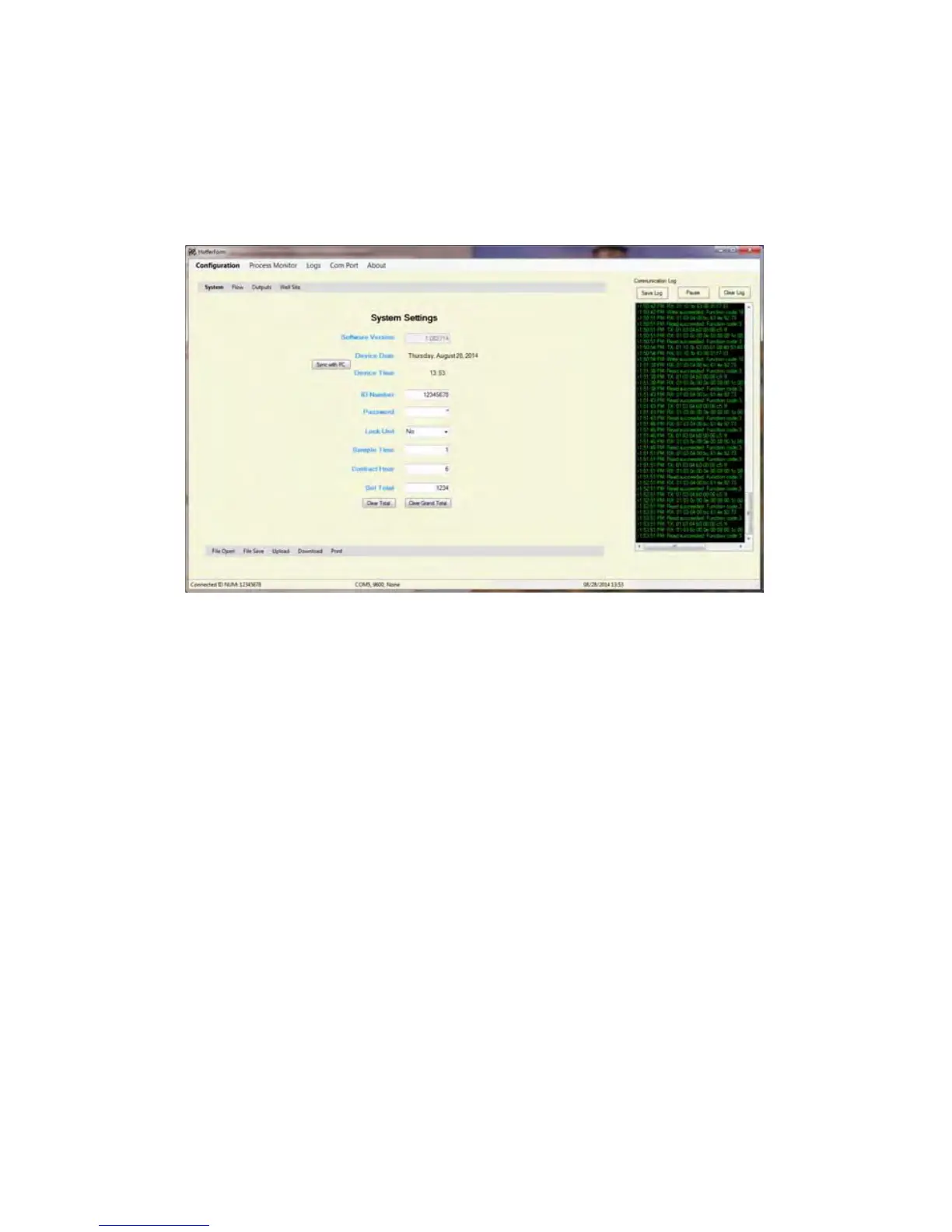
In order to configure the HIT-4 click on the “Configuration” menu
selection that will open the “System Settings” page.
System Settings Page
ID Number:
Enter the HIT-4 serial number. Valid entries are 0 through
99999999
Password:
Enter desired numeric password. Valid entries are 0000 through
9999.
Lock Unit:
Determines whether unit is password protected. Selection
options:
No = not password protected
Yes = password protected
Sample Time:
Set maximum time to hold the display and analog output. Valid
entries are 1 to 80, where 80 represents 8.0 seconds.
Contract Hour:
Determines the time when the daily log begins. Valid entries are
1 to 24.
Set Total: Set Total to user defined value. Valid entries 0 to
99999999.


 To Next Page