24
Flange plane
MENU
ENTER
ENTER
ENGLISH
Use and maintenance manual
4. Tu rn the wheel until the standard weight is at the top (12 o’clock) and press
ENTER
.
CALIBRATION COMPLETE
To cancel calibration at any time, press
STOP
.
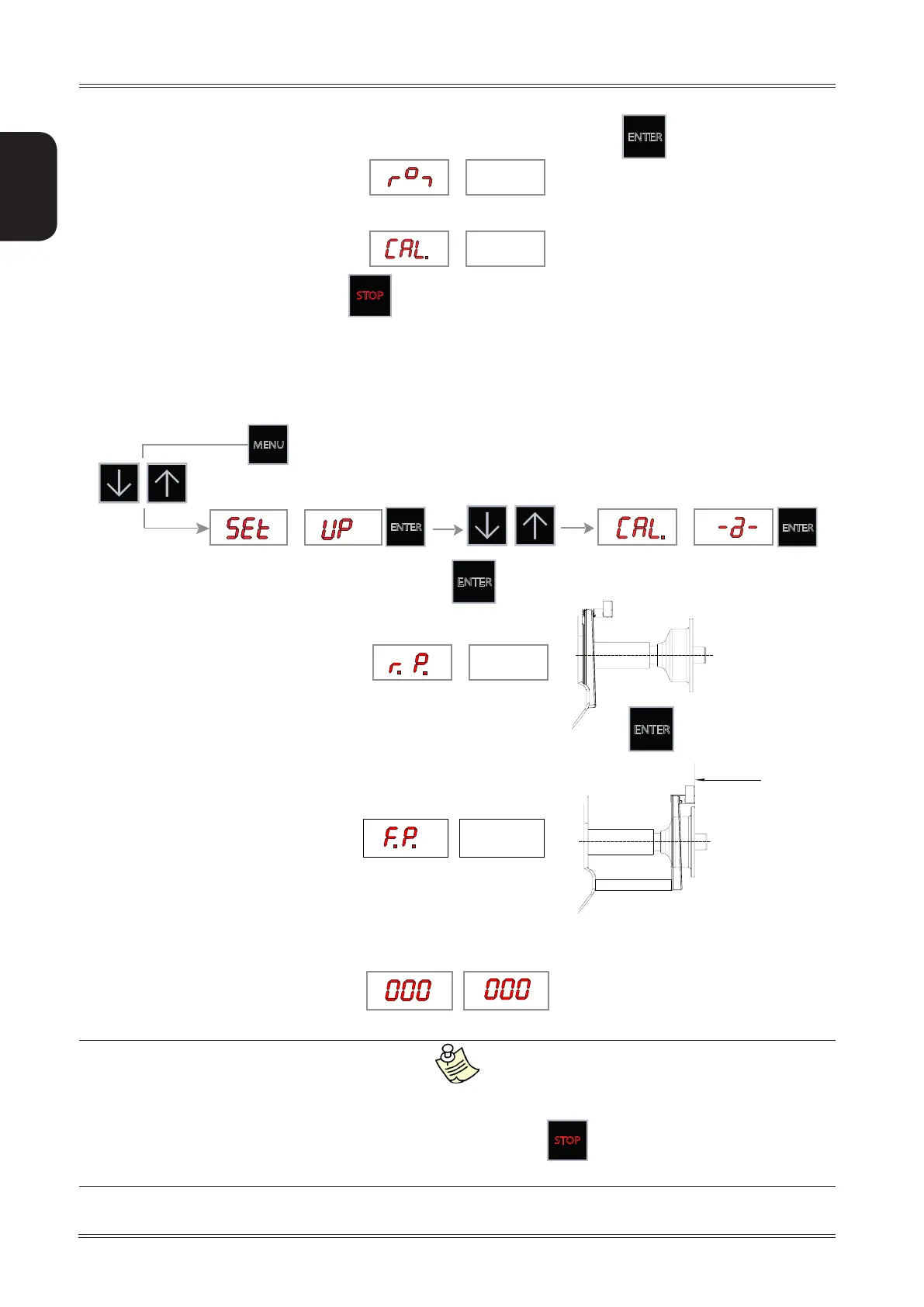
7.4 AUTOMATIC GAUGES CALIBRATION
7.4.1 Distance gauge calibration
1. Display the distance gauge CALIBRATION function from the SETUP menu
2. Leave the distance gauge in rest position and press
ENTER
3. Move the distance gauge feeler pin in line with the adapter surface and press
ENTER
CALIBRATION COMPLETE
▪ Return the gauge to rest position.
▪ The wheel balancer is ready for operation.
In the event of errors or faulty operation, the writing “r.P.”: appears on the display : shift the gauge to the rest position and repeat the
calibration operation exactly as described above. If the error persists, contact the Technical Service Department. In the event of incorrect input in
the rim distance gauge calibration function, press
STOP
to cancel it.
After calibrating the distance gauge, the diameter gauge or both, always calibrate the Spotter.
Setup



 To Next Page