28
ENGLISH
Use and maintenance manual
Setup
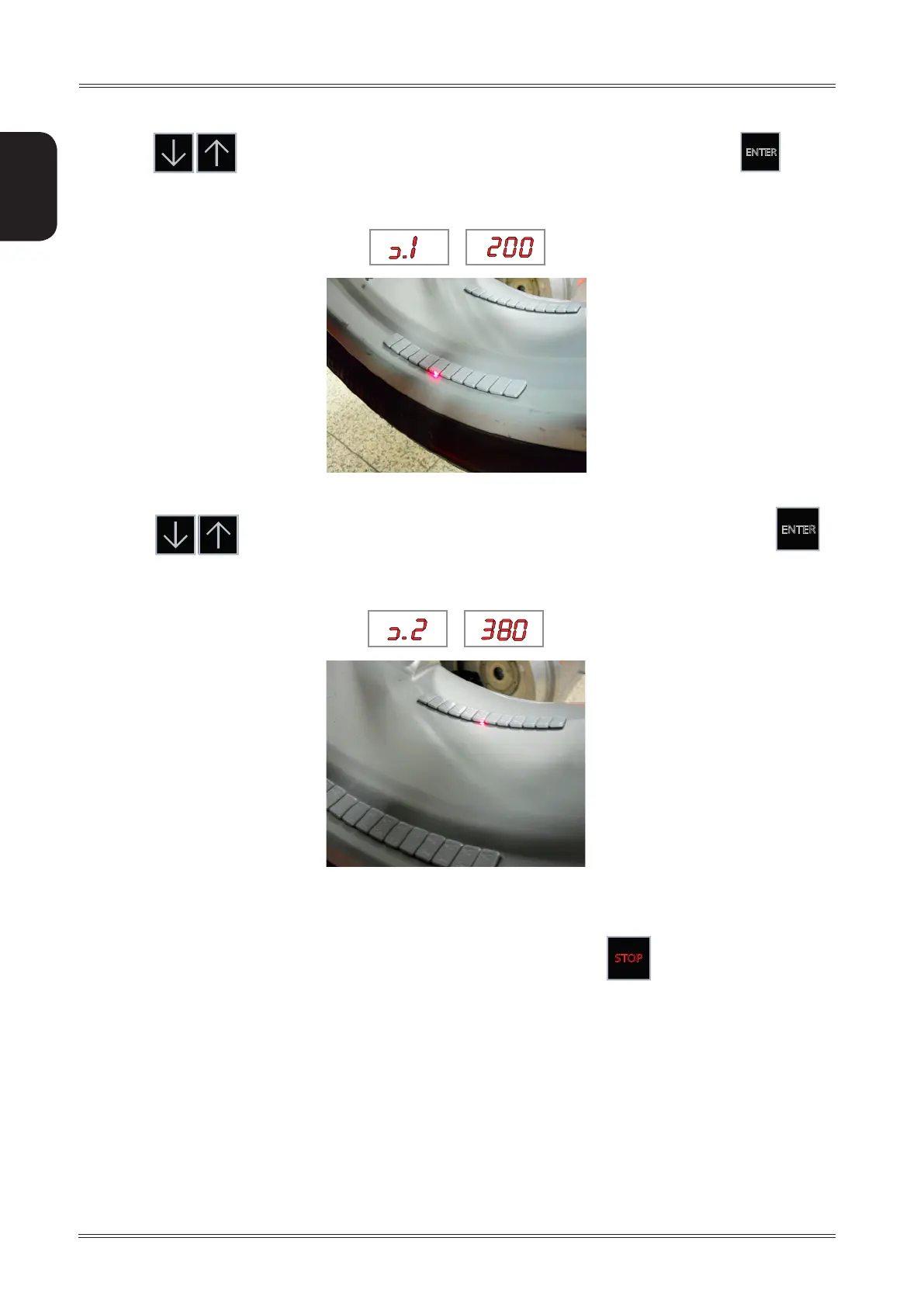
4. Press to move the spotter device laser near the first adhesive weight and press
ENTER
5. Press to move the spotter device laser near the innermost adhesive weight and press
ENTER
.
CALIBRATION COMPLETE.
In the event of incorrect input in the width gauge calibration function, press
STOP
to cancel it.
7.6.1 Laser spotter brightness
Used to adjust the laser spotter brightness.
Before modifying this parameter, always check the laser regulations in force in the country where the machine is
installed.
The value is expressed in percentage.
Recommended value: 30%



 To Next Page