26
dIS.
Gauge at rest
0 sonar
Flange plane
MENU
ENTER
ENTER
ENGLISH
Use and maintenance manual
Setup
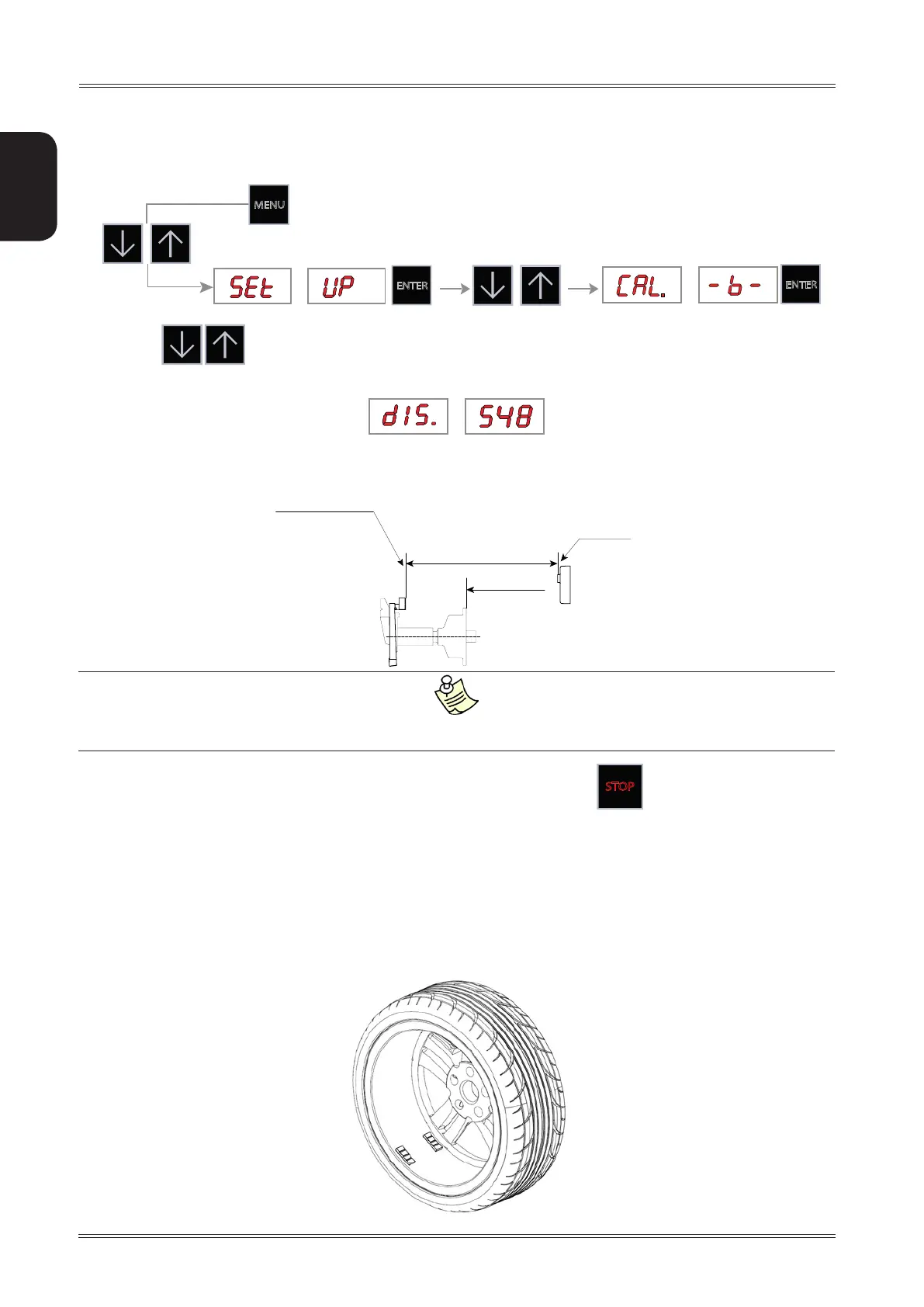
7.4.3 Width sonar calibration (option)
1. Display the width sonar CALIBRATION function from the SETUP menu
2. Set with the distance in mm between the Sonar sensor (0 sonar) and the distance gauge feeler
pin (at rest)
dIS. = Distance: Gauge at rest → “0” sonar
Check the calibration by making a measurement on a wheel with a steel rim of known width.
Should the measurement be incorrect, correct the calibration value proportional to the error.
In the event of incorrect input in the width gauge calibration function, press
STOP
to cancel it.
7.5 ADHESIVE WEIGHT WIDTH
Indicates the average width of the adhesive weights on the market.
Change ONLY if the width of the adhesive weights used for unbalance correction differ +/- 3 mm with respect to
that shown on the screen (default=19mm).
7.6 SPOTTER DEVICE CALIBRATION
To calibrate the spotter device, it is advisable to use a commercial wheel with an aluminium rim smooth on the
inside so that you can apply two adhesive weights as far away from each other as possible: minimum 40 mm (1.5”).



 To Next Page