14
Firmware Update
You will be prompted in the app Hohem Joy if a new rmware update is
available. Follow the on-screen instructions in the app to update the rmware.
10 FAQs
① Why does the gimbal automatically power o?
The gimbal will automatically power o if no phone is installed or the phone
is not properly balanced (causing motor overload). You will hear a "beep"
sound as a warning before it shuts down. Make sure to install and balance the
phone correctly before turning on the gimbal (see the First Use section for
details).
② How can I connect my phone's Bluetooth to the
gimbal while the app can't nd the device?
Clear the Bluetooth connection and try reconnecting:
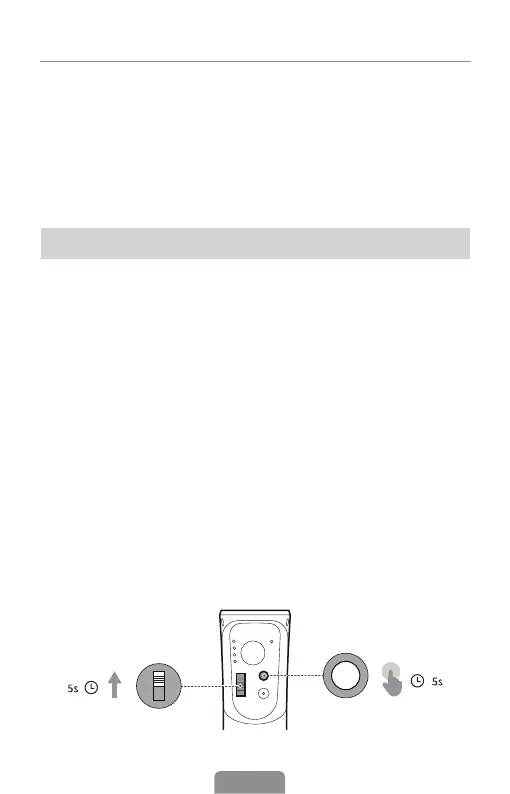
Push the zoom lever upwards and simultaneously long-press the M button
for 5s. When the Bluetooth indicator ashes green ve times, it means the
Bluetooth connection has been cleared. You can then follow the Bluetooth
connection steps to connect again.












 To Next Page