10 of 20 11 of 20
Basic Functions Basic Functions
Sequential Watering
® SEQUENTIAL WATERING occurs when 2 or more ZONES are
scheduled to run at the same time / have the same DAY SELECTION
® Rather than turning on all of your ZONES at
once, the BX4 will automatically run each ZONE
one-by-one per your desired RUN TIMES
® Running multiple ZONES at once is not possible as this will
result in pressure loss across your irrigation system
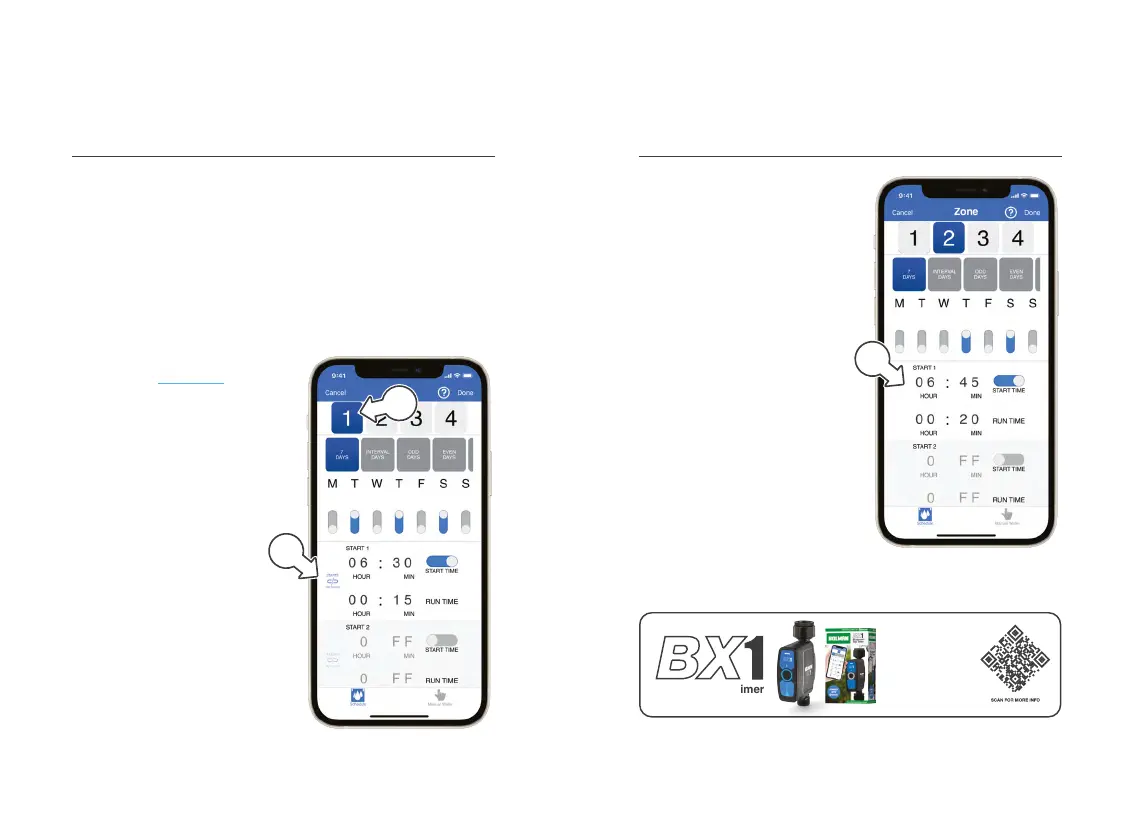
1. Follow the instructions
as per the Scheduling
section of this manual to
set your watering routine
® Rather than setting START
TIMES for ZONES 1-4, you
can hit the SYNC button
after DAY SELECTION
and RUN TIMES are set
2. Once RUN TIMES are set
for each ZONE, tap ZONE1
on the ZONES page [a]
3. Next to START 1, tap
the STARTS NOT
SYNCED icon [b]
a
b
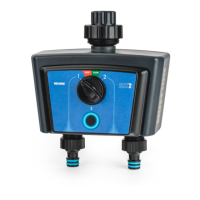
Sequential Watering (continued)
® This will update to show
STARTS SYNCED when
the STARTTIMES
have been synced
® This will sync STARTTIMES
across all ZONES for
START 1 only
4. Check additional ZONES
to see STARTTIMES are
automatically set [c]
5. Repeat steps 1-3 to set up
SEQUENTIAL WATERING
for STARTS 2-3 as desired
® SEQUENTIAL WATERING
does not apply to
CYCLE WATERING
c
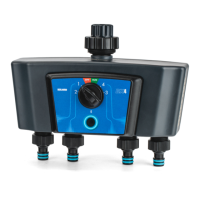
Our single outlet
BX1 Bluetooth
®
Tap
Timer is the perfect
companion to your
garden. Water all
around your home
with iGardener
®
.
Bluetooth Tap Timer


 To Next Page