10 of 16
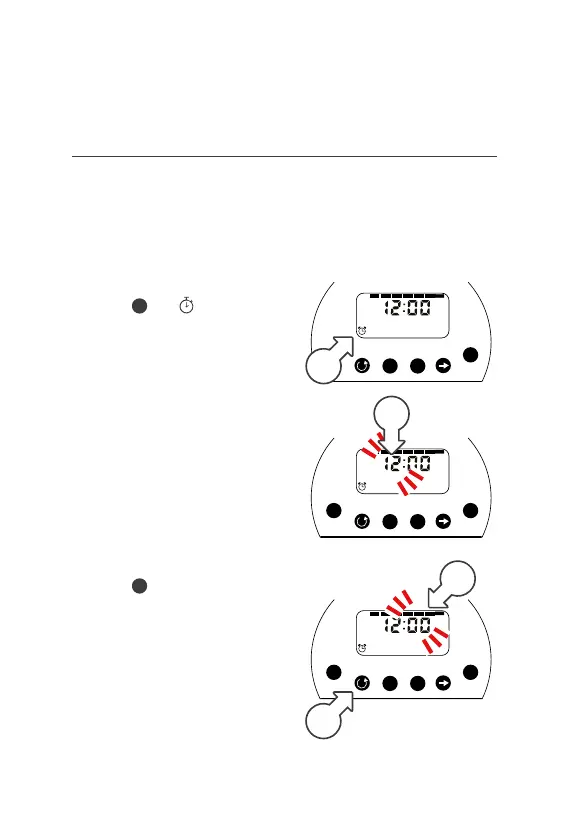
Setting the Start Times
Ý START is the time of day you
want your watering to begin
Ý You can schedule up to
4 start times per day
1. Press
until is displayed
in the bottom left corner next
to START [a]. This means
you are in START mode
Ý Start 1 is the time you want
your watering to first begin
2. Use or to adjust
the hour [b]
3. Press then or to
adjust the minutes[c]
4. Press
[d] to change
to the next start time and
repeat steps 2 and 3
5. To turn a start time OFF adjust
the HOUR until it reads OFF
Setup (continued)
M Tu W Th F Sa Su
Time
Mode
Manual
Adjust
Set
Duration
Days
Starts
OFF ON
+
-
1
AM
START
a
Time
Mode
Manual
Adjust
Set
Duration
Days
Starts
OFF ON
+
-
1
AM
START
Time
Mode
Manual
Adjust
Set
Duration
Days
Starts
OFF ON
+
-
1
AM
START
c
d
b



 To Next Page