7 of 16
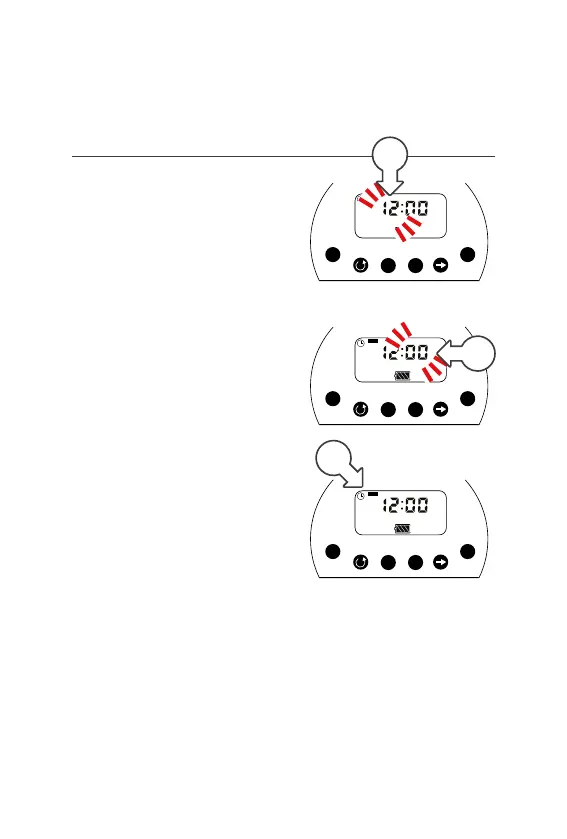
Setting the Current Time
1. Press until is displayed in
the top left corner next to TIME.
This means you are in TIME mode
2. Press and the hour will flash [a]
3. Press or to adjust the hour
4. Press to select the minutes [b]
5. Pressor to
adjust the minutes
6. Press to select the day and
the black box will flash [c]
7. Press to reach the current
day. Press to save the day
Setup (continued)
M Tu W Th F Sa Su
Time
Mode
Manual
Adjust
Set
Duration
Days
Starts
OFF ON
+
-
E
F
E
AM
M Tu W Th F Sa Su
Time
Mode
Manual
Adjust
Set
Duration
Days
Starts
OFF ON
+
-
E
F
E
AM
c
M Tu W Th F Sa Su
Time
Mode
Manual
Adjust
Set
Duration
Days
Starts
OFF ON
+
-
E
F
E
AM
b
a



 To Next Page