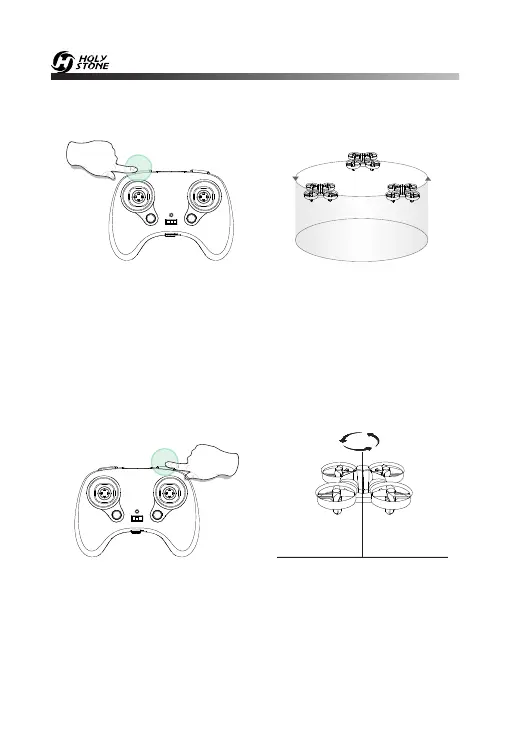
12.6 Circle Fly
Long press for 3 seconds
Press and hold the Speed Switch button for about 3 seconds, the drone
will enter the Circle Fly mode. Exit the Circle Fly mode by long pressing
the same button again or pushing the direction joystick.
12.7 Auto-Rotating
Press and hold the Flip button for about 3 seconds, the drone will enter
the Auto-Rotation mode. Exit the Auto-Rotation mode by long
pressing the same button again or pushing the direction joystick.
Long press for 3 seconds
-19-













 To Next Page