EasyManua.ls Logo

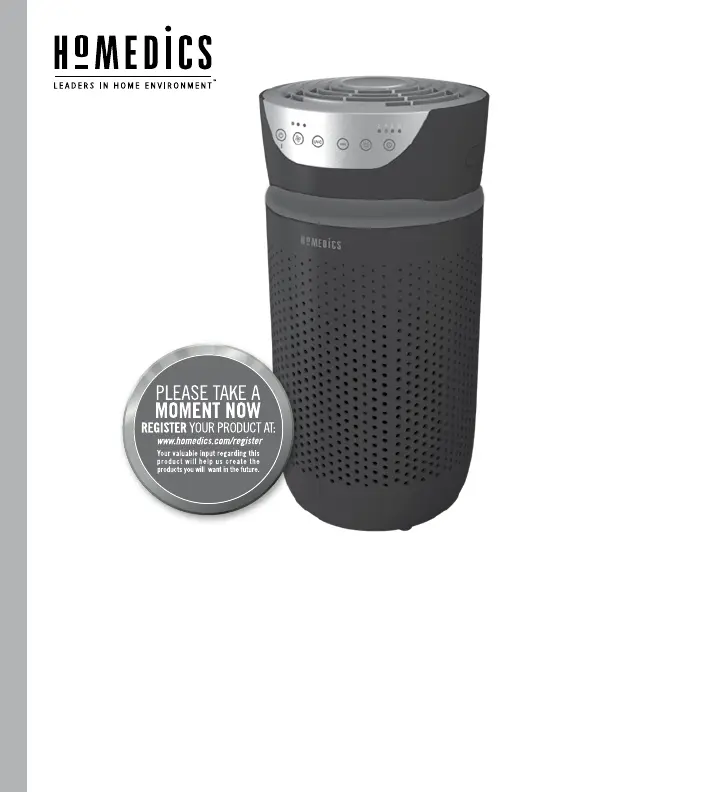
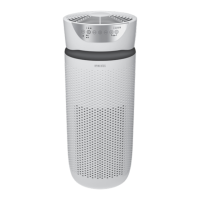
HoMedics TOTAL CLEAN AP-T20 - User Manual

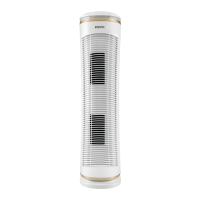
HoMedics TOTAL CLEAN AP-T20
40 pages
Print Icon
To Next Page IconTo Next Page
Loading...
INSTRUCTION MANUAL AND WARRANTY INFORMATION
3-YEAR LIMITED WARRANTY
AP-T20
5 1
IN
TOTALCLEAN
AIRPURIFIER
TM

Questions and Answers

  • J
    josephstephensJul 28, 2025
    What to do if my HoMedics Air Cleaner won't turn on?
    • J
      James CaseyJul 28, 2025
      If your HoMedics Air Cleaner isn't turning on, there are several things you can check: * Ensure the unit is properly plugged into a working outlet. * Press the power button to activate the unit. * Check the circuit and fuses, and try a different outlet. * Make sure the HEPA-type filter is correctly reinstalled. * Ensure the grille cover is properly reinstalled.
  • M
    michael84Aug 2, 2025
    How to reset the filter light on my HoMedics TOTAL CLEAN AP-T20 after replacing the filter?
    • T
      tylerrodriguezAug 2, 2025
      After replacing the filter on your HoMedics Air Cleaner, if the filter light remains on, press and hold the ionizer button for 3 seconds until the replace filter light turns off.
  • J
    Jacqueline ReyesAug 9, 2025
    Why is the airflow reduced in my HoMedics Air Cleaner?
    • B
      bbakerAug 9, 2025
      If you're experiencing reduced airflow in your HoMedics Air Cleaner, try the following: 1. Check the grille and air outlet to ensure nothing is blocking them. 2. Use the brush attachment of your vacuum cleaner to vacuum the pre-filter. 3. Replace the HEPA-type filter.
  • R
    Raymond McdowellAug 14, 2025
    What to do if my HoMedics Air Cleaner is not removing odors effectively?
    • L
      laurie96Aug 15, 2025
      If your HoMedics Air Cleaner isn't removing odors as effectively as it should, the suggested solution is to replace the HEPA-type filter.
  • K
    kirbybarbaraAug 20, 2025
    How to turn on the display lights on my HoMedics TOTAL CLEAN AP-T20?
    • A
      Ashley SanchezAug 20, 2025
      To control the display lights on your HoMedics Air Cleaner, press the nightlight button until the desired lights are on or off.

Summary

Important Safety Instructions

Electrical Shock Precautions

Instructions to reduce the risk of electric shock when using the air purifier.

Burn, Fire, and Injury Prevention

Safety guidelines to prevent burns, fire, electric shock, and injury.

Unique Features and Specifications

Filtration System Details

Covers HEPA-type, carbon odor, and pre-filter technologies.

Advanced Technologies: UV-C and Ionizer

Explains the functions of UV-C technology and the ionizer.

Operational Controls and Indicators

Details fan speeds, timer, and the filter replacement indicator.

Room Coverage and Scent Diffusion

Provides suggested room size, air changes per hour, and oil tray usage.

How to Use the Air Purifier

Initial Setup and Operation

Steps for unboxing, placing, plugging in, and turning on the unit.

Fan Speed and Technology Controls

Instructions for adjusting fan speed, UV-C, and ionizer functions.

Timer and Nightlight Features

Guidance on using the timer and nightlight settings.

Aromatherapy and Pet Safety

Essential Oils Safety Around Pets

Guidelines for using essential oils safely in homes with pets.

Adding Essential Oils to the Unit

Step-by-step instructions for adding essential oils to the oil tray.

Filter Replacement Guide

Understanding the Filter Indicator

Information about the light that signals when the HEPA filter needs replacement.

Procedure for Replacing the HEPA Filter

Step-by-step instructions for replacing the HEPA-type filter.

UV-C Bulb Replacement

UV-C Bulb Replacement Procedure

Detailed steps for removing and replacing the UV-C bulb.

Cleaning and Maintenance

Cleaning the Pre-Filter

Instructions for cleaning the pre-filter using a vacuum cleaner.

Cleaning the Oil Tray

Guidance on cleaning the oil tray and handling essential oil pads.

Best Performance Maintenance Tips

Recommendations for optimal performance and filter longevity.

Troubleshooting Common Issues

Unit Not Operating or Reduced Airflow

Solutions for when the unit does not operate or has reduced airflow.

Reduced Odor Removal and Noise

Addresses issues with reduced odor removal and excessive noise.

Filter Indicator and Display Issues

Guidance for resetting the filter indicator and resolving display problems.

Limited 3-Year Warranty

Warranty Coverage and Limitations

Details what the 3-year limited warranty covers and its exclusions.

Obtaining Warranty Service

Instructions on how to contact HoMedics for warranty service.

HoMedics TOTAL CLEAN AP-T20 Specifications

General IconGeneral
BrandHoMedics
ModelTOTAL CLEAN AP-T20
CategoryAir Cleaner
LanguageEnglish

Related product manuals