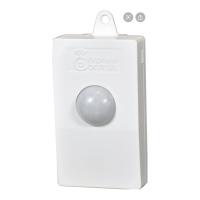
Switch Binary: LED Floodlight Status
Switch Binary Report
(value)
Description
Z-Wave Configuration settings
1. PIR Trigger Off period: Period to send Trigger Off command after PIR is
triggered. Before this period expires, the PIR will not be able to detect any
subsequent motion.
2. Lux sensor threshold: Lux level to activate the PIR. When the lux level falls
below this threshold and the PIR gets triggered, the unit emits a Basic Set
Command (Value=0xFF) and turns on its floodlight. This overwrites the Lux level
set by the Lux knob.
Parameter Size Range Default
2 2
0,30~200,
255
Setting = 0: always don’t turn ON light
Setting = 30~200: lighting activation by setting
Setting = 255: turn ON light upon PIR triggered
If the level is set to 0, the unit will not turn on its floodlight. The PIR will still send a
notification report to the controller; if the level is set to 255, when motion is sensed,
the sensor ignore the ambient brightness but just turn on the light.
3. Auto Report luminance interval: sets the interval of periodic lux level report to
the controller.
4. Multilevel Sensor: Reads back the lux level measured. (Tolerance of ±30 lux.
Level above 250 will be read back as 250)
Command Classes
The module supports Command Classes including…
COMMAND_CLASS_ZWAVEPLUS_INFO_V2
COMMAND_CLASS_ASSOCIATION_V2
COMMAND_CLASS_ASSOCIATION_GRP_INFO
COMMAND_CLASS_TRANSPORT_SERVICE_V2
COMMAND_CLASS_VERSION_V2
COMMAND_CLASS_MANUFACTURER_SPECIFIC_V2
COMMAND_CLASS_DEVICE_RESET_LOCALLY
COMMAND_CLASS_POWERLEVEL
COMMAND_CLASS_SECURITY_2
COMMAND_CLASS_SUPERVISION
COMMAND_CLASS_FIRMWARE_UPDATE_MD_V4
COMMAND_CLASS_NOTIFICATION_V4
COMMAND_CLASS_SWITCH_BINARY
COMMAND_CLASS_SENSOR_MULTILEVEL_V7
COMMAND_CLASS_CONFIGURATION
COMMAND_CLASS_SENSOR_BINARY
Troubleshooting
Table below lists typical problems encountered:
Symptom Possible Cause Recommendation
not turn on for 5
seconds after
power is
connected.
Check if wall switch is on.
Confirm wiring is correct.
Check supply breaker / fuse.
Cannot carry out
inclusion and
association
Floodlight already paired
to another Z-Wave
Controller.
Perform a factory reset.
Change the angle and direction of
the lamps.
Z-Wave
controller cannot
communicate
with the unit
Out of range. 1. Relocate the controller closer
to the unit.
2. Install a Z-Wave repeater
such as smart plugs or other
AC devices that can operate



 To Next Page
 Loading...