10 Navigation System
Getting Started
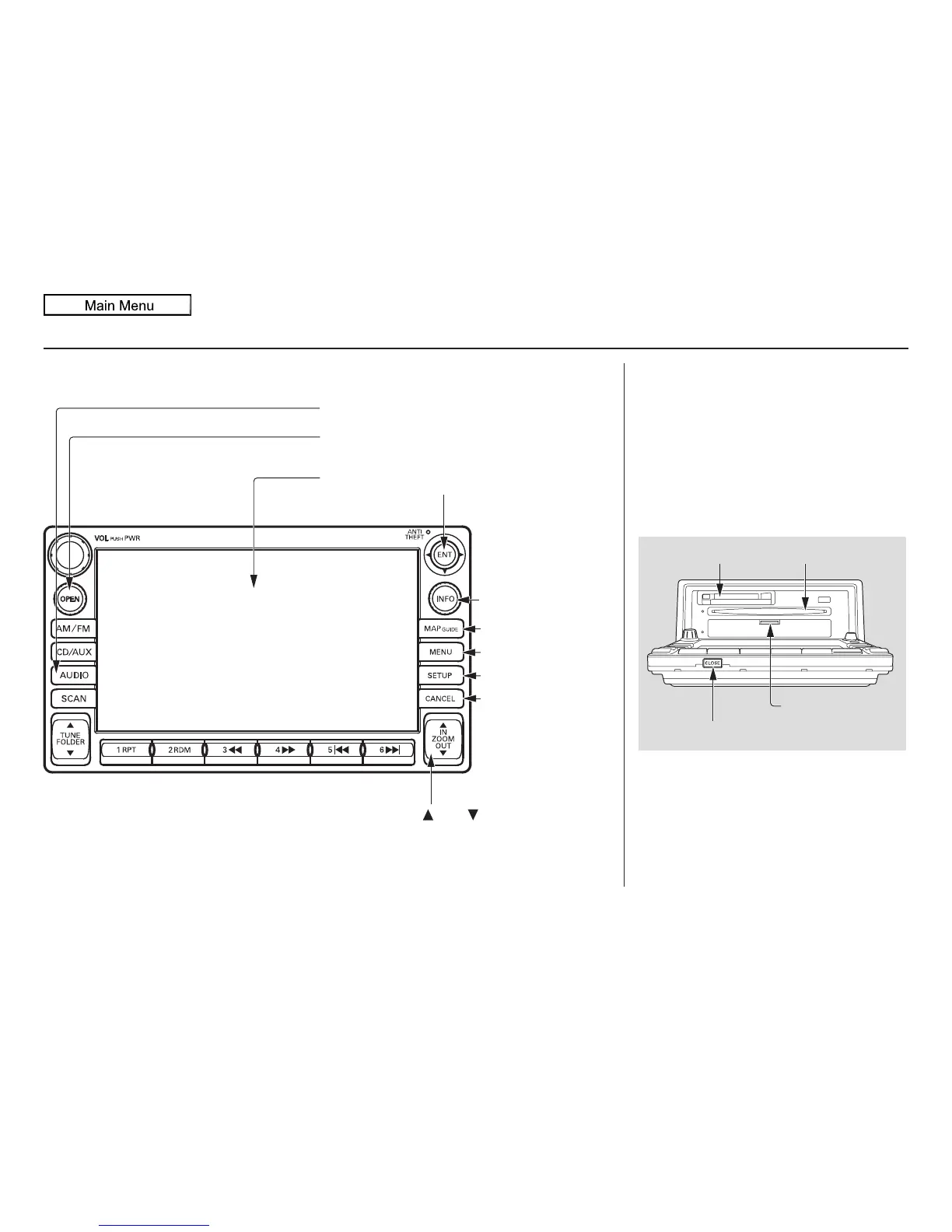
System Controls
Joystick/ENT button
MAP/GUIDE button
CANCEL button
Screen
MENU button
INFO button
AUDIO button
OPEN button
ZOOM (IN)/
(OUT) buttons
SETUP button
OPEN button
Tilts the screen down to access the CD,
DVD, and PC Card slots.
CLOSE button
Return the screen to the original
position.
Pressing the OPEN button tilts the
screen down.
NOTE:
• Voice commands are disabled when
the screen is tilted down.
• Press the CLOSE button to return
the screen to the upright position.
CLOSE button
Navi DVD Slot
(Located behind
drop-down cover)
PC Card Slot
CD Slot


 To Next Page
 Loading...







